

In Google Analytics, organic traffic is the term for anyone who lands on your website after clicking a link from a search engine's natural, unpaid results. Think Google, Bing, or DuckDuckGo.
This isn't just another number to track. It's a direct reflection of your site's health and the power of your SEO efforts. It tells you how many people are finding you because you're the most relevant answer to their question—not because you paid to be there.
Why Organic Traffic Is Your Most Valuable Asset
Picture your website as a shop in a busy city. Paid ads are like hiring people to hand out flyers on the street corner. It gets you some foot traffic, sure, but it's often temporary and the crowds disappear the second you stop paying them.
Organic traffic is different. These are the people who sought out your shop because they heard it was the best, a trusted friend recommended it, or they were looking for exactly what you sell. They walk in with genuine interest and a specific need. These visitors don't just show up; they arrive with intent.
The True Measure of Brand Authority
When you look at organic traffic in Google Analytics, you're getting a real-time report on your digital reputation. A healthy, growing stream of organic visitors is a clear signal that search engines see your content as credible, useful, and worth showing to their users. It’s the ultimate nod of approval from the internet's biggest gatekeepers.
This kind of authority pays off in tangible ways:
- Higher Trust and Credibility: People naturally trust organic search results more than sponsored ads. Ranking high tells them you’re a legitimate, respected voice in your industry.
- Sustainable, Long-Term Growth: Unlike a paid campaign that stops when the budget runs out, a solid SEO strategy builds on itself. An article you publish today can keep bringing in organic visitors for months or even years, creating a compounding return on your work.
- Cost-Effective Acquisition: SEO certainly requires time and resources, but every organic visitor you gain is, in a sense, free. This dramatically lowers your customer acquisition cost over the long haul compared to paid channels.
Organic search is a cornerstone of any smart marketing plan. It’s typically the largest driver of visitors to a website and serves as a powerful indicator of a brand's relevance and market visibility.
A Roadmap for Strategic Decisions
Monitoring your organic performance does more than just validate your efforts—it gives you an actionable roadmap. By seeing which pages and posts pull in the most visitors, you can pinpoint your top-performing content and double down on what your audience loves.
This data helps you discover new keyword opportunities, spot emerging trends in your niche, and find underperforming pages that could be optimized to capture even more traffic. If you want to get a broader view, you can learn more about the different web traffic sources you should be tracking in our complete guide.
Ultimately, organic traffic is the foundation of a resilient digital presence. It shifts your strategy from "renting" attention with ads to truly "earning" it with quality and relevance, building a powerful, lasting asset for your business.
How Google Analytics Understands Organic Traffic
So, how does Google Analytics know if someone found you through an organic search versus a paid ad or a social media link? It’s not magic. GA acts like a digital detective, checking every visitor's trail to figure out where they came from.
This process boils down to two key clues: the source (the specific website, like google.com) and the medium (the general category, like 'organic'). Think of it like a letter arriving at your doorstep. The source is the return address, and the medium tells you if it came via standard mail, express delivery, or a courier.
This sorting is handled automatically by a feature called Default Channel Grouping. Google Analytics 4 (GA4) maintains a huge, built-in list of search engines. When a visitor lands on your site from a domain on that list—say, bing.com or duckduckgo.com—and the link isn't tagged as a paid ad, GA4 confidently files that visit under 'Organic Search'.
Recognizing Search Engines
Google’s list of recognized search engines is surprisingly thorough and constantly updated to keep your data clean.
- The Big Players: Naturally, this includes heavyweights like Google, Bing, and Yahoo!.
- Global Engines: It also covers major international search engines such as Baidu in China or Yandex in Russia.
- Niche Platforms: Even smaller, more specialized search sites are often on the list.
If a visitor's referring URL matches one of these domains and there are no ad-tracking tags (like UTM parameters for 'cpc'), GA4 automatically categorizes that session as organic. It's a simple but effective way to separate a natural search click from a sponsored one.
The diagram below breaks down this fundamental split, showing how the two main traffic acquisition strategies—organic and paid—bring visitors to your site.
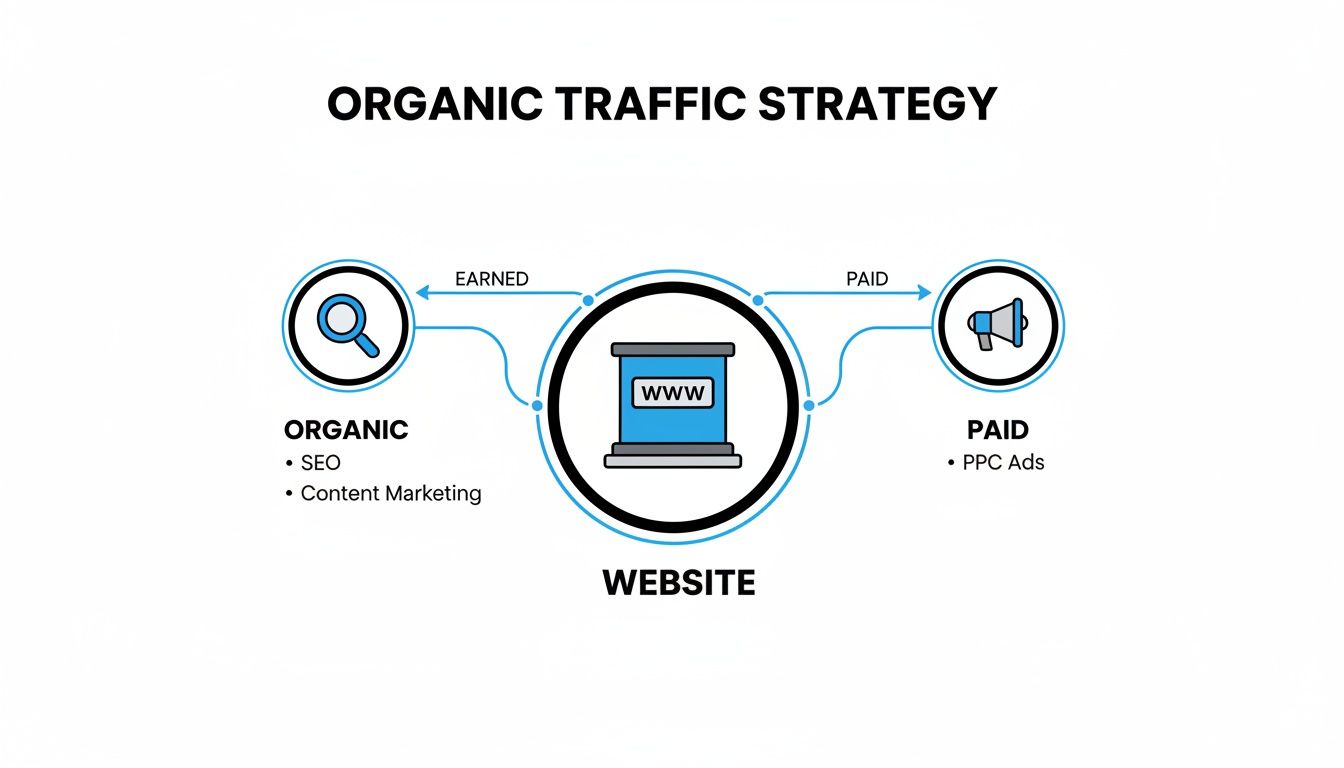
This highlights a key point: while both channels get people to your website, their starting points, and often their mindset, are completely different.
Attribution: The Big Shift from UA to GA4
One of the most important changes when moving from Universal Analytics (UA) to GA4 is how they assign credit for a conversion. This is a game-changer and a big reason why your organic traffic reports might look different between the two platforms.
Universal Analytics lived by a "last non-direct click" attribution model. Essentially, it gave 100% of the credit to the last channel a user touched before converting, completely ignoring everything that came before it (unless the last touch was 'Direct').
Let's say someone found your blog through an organic search, left, came back a week later by clicking a social media ad, and finally typed your URL into their browser to buy something. In this scenario, UA would give all the credit to the social media ad. That first, crucial organic discovery? Completely overlooked.
GA4, on the other hand, defaults to a much smarter data-driven attribution model. It analyzes the entire customer journey and distributes credit across multiple touchpoints, recognizing that several interactions likely contributed to the final conversion.
Organic Traffic Attribution UA vs GA4
This table breaks down the fundamental differences in how the two versions of Google Analytics handle attribution for organic search.
| Feature | Universal Analytics (UA) | Google Analytics 4 (GA4) |
|---|---|---|
| Default Model | Last Non-Direct Click | Data-Driven Attribution |
| Credit Assignment | Gives 100% credit to the final touchpoint | Distributes credit across multiple touchpoints |
| User Journey View | Offers a limited, final-step perspective | Provides a holistic view of the entire path to conversion |
This move to a data-driven model in GA4 gives you a much richer and more realistic picture of your marketing. It finally acknowledges the true value of that first organic search that introduced a customer to your brand, even if it wasn't the click that closed the deal. This helps you understand the real impact of your SEO efforts.
Finding Your Organic Traffic Data in GA4
Now that we've covered the "what," it's time for the "where." Knowing how Google Analytics defines organic traffic is one thing, but actually digging into the GA4 platform to find that data is where the real work begins. This isn't just about pulling numbers; it's about piecing together a clear story of your SEO performance. Let's walk through exactly where to go and what to look for.
The main hub for this information is the Traffic acquisition report. Think of this as your command center for understanding how people find their way to your website. It neatly breaks down every channel—Organic Search, Direct, Paid Search, and so on—and shows you what they do once they arrive.
Navigating to the Traffic Acquisition Report
Getting to this report is a piece of cake. From your main GA4 dashboard, just follow these three quick steps:
- Click on Reports in the left-hand navigation menu.
- Find the Life cycle collection and expand the Acquisition dropdown.
- Click on Traffic acquisition.
Once you're there, you'll see a graph at the top showing traffic trends and a detailed table below. That table is where the magic happens. By default, it groups everyone by their Session default channel group, which is precisely what we need to zoom in on our organic visitors.
Just look for the row labeled "Organic Search". That's your top-level view of all SEO-driven traffic.
The Traffic acquisition report is your starting point for almost any organic traffic analysis in GA4. If you can master this one report, you're well on your way to making smarter, data-backed SEO decisions.
The screenshot below shows a typical Traffic acquisition report, with the "Organic Search" channel's performance metrics clearly visible.

This view gives you an immediate side-by-side comparison of how your different channels are performing and contributing to what really matters: user engagement and conversions.
Understanding Key GA4 Metrics for SEO
The columns in the Traffic acquisition report tell a much richer story than just "how many people visited." GA4 smartly moved away from older, often misleading metrics like "Bounce Rate" to focus on what truly signals user interaction.
Here are the crucial metrics to keep an eye on for your organic traffic:
- Users: The number of distinct people who came from organic search at least once.
- Sessions: The total number of visits from organic search. Remember, one user can have many sessions.
- Engaged sessions: A core GA4 metric. This counts any session that lasted over 10 seconds, included a conversion, or involved at least two pageviews. It’s a fantastic way to filter out the "accidental clicks."
- Engagement rate: Simply Engaged sessions / Sessions. This percentage tells you how many visitors actually stuck around and did something, giving you a far better pulse on content quality than the old bounce rate ever did.
- Conversions: This tracks the valuable actions you care about—be it a purchase, a form submission, or an email sign-up—completed by your organic visitors.
While an engagement rate above 60% is often considered a good sign, don't get too hung up on industry averages. Your real goal should be to steadily improve your own numbers month over month.
Adding Secondary Dimensions for Deeper Insights
The real power of analyzing organic traffic in Google Analytics comes from asking the next question. Knowing your overall "Organic Search" numbers is great, but what about the specifics? Which pages are pulling in those valuable visitors?
This is where secondary dimensions come into play. They let you slice and dice your data into much more granular views.
Let's use a quick example. Say you run an online store for handmade leather goods. Your blog has popular articles like "How to Care for a Leather Wallet" and "The Best Men's Leather Belts." You can use a secondary dimension to see which post is not just driving traffic, but actually driving sales.
To do this, just click the little blue "+" icon next to the primary dimension column header in the table. In the search box that appears, type and select "Landing page + query string".
Instantly, your report transforms. It now shows you the exact pages where your organic visitors first landed. You can sort by engagement rate or, even better, by conversions. You might find that your wallet care guide gets tons of traffic but very few sales, while the belt guide converts visitors into customers like clockwork. That kind of insight is pure gold—it tells you exactly which type of content is hitting the mark and where to focus your SEO efforts next.
Auditing and Fixing Common Data Issues

Here's the thing about data: it’s only as good as its accuracy. If your Google Analytics setup is flawed, you're essentially flying blind. Making big strategic decisions based on bad data is like using a broken compass—it'll point you somewhere, but probably not where you want to go.
Before you can turn those juicy organic insights into real growth, you have to make sure you can trust what you’re seeing. A few common gremlins can sneak into your reports, messing with your numbers and hiding the real story. Let's get them sorted.
Spotting these problems is the first step, and a full data audit is the best way to do it. Our comprehensive https://www.sugarpixels.com/website-audit-checklist/ is a fantastic place to start for a full-site health check.
1. Misattributing Organic Traffic with UTM Tags
UTM parameters are a marketer's best friend for tracking campaigns, but they can quickly turn into a nightmare if you use them incorrectly. The most common mistake? Slapping UTM tags on your internal links.
Imagine you have a shiny new blog post and you link to it from a banner on your homepage using a UTM tag like ?utm_campaign=homepage-banner.
- The Problem: When a visitor who originally found you through Google clicks that internal link, GA4 completely forgets they were an organic visitor. It overwrites their source and re-labels them as coming from your "homepage-banner" campaign. Just like that, your organic traffic numbers take a hit.
- The Solution: This one is simple: never, ever use campaign UTMs for internal links. Keep them exclusively for your external marketing—emails, social media ads, QR codes, you name it. This ensures your organic visitors stay "organic" for their entire journey on your site.
Think of it like this: UTMs are for tracking how people get into your store from the street. You don't need to track them as they walk from the bread aisle to the dairy aisle—that just muddies the waters about how they found you in the first place.
2. Cleaning Up Skewed Data from Bot Traffic
Not all of your website traffic comes from humans. Automated bots and spiders are constantly crawling the web, and if they hit your site, they can inflate session counts, tank your engagement rates, and paint a misleadingly rosy picture of your performance.
The good news is that GA4 has a built-in bouncer. It automatically tries to filter out traffic from a known list of bots and spiders maintained by the Interactive Advertising Bureau (IAB).
- The Problem: This feature is on by default, but it's not foolproof. Craftier bots can sometimes slip past the velvet rope, continuing to inflate your numbers.
- The Solution: For most people, making sure this default filter is active is enough. You can double-check it under Admin > Data Settings > Data Filters. If you’re dealing with a serious spam problem, you might need to go a step further and create custom data filters to block traffic from specific IP addresses or regions notorious for spam.
3. Fixing Broken User Journeys with Cross-Domain Tracking
Does your customer's journey span across more than one domain? For example, maybe they browse on yourwebsite.com but check out through a third-party shopping cart on securecheckout.com. If so, GA4 can easily lose track of them mid-trip.
When a user hops from your site to the checkout domain, GA4 often sees it as the end of one session and the beginning of a brand new one. The original organic source gets lost, and the new session is often attributed as a "Referral" from your own website. This shatters the user journey and makes it impossible to see which organic searches actually lead to sales.
- The Problem: Someone finds you on Google, lands on
yourblog.com, clicks "Buy," and gets sent toyourshoppingcart.com. GA4 mistakenly records two visits: an organic one that bounced and a new referral visit that converted. - The Solution: The fix is to set up cross-domain measurement in GA4. By telling Google Analytics which domains belong to you in your data stream settings, you’re essentially telling it to treat them as one big, happy website. This makes sure the original session data—including the all-important "Organic Search" source—sticks with the user from start to finish.
4. Unlocking Keyword Data with Google Search Console
This is arguably the most important fix of all. For privacy reasons, Google Analytics hides the specific search terms that people use to find your site, lumping them into the frustrating (not provided) category.
Without connecting Google Search Console (GSC), you know how many people came from search, but you have no idea what they searched for. It's like knowing your store is busy but having no clue what customers are looking for. This makes it incredibly hard to react to traffic changes, like understanding the critical impact of Google's March 2024 Core Update on your specific queries.
- The Problem: Your organic reports are missing the keyword-level context you need to build a smart SEO and content strategy.
- The Solution: Link your GA4 property to your Google Search Console account. This is completely non-negotiable for anyone serious about SEO. Once it's connected, GA4 automatically adds two powerful new reports: Google organic search queries and Google organic search traffic. Suddenly, you have the keyword data you need to make truly informed decisions.
Turning SEO Insights into Traffic Growth

Alright, now that your data is clean and trustworthy, it’s time for the fun part: turning those numbers into real, sustainable growth. This is where you shift from just watching your organic traffic in Google Analytics to actively making it bigger and better. Your GA4 reports are a goldmine, offering a clear roadmap for smarter SEO decisions.
The secret is knowing where to look and what questions to ask. By digging into your landing page reports and pairing that knowledge with insights from Google Search Console, you can spot high-impact opportunities that most people miss. We're not guessing here; we're letting the data guide our content and SEO strategy.
Find High-Traffic, Low-Conversion Pages
First on the list: find the pages that are already pulling in tons of visitors but aren't getting them to take action. Think of these as your "leaky buckets." They have great visibility in search, but something about the page itself is causing visitors to leave without converting.
You can hunt these down right in your Traffic acquisition report in GA4.
- Start by filtering for the Organic Search channel.
- Next, add Landing page + query string as a secondary dimension to see the exact URLs people are landing on.
- Sort the entire table by Sessions to bring your most popular pages to the top.
Now, just scan down the Conversions column. See any pages with a boatload of sessions but a goose egg—or close to it—for conversions? Bingo. You've found your prime candidates for conversion rate optimization (CRO). The hard part of attracting visitors is already done; now you just need to fine-tune the experience to get them across the finish line.
Uncover Your Hidden SEO Gems
Now, let's flip the script and look for the opposite: your "hidden gems." These are the pages with fantastic conversion rates but frustratingly low traffic. They're incredibly good at converting the few people who find them, which is a huge signal.
To spot these, just re-sort that same landing page report by Conversions instead of sessions. The pages that pop to the top are your most effective performers. If their session counts are low, you've just been handed a priority list for your SEO efforts. You already have proof the content works—now you need to get it in front of more people. Our guide on building an SEO content strategy can give you a framework for doing just that.
By finding both your low-converting workhorses and your high-converting hidden gems, you create a perfectly balanced action plan. One path focuses on getting more value from the traffic you already have, while the other builds long-term growth by amplifying your best content.
Target Striking-Distance Keywords
The final piece of this puzzle lies in Google Search Console. This is where you find your "striking distance" keywords—search terms where you rank on the second page (usually positions 11-20). Often, a small, focused effort is all it takes to push these onto page one, where they can see a massive jump in clicks.
Head over to your GSC account and open the Performance report. Filter your queries to show only those with an average position greater than 10. These are your golden opportunities. From here, you can:
- Refresh the content: Update the page with fresh information, add some internal links from your high-authority pages, or embed a new video.
- Build supporting content: Create new blog posts that directly address the user intent behind these keywords and link back to your main page.
- Sharpen on-page SEO: Tweak your title tags, meta descriptions, and headers to better align with what people are searching for.
Despite all the talk about AI changing the game, organic search is still a powerhouse. Recent data shows that overall organic traffic only dipped by a mere 2.5% year-over-year, and the largest sites actually saw a 1.6% increase. Organic still drives around 90% of all clicks from search, making these targeted efforts incredibly valuable.
For those looking to get even more advanced, exploring how data science in marketing can be applied to your analytics will unlock a whole new level of strategic growth. It helps you move past basic reporting and start building predictive models for SEO success. By putting these strategies together, you can systematically turn your Google Analytics data into a powerful engine for growth.
Frequently Asked Questions About Organic Traffic
Even when you feel like you have a handle on the reports, digging into your organic traffic in Google Analytics can surface some confusing questions. Let's walk through some of the most common head-scratchers so you can feel confident in your data and make better SEO decisions.
Why Doesn't My Google Analytics Data Match My Search Console Clicks?
This is easily one of the most common puzzles marketers run into. You pop into your Google Search Console (GSC) report and see 1,000 clicks for a query, but then Google Analytics (GA4) only reports 850 sessions for that same day. It's natural to think something is broken, but this difference is actually completely normal.
The secret is realizing these two powerful tools are measuring two very different things.
Think of it this way: Google Search Console is like a turnstile at a stadium entrance—it counts every single person who clicks to come inside. Google Analytics, on the other hand, is like an attendant inside the stadium who only counts the people who actually find their seat and watch the game.
GSC measures what happens on Google's search results page. It’s a simple tally of every time someone clicks on your link.
GA4 measures what happens on your website. A "session" only gets logged if the person's browser successfully loads your page and the GA4 tracking code fires.
Here’s why they almost never line up perfectly:
- The Quick Exit: Someone clicks your link in the search results, but their internet is slow or they immediately hit the "back" button before your website has a chance to fully load. GSC counts the click, but GA4 never even knew they were there.
- Privacy Tools: People using aggressive ad blockers or who have disabled JavaScript in their browser can prevent the GA4 script from ever running. They're basically ghosts to your analytics, even though GSC saw them click.
So, don't sweat the small discrepancies. GSC is your source for understanding your visibility on Google, while GA4 tells you what people actually do once they arrive.
What's a Good Engagement Rate for Organic Traffic?
There’s no magic number here. A "good" engagement rate really depends on your industry, your audience, and the kind of content they're looking at.
For instance, if someone lands on a blog post, finds a quick answer to their question, and leaves completely satisfied, that might result in a lower engagement rate. But was the visit a success? Absolutely. Conversely, someone on an e-commerce product page should have a much higher engagement rate because a purchase requires a lot more interaction.
As a general rule of thumb, an engagement rate above 60% is often considered pretty healthy. But a much better approach is to benchmark against your own historical performance. Instead of chasing some vague industry average, just aim to be better than you were last month.
You can nudge that number up by:
- Improving your site speed so pages load instantly.
- Making your content more engaging with videos, images, and clear calls-to-action.
- Ensuring your mobile experience is smooth and frustration-free.
Your real benchmark is your past performance. The goal is steady, incremental improvement.
How Can I See My Organic Keywords in GA4?
This one is a classic source of frustration. For privacy reasons, Google Analytics hides most of the search terms people use to find your site, lumping them into the infamous "(not provided)" category. This robs you of seeing the exact language your customers are using.
Luckily, the solution is straightforward and absolutely essential: link your Google Analytics 4 property to Google Search Console. For anyone serious about SEO, this integration isn't optional.
Once you connect the two, GA4 gets access to GSC's keyword-level data. This unlocks a new set of reports (you'll find them in the "Library" section, ready to be added to your main navigation) that blend GSC metrics like queries and clicks with GA4 behavioral data like engaged sessions and conversions.
This connection finally gives you the whole story. You can see not just which keywords are bringing people to your site, but which ones are bringing the right people—the ones who stick around and become customers.
Ready to stop guessing and start growing? At Sugar Pixels, we specialize in building high-performance websites backed by data-driven SEO strategies that turn organic traffic into loyal customers. Let's build your digital presence together.