

So, what's the real cost of a website? I get this question all the time. The honest answer is: it depends. You could be looking at anywhere from $500 to $5,000 for a straightforward site, but a complex, custom-built project can easily climb from $10,000 to over $50,000.
The final number comes down to what you actually need—things like design complexity, special features, and who you hire to build it.
Understanding Your Initial Website Investment
Think of it like buying a car. You could get a dependable used sedan that gets you from A to B. That's your basic small business website—functional and affordable. Or, you might need a fully-loaded, custom-outfitted work van to run your entire operation. That’s your enterprise-level site.
Neither one is "better" than the other. It’s all about finding the right vehicle for the job you need to do.
A website isn't an off-the-shelf product; it's an investment built specifically for your business. The price is shaped by the features you need, the level of custom work you want, and the expertise required to pull it all together.
Key Factors Influencing the Price Tag
Before we get into the nitty-gritty, let's look at the main things that move the needle on cost. Every website project is a mix of these core components, and each one adds to the final total.
- Design and Development: Are we starting with a flexible template, or are we creating a totally unique design from a blank canvas?
- Functionality and Features: Do you just need a simple contact form, or are you looking for advanced tools like an e-commerce shopping cart, customer logins, or a full-blown booking system?
- Content and SEO: Are you writing all the text and providing the images yourself, or do you need a hand with professional copywriting and search engine optimization to get found on Google?
- Ongoing Maintenance: A website is a living thing. It needs a home (hosting), regular check-ups (updates), and security to keep it safe, which all come with recurring costs.
The single biggest cost driver is almost always complexity. A simple, five-page brochure site is worlds away from a 500-product online store that needs to handle payments, track inventory, and manage customer accounts. If you're planning to sell online, it's worth checking out some dedicated ecommerce pricing details to see how those features add up.
To give you a clearer picture, I've put together a table that breaks down what you can generally expect to pay for different types of websites.
Website Cost At a Glance by Project Type
This table provides estimated upfront and recurring costs for different types of websites, helping you quickly identify the budget range for your specific needs.
| Website Type | Best For | Estimated Upfront Cost | Estimated Annual Recurring Cost |
|---|---|---|---|
| DIY / Starter Site | Hobbyists, personal brands, or testing an idea on a minimal budget. | $100 – $1,500 | $150 – $500 |
| Small Business Site | Service-based businesses, local shops, and professional portfolios. | $2,500 – $10,000 | $500 – $2,000 |
| E-commerce Store | Businesses selling products online, from small boutiques to larger retailers. | $5,000 – $25,000+ | $1,500 – $10,000+ |
| Enterprise / Custom | Large corporations, SaaS products, or sites with unique, complex functionality. | $25,000 – $100,000+ | $10,000 – $50,000+ |
This should give you a solid starting point. As we go, we'll dive deeper into what makes up these numbers and how you can make the best decision for your budget and goals.
What Goes Into the Price Tag of a Website?
Figuring out the cost of a new website can feel a lot like budgeting for a custom-built home. First, you have the big, one-time costs to get the thing designed and built. Then, you've got the ongoing bills—like electricity and insurance—that keep it running smoothly month after month.
Getting a clear picture of these two cost categories is the single best way to build a realistic budget and avoid nasty surprises later on. Let's start with the major investments you'll make right out of the gate.
The Big Upfront Investments
These are the foundational costs to get your website designed, built, and launched. Think of them as the initial, one-time payments that bring your digital home to life.
-
Domain Name: This is your unique address on the internet, like
sugarpixels.com. A standard domain will set you back about $12 to $50 per year. It’s a small price for a critical piece of your brand's identity, though be aware that premium or in-demand names can fetch thousands. -
Website Design and Development: This is the big one. It's where the magic happens, covering everything from the visual design (the architecture and interior design) to the functional code that makes it all work (the construction and plumbing). The price tag here can swing wildly, from a few thousand for a straightforward site to $25,000+ for a complex, custom-built experience with all the bells and whistles.
-
Initial Content Creation: A house is just an empty shell without furniture, and your website is nothing without great content. This includes writing compelling copy for your pages, shooting professional photos of your team or products, or producing engaging videos. You can do it yourself for free (if you have the time and skill), or hire pros, which can cost anywhere from a few hundred to several thousand dollars.
These initial costs create the foundation for everything that comes next. For a deeper dive into how design decisions can dramatically affect your budget, we've put together a complete guide to understanding website design costing on our blog.
The Necessary Ongoing Costs
Once your site is live, it needs regular attention to stay secure, fast, and available to your visitors. Just like a house needs utilities, your website has recurring fees that you should bake into your annual budget.
A website is never truly "finished." It's a living asset that requires continuous care and investment to perform well. Ignoring ongoing maintenance is like never changing the oil in your car—it will eventually lead to bigger, more expensive problems.
Here’s a breakdown of the most common recurring costs:
-
Web Hosting: Think of this as the plot of land your website lives on. It's a service that stores all your site's files and makes them accessible to anyone, anywhere. Basic shared hosting can be as cheap as $10-$25 per month, while a high-traffic site might need a more powerful dedicated server, which can run $100-$500+ per month.
-
SSL Certificate: This is what puts the "s" in "https" and the little padlock icon in your browser's address bar. It encrypts data, protecting your visitors and building trust. Many hosting plans come with a free SSL, but premium certificates with stronger validation can cost $50-$200 per year.
-
Maintenance and Support: Technology is always changing. Your website’s software, plugins, and themes need constant updates to stay secure and function correctly. A good maintenance plan typically runs $50-$500 per month and handles all of that for you, including backups and security scans, so you can sleep at night.
By separating these one-time and recurring costs, you can create a clear, sustainable financial plan. It ensures you have the budget not just to launch a fantastic website, but to keep it thriving for years to come.
How Website Complexity Shapes Your Budget
So, you've probably wondered why one business gets a website for $3,000 while another gets a quote for $15,000. What gives? The answer almost always boils down to one thing: complexity.
Think of it like building a house. A simple, pre-designed shed is cheap and fast to put up. But a custom-built home with unique architecture, smart wiring, and high-end plumbing? That's a completely different project, requiring far more skill, time, and money. Websites work the exact same way.
The more you ask your website to do, the more intricate the build becomes. A basic "digital brochure" with a few pages is pretty straightforward. But as soon as you want it to handle user logins, process payments, or talk to other software, the complexity—and the price tag—starts to climb.
From Simple Brochure to Interactive Hub
Let's break down what this actually looks like. Figuring out which tier your project falls into is the first step toward setting a realistic budget.
A Basic Informational Site is your online business card. Its main job is to look professional, tell people who you are, and give them a way to contact you. Simple.
- Core Pages: You're looking at the essentials: Home, About Us, Services, and a Contact page. Maybe a small photo gallery.
- Functionality: The most "interactive" part is usually just a standard contact form.
- Goal: To establish credibility online and provide key business details.
This is the most affordable entry point. It gets the job done for establishing a presence, but it won't be scheduling appointments or selling products for you.
Once you move beyond that, things get more interesting. Let's say you run a consulting business and want clients to book appointments directly on your site. That one feature adds a whole new layer of complexity, requiring a calendar system, time slot management, and possibly payment integration.
A website's cost is a direct reflection of its capabilities. Adding a single "simple" feature like a customer login portal can involve building user databases, password recovery systems, and secure data management, fundamentally changing the project's scope.
This diagram gives you a clear visual of how costs are split. No matter how simple or complex your site is, your total investment will always have these two core components.
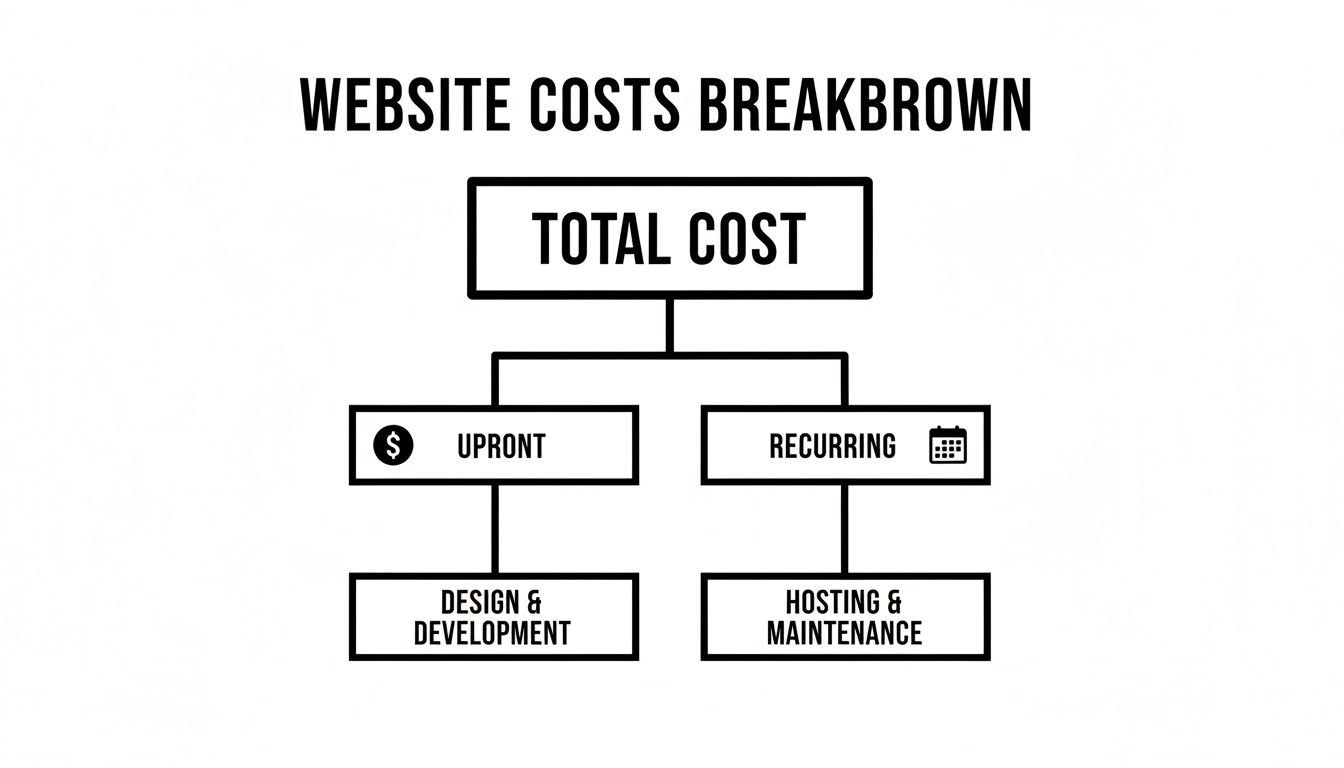
As the flowchart shows, your costs are divided between the initial build and the ongoing expenses needed to keep it running smoothly—both of which grow as the site’s features become more advanced.
The Impact of E-commerce and Custom Features
Stepping into e-commerce is where you'll see one of the biggest price jumps, and for good reason. An online store isn't just a website with pictures of products; it's a full-blown sales machine that has to juggle a ton of critical tasks securely.
An e-commerce platform needs to handle:
- Product Management: A backend system where you can add products, update prices, track inventory, and upload photos.
- Shopping Cart and Checkout: A smooth, intuitive process for customers to select items and pay for them.
- Payment Gateway Integration: Securely connecting with processors like Stripe or PayPal to handle sensitive credit card information.
- Order Management: A dashboard for you to see new orders, manage shipping, and track fulfillment.
- Customer Accounts: Allowing users to create profiles, view their order history, and save their details for next time.
Every one of these pieces needs to be built, integrated, and tested thoroughly. This is why a basic online store often starts around $5,000 and can easily climb past $25,000 as you add more products, custom features, and advanced sales tools.
Third-Party Integrations and Advanced Functionality
Beyond selling products, any feature that requires your website to "talk" to another service will add to the budget. These connections, called API integrations, require a developer to write code that lets two separate systems share information seamlessly.
Common examples that drive up complexity include:
- CRM Integration: Automatically sending leads from your contact form into a system like HubSpot or Salesforce.
- Booking and Scheduling Systems: Embedding a tool like Calendly so clients can book meetings in your real-time calendar.
- Membership Portals: Building a secure, members-only section of your site with protected content.
- Custom Calculators or Quoting Tools: Creating interactive tools that give users instant estimates based on their input.
For many startups or marketers on a tighter budget, there are more accessible routes. You can get a startup's first site off the ground for as little as $100 to $1,600 with DIY builders, with ongoing costs from $500 to $5,000 a year. A WordPress site might run $500 to $8,000 for the initial build, plus $600 to $5,000 in yearly upkeep, offering a solid middle ground. You can find more detail in various website design cost studies.
Ultimately, the best way to get a clear picture of your potential cost is to map out your "must-haves" versus your "nice-to-haves." Having that list ready will help you communicate exactly what you need and get a quote that truly fits your goals.
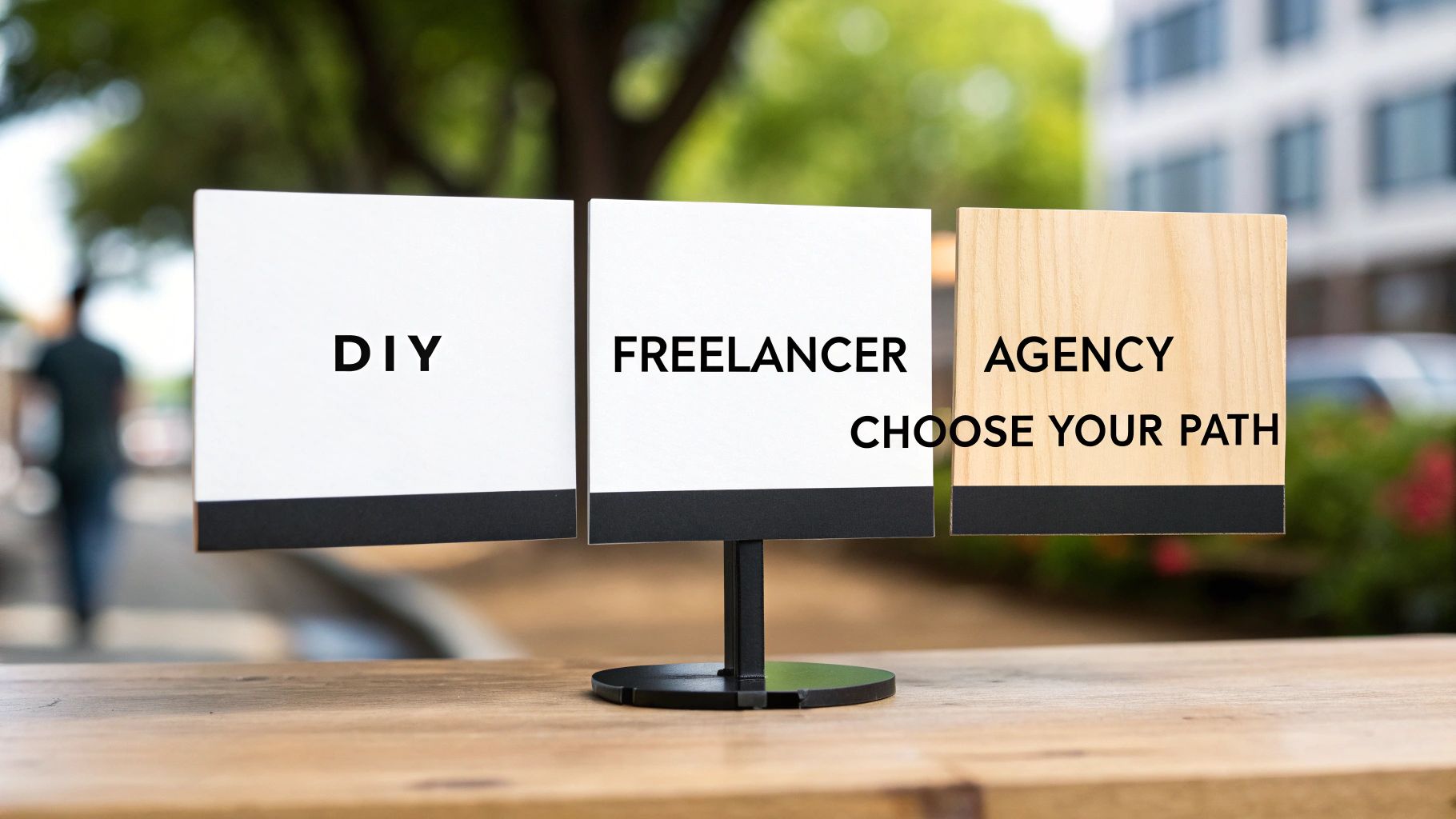
Choosing Your Path: DIY vs. Freelancer vs. Agency
Alright, you've got a handle on the moving parts of a website's cost. Now comes the big question: who is actually going to build this thing? This is a crucial decision that will shape not just your budget, but your timeline and the quality of the final product.
You really have three main routes you can go down. Each has its own unique blend of trade-offs—think of it as a balance between cost, time, and expertise. Let's dig into what each path looks like so you can figure out which one makes sense for your business.
The DIY Route: Building It Yourself
The Do-It-Yourself (DIY) approach means you'll be rolling up your sleeves and using a website builder to create your site. This is, without a doubt, the most wallet-friendly option to get started. But what you save in dollars, you'll spend in hours.
This path is a great fit if you're working with a shoestring budget, your project is straightforward, and you genuinely don't mind learning something new. If you're tech-savvy and enjoy a good challenge, it can be a really rewarding process.
Just remember, you're signing up to be the designer, developer, and IT support specialist all in one. Every single responsibility—from design tweaks and security patches to updates and troubleshooting—lands on your plate.
The DIY Trade-Off: You get total control and keep initial costs way down, but you need to be ready to pour dozens, if not hundreds, of hours into learning the platform, building the site, and keeping it running smoothly.
If you're leaning this way, our guide on choosing the best website builder for a small business is a great resource. It breaks down the top platforms to help you find one that fits what you're trying to do.
Hiring a Freelancer: The Independent Expert
Hiring a freelancer often hits that sweet spot right in the middle. You're bringing in a dedicated professional to do the heavy lifting, both technically and creatively, for a price that’s typically much lower than an agency's.
Freelancers are perfect for small-to-medium projects where you need a particular skill, like a great WordPress developer or a talented graphic designer. They bring a personal touch to the project and can often be more flexible than a large firm.
The catch? You have to find the right one. A fantastic freelancer can be a game-changer for your business, but hiring someone less experienced can lead to missed deadlines and a website that doesn't quite hit the mark. You’ll also be the project manager, and you might need to find other freelancers to fill any skill gaps, like copywriting or SEO.
Partnering with an Agency: The All-in-One Team
Going with a web design agency is like getting an entire crew of specialists focused solely on your project. You’re not just hiring a coder; you’re getting a whole team that includes designers, project managers, SEO pros, and content strategists, all working together.
While this is the most expensive route, it also provides the most complete service and peace of mind. An agency takes care of everything from the initial strategy sessions to the final launch and beyond, freeing you up to do what you do best: run your business.
This is the best choice for businesses that are serious about growth, have a complex website in mind, or simply don't have the time or internal team to manage the process. The whole experience is much more structured, with clear deliverables and timelines from day one.
To make this choice a little easier, here’s a side-by-side look at how these three options stack up.
Comparison of Website Building Options
| Factor | DIY Builder | Freelancer | Agency |
|---|---|---|---|
| Upfront Cost | Very Low ($100 – $500) | Moderate ($2,000 – $8,000) | High ($10,000 – $50,000+) |
| Time Commitment | Very High | Medium | Low |
| Expertise Required | High (from you) | Specialized (from them) | Comprehensive Team |
| Quality & Customization | Limited to Templates | Good, but Varies | Professional & Bespoke |
| Ongoing Support | Your Responsibility | Often Ad-hoc or Hourly | Structured (Retainers) |
| Best For | Hobbyists, startups with tight budgets, and simple brochure sites. | Small businesses, specific projects, and those who can manage vendors. | Growing businesses, complex projects, and e-commerce stores. |
At the end of the day, deciding between DIY, a freelancer, or an agency is all about finding the right balance for your unique situation. Be honest about your budget, how much time you can realistically commit, and the complexity of your vision. That clarity will point you toward the partner—or the path—that will help you succeed.
Beyond the Build: Essential Long-Term Investments
Getting your website live is a massive step, but it’s the starting line, not the finish. The initial build gets you into the race, but turning that site into a real business asset takes ongoing commitment. So many business owners pour their entire budget into the launch, only to be blindsided by the recurring costs needed to keep their new digital home healthy, secure, and—most importantly—visible.
These post-launch costs aren't just bills to be paid; they're smart investments that protect your initial outlay and fuel actual growth. Think of it like a new brick-and-mortar store: you wouldn’t just build it and walk away. You’d pay for electricity, security, and marketing to get people in the door. Your website is no different.
Protecting Your Investment with Proactive Maintenance
Website maintenance is the best insurance policy you can buy for your online presence. The digital world changes in the blink of an eye—new software updates, emerging security threats, and evolving browser standards are a daily reality. A “set it and forget it” mindset is a one-way ticket to problems that are far more expensive to fix later on.
A solid maintenance plan is your first line of defense. It handles the critical behind-the-scenes work that keeps everything running smoothly.
- Software and Plugin Updates: Keeping your website’s core software (like WordPress) and its plugins updated is non-negotiable. This is how you patch security vulnerabilities and ensure everything plays nicely together.
- Security Scans: You need someone actively looking for malware or suspicious activity before it can damage your reputation or harm your visitors.
- Regular Backups: If the worst happens, having a clean, recent backup of your site means you can get back online in minutes or hours, not days or weeks.
Without this proactive care, a website can quickly become slow, buggy, or even blacklisted by Google. Believe me, the stress and cost of cleaning up a hacked site are exponentially higher than the cost of preventing it.
A website is a dynamic tool, not a static brochure. Consistent upkeep ensures it remains a secure, functional, and effective representative of your brand, protecting the significant investment you've already made.
Fueling Growth with Digital Marketing and SEO
What good is a beautiful, flawlessly running website if nobody can find it? This is where digital marketing, especially Search Engine Optimization (SEO), becomes a crucial long-term investment. SEO is the art and science of getting your site to show up higher in Google search results when people look for what you offer.
Unlike paid ads, which disappear the second you stop paying the bill, a good SEO strategy compounds over time. It creates a sustainable, ever-growing stream of organic traffic. On average, SEO services can run anywhere from $500 to over $5,000 per month, depending on how competitive your market is and the scope of work involved.
This investment feeds your bottom line directly by:
- Driving Qualified Leads: You're reaching people who are actively searching for your exact solutions.
- Building Brand Authority: A high ranking establishes you as a trusted expert in your industry.
- Generating Measurable ROI: It creates a predictable flow of visitors that you can convert into customers.
Of course, other ongoing costs like web hosting are part of this long-term picture. The hosting you choose has a direct impact on your site's speed and reliability—both of which are huge factors for SEO. To get a better handle on this specific expense, it helps to understand how to choose the right web hosting for your business needs. And if you're using cloud services like AWS, you'll want to explore comprehensive AWS cost optimization strategies to keep those operational expenses in check. The key is to see these recurring fees not as a drain, but as an investment in performance and growth.
Answering Your Top Website Cost Questions
Trying to pin down the cost of a website can feel like trying to nail Jell-O to a wall. With so many factors at play, it's completely normal to have a ton of questions. We get it.
This section is all about tackling the most common questions we hear from business owners just like you. We’ll cut through the technical jargon and give you straight answers on everything from ongoing fees to realistic timelines. Let’s clear up any confusion so you can feel confident about your investment.
What Are the Average Annual Costs for a Website?
Once your site is live, the work isn't over—and neither are the costs. Think of it like owning a car; after the initial purchase, you still have to pay for gas, insurance, and maintenance to keep it running smoothly.
For most small businesses, you can expect to budget anywhere from $100 to $500 a year for a basic site. For larger, more complex websites with more moving parts, that number can easily climb to $500 to $5,000 annually.
This recurring budget typically covers a few essentials:
- Domain Name Renewal: This is your website's address on the internet. It's a small but non-negotiable fee, usually around $10 to $50 per year.
- Web Hosting: This is like paying rent for the little piece of the internet where your website lives. Depending on the size and traffic of your site, this can run from $50 to over $300 annually.
- Maintenance and Security: This is your digital security guard and mechanic, covering software updates, security scans, and backups. This can range from a few hundred to a couple of thousand dollars a year, depending on how much support you need.
Are There Hidden Costs I Should Know About?
Yes, but "hidden" costs are really just overlooked expenses that weren't planned for. Knowing what to look for from the start can save you from some serious budget headaches down the road.
The usual suspects are premium plugins and apps. While plenty of tools start free, the features you really want often come with a subscription, typically $5 to $50 per month, per app. You’ll also want to budget for professional stock photos or videos if you don't have your own high-quality imagery. Lastly, remember that a major redesign or adding a big new feature in a year or two won't be covered in your initial quote—that's a whole new project.
Always ask your developer or agency for a clear breakdown of what’s included and, just as importantly, what’s not. A good partner will be upfront about potential future costs, giving you a full, honest picture of your investment.
How Long Does It Take to Build a Website?
Time is money, and this is especially true in web design. The timeline for building a site is tied directly to its complexity, and the more time it takes, the more it will cost.
Here’s a rough guide to help set your expectations:
- Simple Brochure Site (5-10 pages): These can often be turned around in 2 to 6 weeks. The process is pretty straightforward: design, content, and launch.
- Small Business E-commerce Site (10-50 products): Plan for 6 to 12 weeks. This includes everything in a brochure site, plus setting up payment gateways, adding products, and thoroughly testing the entire checkout experience.
- Custom Enterprise-Level Site: These are the big guns. A project of this scale can take 3 to 6 months or even longer. The extended timeline is necessary for deep strategy, custom coding, complex software integrations, and a whole lot of testing.
Keep in mind, these timelines are a two-way street. The project can only move as fast as you provide feedback, content, and approvals.
Can I Save Money by Writing My Own Content?
Absolutely! And you could save a good chunk of change upfront, as professional copywriting can run anywhere from $500 to over $5,000. But—and this is a big "but"—the quality of your words has a massive impact on your website's success.
Poorly written copy doesn't just look unprofessional; it can kill your credibility and sink your search engine rankings. If writing isn't your strong suit, you might save money upfront only to lose it later through missed sales and poor visibility.
A great middle ground? Write the first draft yourself to get all your ideas down, then hire a professional editor to polish it. This usually costs less than full-blown copywriting but ensures your message is clear, compelling, and ready for prime time.
Why Do Website Prices Vary So Much?
The huge price range—from a few hundred bucks for a DIY site to tens of thousands for an agency project—all boils down to a few key things. It’s not random; it’s a direct reflection of the value, skill, and resources going into the project.
Think of it like buying a suit. A pre-built template is like buying one off the rack—it’s fast and affordable, but the fit is never quite perfect. A custom website is like getting a suit tailor-made just for you.
- Customization vs. Templates: It takes a lot more skill and time to build a unique design from scratch than it does to plug content into a pre-made template.
- Expertise Level: An agency with a dedicated team of specialists (designers, developers, strategists) will naturally charge more than a solo freelancer. You're paying for their combined experience and a streamlined process.
- Functionality: A simple site that just shows information is way easier to build than an e-commerce store that has to handle payments, manage customer accounts, and connect to other software.
At the end of the day, you're investing in a solution that's built to meet your specific business goals. The more ambitious those goals are, the bigger the investment needed to get you there.
At Sugar Pixels, we believe in total transparency. We’ll partner with you to understand your vision and build a website that not only fits your budget but also delivers real, measurable results. Explore our web design services to see how we can help you create a powerful online home for your brand.