
A great business website is more than just a digital brochure; it’s your hardest-working employee, operating 24/7 to attract customers, generate leads, and drive sales. But with countless designs and platforms available, what separates a good website from a truly exceptional one? The answer lies in a strategic blend of clear messaging, intuitive user experience (UX), and conversion-focused design.
This guide moves beyond theory to provide a practical breakdown of what works right now. We will deconstruct standout examples of business websites, showcasing the specific strategies that make them effective. You'll see how leading platforms and businesses use design to solve specific problems, from simplifying complex SaaS offerings to creating seamless e-commerce checkout flows.
We will analyze everything from powerhouse theme marketplaces like ThemeForest to all-in-one solutions like Wix and Squarespace. Each example includes screenshots, direct links, and a clear analysis of its key features and user interface. More importantly, we provide actionable takeaways you can apply directly to your own site-building process, whether you're starting from scratch or refining an existing presence.
To understand how cutting-edge tools are shaping the future of web design, explore a guide on the best AI website builders for your business in 2025. These innovations are making it easier than ever to implement sophisticated design principles. Let’s dive into the designs that are setting the standard for online business success and discover how you can build a site that delivers measurable results.
1. Sugar Pixels
Sugar Pixels earns the top spot in our list of business website examples because it masterfully demonstrates how to package complex services into a clear, accessible, and user-friendly experience. As a full-service digital agency, its own website serves as the ultimate proof of concept, effectively communicating value to a wide range of clients, from fledgling startups to scaling e-commerce brands. The site immediately builds trust through transparent pricing, a comprehensive service breakdown, and a focus on client outcomes.
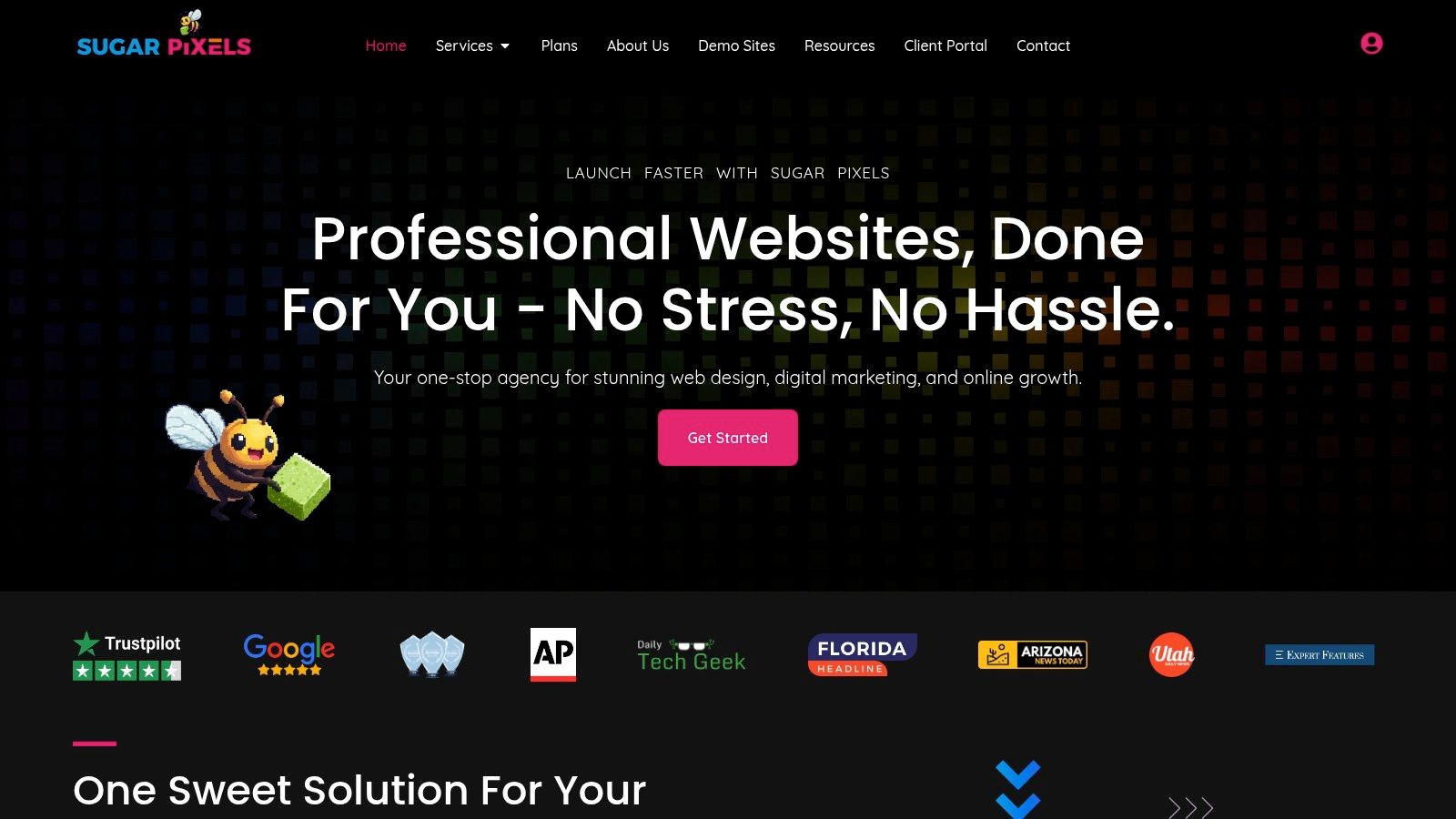
The design is clean, modern, and guides visitors logically from understanding the service to choosing a plan. It avoids overwhelming users with technical jargon, instead focusing on the benefits: launching and scaling an online presence with minimal hassle. This approach is a powerful lesson for any business wanting to sell complex solutions online.
Why Sugar Pixels Stands Out
What makes Sugar Pixels an exemplary business website is its all-in-one service model, which is presented with exceptional clarity. The site doesn't just sell web design; it sells a complete digital partnership. This integrated approach, combining everything from hosting and SEO to email marketing, is a significant differentiator.
Strategic Insight: By packaging design, hosting, maintenance, and marketing into tiered subscription plans, Sugar Pixels transforms a one-time project into a long-term partnership. This subscription model creates predictable recurring revenue and increases customer lifetime value, a strategy that businesses in any service industry can adapt.
The user experience is designed to reduce friction at every turn. A prominent "Free Discovery Call" call-to-action invites engagement without pressure, while detailed plan comparisons allow potential clients to self-qualify. To see another example of a modern business website leveraging a contemporary platform like Framer, explore the design of unreal-rectangle-465162's Framer Homepage, which similarly emphasizes a clean, user-centric layout.
Key Features & Strategic Takeaways
Sugar Pixels provides a blueprint for service-based businesses looking to build a high-converting website. Here’s a breakdown of its most effective strategies:
- Transparent Tiered Pricing: The website features a clear pricing table with plans like "Lite & Sweet" ($14.99/mo) and "Queen Bee" ($199.99/mo). This transparency demystifies costs and caters to different budget levels, immediately building trust.
- All-in-One Solution: By offering design, hosting, SEO, and more under one roof, the site appeals to business owners seeking simplicity and a single point of contact. This bundling strategy is a powerful way to increase the perceived value of an offer.
- Focus on Process and Timeline: The site clearly outlines a 2–6 week build time, including mockups and revision rounds. Managing expectations upfront is crucial for service businesses and helps build client confidence before a purchase is even made.
- Social Proof Through Testimonials: Customer endorsements are strategically placed to highlight specific successes, such as redesigns and e-commerce launches. These testimonials praise the owner-led collaboration, reinforcing the agency's hands-on, partnership-based approach.
Pros and Cons
| Pros | Cons |
|---|---|
| Comprehensive Service: Combines design, hosting, SEO, and marketing in one package. | Tier-Gated Features: Advanced functionality like unlimited products is locked behind higher-priced plans. |
| Clear, Scalable Pricing: Affordable entry points with clear upgrade paths for growing businesses. | Results Not Guaranteed: SEO and sales outcomes depend on ongoing investment beyond the initial setup. |
| Conversion-Focused Builds: Emphasizes responsive design and a structured, client-involved process. | |
| Reliability Assured: Includes hosting, SSL, and a post-launch warranty in all plans. |
For any business aiming to create an effective online presence, Sugar Pixels is one of the best examples of business websites to study. It excels at turning a complex service offering into an easy-to-understand solution, proving that clarity and transparency are the ultimate conversion tools.
Website: https://www.sugarpixels.com
2. ThemeForest (Envato Market)
ThemeForest isn't a single business website but rather a massive marketplace where you can find tens of thousands of them. It serves as an unparalleled library of examples of business websites by offering pre-built themes for platforms like WordPress, Shopify, and Webflow. Its primary value for business owners is the ability to explore countless live demos, providing a direct preview of what their future site could look and feel like.
Instead of imagining a design from scratch, you can browse through fully functional websites tailored to specific industries, from corporate finance to local bakeries. This makes it an essential research tool for gathering inspiration and identifying the key features your own site will need.
Why It's a Top Resource
ThemeForest stands out by providing a transparent and comprehensive evaluation framework for each theme. Before committing, you can analyze crucial data points that are often hard to find elsewhere.
- Live Previews: Nearly every theme has a "Live Preview" button that launches a fully interactive demo site. This is the platform's killer feature, allowing you to click through pages, test responsiveness on different screen sizes, and experience the user interface firsthand.
- Social Proof and Data: Each theme page displays vital statistics, including the total number of sales, customer ratings and reviews, and the date of the last update. High sales and frequent updates are strong indicators of a quality, well-maintained product.
- Support and Documentation: The platform clearly outlines the support policy for each theme, which typically includes six months of author support. You can also see if a theme is well-documented, a critical factor for a smooth setup process.
Strategic Takeaway: Use ThemeForest's live demos as a competitive analysis tool. You can filter by your industry to see what design trends, layouts, and functionalities are popular among your competitors. This is a low-cost, high-impact way to inform your own design strategy.
Practical Tips for Using ThemeForest
To get the most out of the platform, it’s important to vet themes carefully. A beautiful demo can sometimes hide a poorly coded or bloated product.
Focus on themes from "Power Elite Authors," as these developers have a long track record of high sales and customer satisfaction. Always check the comments and reviews section for recent feedback, paying close attention to comments about customer support quality and ease of use. Understanding all the essential features of a website will help you better evaluate the themes and their demos.
Finally, be mindful of themes that rely heavily on numerous third-party plugins. While they might offer impressive features, they can also introduce security vulnerabilities and slow down your site if not managed properly. A theme that achieves its core functionality with minimal dependencies is often a more stable and secure choice for your business.
3. TemplateMonster
Similar to ThemeForest, TemplateMonster is another major digital marketplace where businesses can find a vast collection of website templates. It offers a diverse portfolio of examples of business websites by providing pre-designed themes for an extensive range of platforms, including WordPress, Shopify, HTML5, and even presentation software like PowerPoint and Google Slides. Its primary function for a business owner is exploration and inspiration.
By browsing TemplateMonster, you can see how different design concepts are executed across various platforms. This is incredibly useful for comparing how a specific business model, like a subscription service or a local restaurant, can be presented on a WooCommerce site versus a static HTML5 site, helping you make a more informed platform choice from the outset.
Why It's a Top Resource
TemplateMonster stands out with its wide platform coverage and clear, upfront information, making it a reliable resource for businesses on a budget who need to compare options efficiently.
- Multi-Platform Demos: The platform excels at providing live demos for a huge variety of technologies. You can easily find a design you like and see versions of it available for different content management systems, giving you flexibility if you haven't committed to a specific platform yet.
- Detailed Product Pages: Each template page includes comprehensive details like a full feature list, changelogs, customer reviews, and information about the author. This transparency helps you assess a template's quality and its ongoing maintenance schedule before you purchase.
- Clear Pricing and Bestsellers: The marketplace prominently displays pricing for each template and highlights bestsellers within each category. This makes it easy to identify popular, well-regarded designs and understand the typical cost, which is particularly helpful for small businesses managing a tight budget.
Strategic Takeaway: Use TemplateMonster to validate your website idea across multiple platforms. Find a few designs that fit your brand and review their demos on WordPress, Shopify, and HTML. This exercise can quickly reveal which platform’s user experience and backend functionality best align with your business goals.
Practical Tips for Using TemplateMonster
While the selection is vast, the quality can vary between authors. Diligent research is key to finding a template that is both beautiful and technically sound.
Pay close attention to the "Last Update" date and the changelog. A template that is frequently updated is more likely to be secure and compatible with the latest web standards and platform versions. Also, investigate the author’s portfolio and ratings to gauge their overall reliability and the quality of their support.
Finally, be aware of the "one-time fee" versus subscription models like their "MonsterONE" plan. While a single template purchase is straightforward, a subscription might offer better value if you anticipate needing multiple digital assets over time. Carefully evaluate the add-ons and support extensions offered at checkout, as these can increase the total cost but may be crucial for a successful launch.
4. Shopify Theme Store
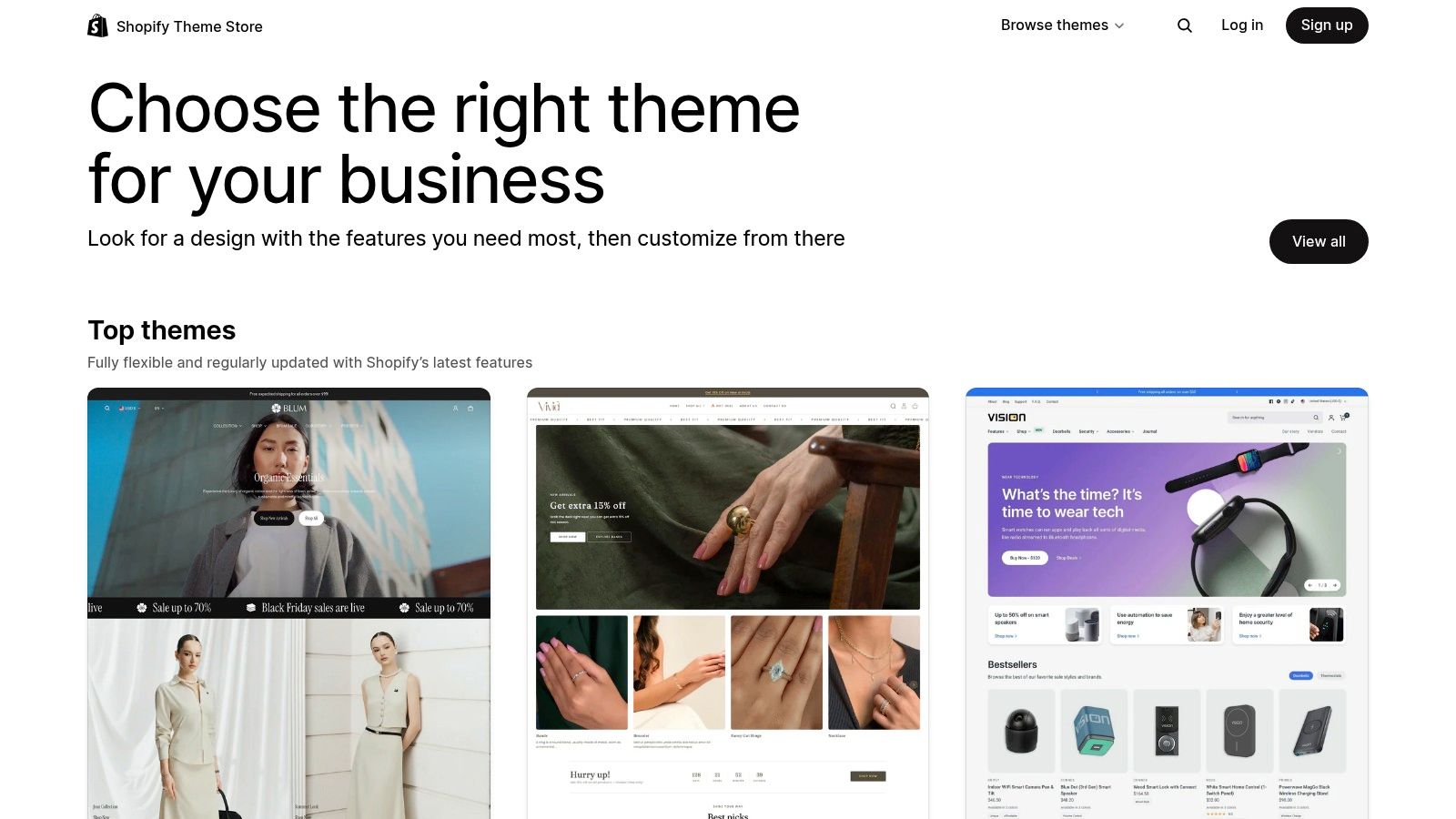
Like ThemeForest, the Shopify Theme Store is not a single site but a curated marketplace specifically for e-commerce businesses. It serves as an exceptional source of examples of business websites focused entirely on online sales. Its primary value is offering high-quality, conversion-optimized themes that work seamlessly within the Shopify ecosystem, allowing merchants to see precisely how their store will function before committing.
Business owners can explore live demos designed for specific product types and catalog sizes, from single-product startups to large-scale retailers. This provides a direct blueprint for building a high-performing online store, highlighting best practices for product pages, navigation, and checkout flows.
Why It's a Top Resource
The Shopify Theme Store stands out because every theme is vetted to meet strict performance, security, and usability standards. This official curation removes much of the guesswork associated with third-party marketplaces, ensuring a reliable foundation for your e-commerce venture.
- Try Before You Buy: The store’s standout feature is the ability to install any paid theme on your own Shopify store in a trial mode. You can customize it with your own products, branding, and content to see exactly how it works before paying, a huge advantage for validating your choice.
- Performance and Optimization: All themes are built with speed and mobile-first design in mind. They are also guaranteed to be compatible with the latest Shopify features, including the Online Store 2.0 architecture, ensuring your site is modern and future-proof.
- Guaranteed Support and Updates: Every premium theme comes with direct support from the theme developer. Since themes are approved by Shopify, developers are held to a high standard for providing assistance and releasing regular updates.
Strategic Takeaway: Use the Shopify Theme Store to understand the anatomy of a conversion-focused e-commerce site. Analyze how top-rated themes handle product discovery, upselling, and trust-building elements like testimonials and policy pages. This is research you can apply directly to maximize your sales.
Practical Tips for Using the Shopify Theme Store
To maximize your investment, look beyond just aesthetics. A great-looking theme is only effective if it aligns with your business goals and catalog structure.
Start by using the robust filtering options to narrow down themes by industry, catalog size, and essential features like a "quick buy" button or mega-menu. Always test a theme in trial mode with your actual product photography and descriptions to ensure the layout complements your brand. Some themes look stunning with professional photos but may not work as well with your assets.
While premium themes have an upfront cost, typically ranging from $250 to $400, consider them a long-term investment in your store’s performance and user experience. If you’re just starting, Shopify’s free themes are excellent, well-supported options for building a minimum viable product. To understand if this is the right starting point for you, discover more about the best e-commerce platform for beginners and how it stacks up against alternatives.
5. Wix
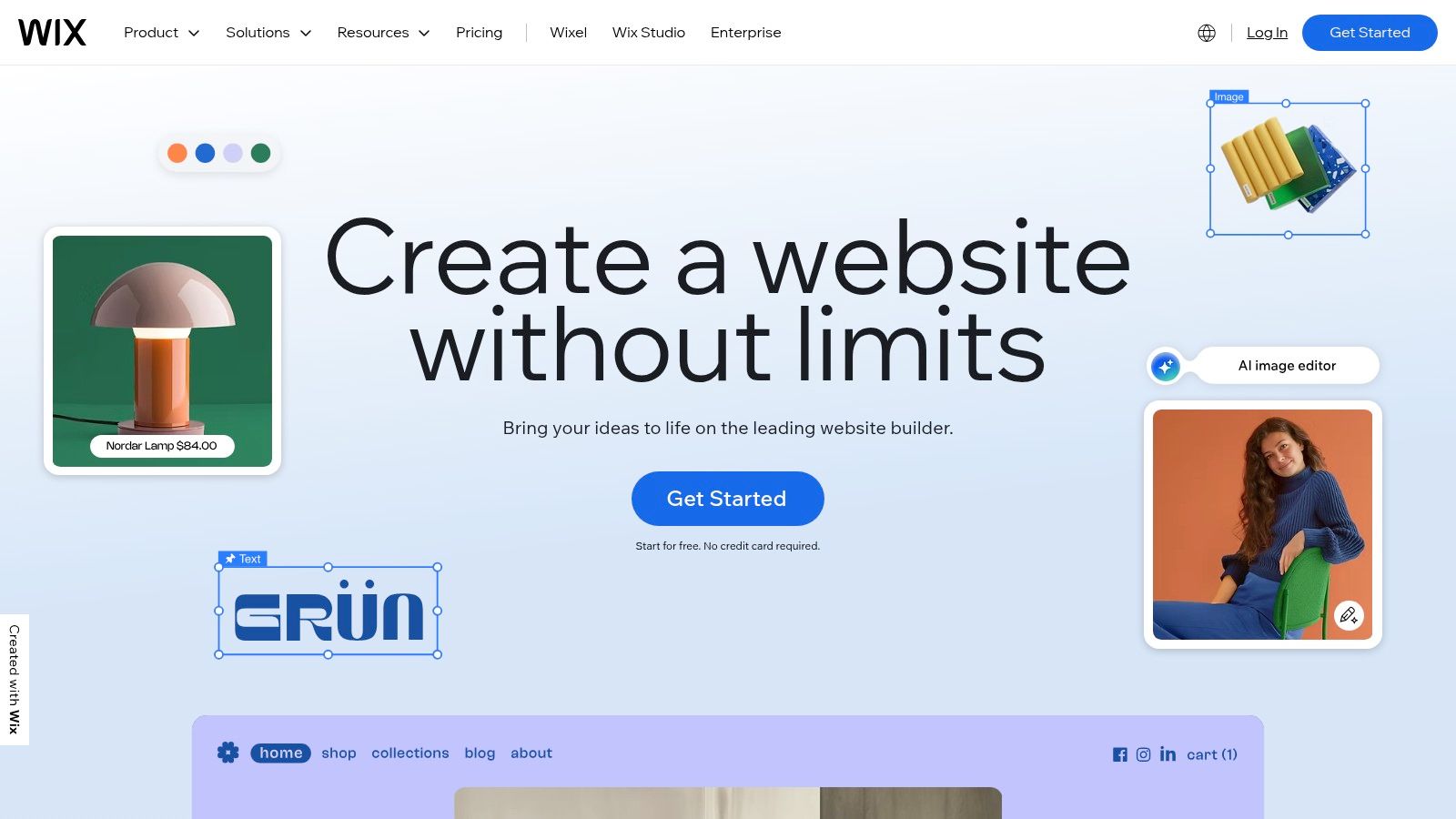
Wix is an all-in-one website builder that provides a vast collection of examples of business websites through its extensive template library. With over 900 professionally designed templates, it allows business owners to visualize and build a high-quality online presence without needing to code. The platform is designed for ease of use, offering drag-and-drop functionality and AI-assisted setup to get a site live quickly.
Its value lies in providing an integrated ecosystem where you can find a template, customize it, and access built-in tools for bookings, e-commerce, and marketing all in one place. This makes it an excellent starting point for small businesses, entrepreneurs, and creatives who need a functional, great-looking website without a complex development process.
Why It's a Top Resource
Wix stands out by combining a massive template gallery with a powerful, unified platform that covers nearly every aspect of running an online business. It simplifies the technical side of website creation so you can focus on content and strategy.
- Industry-Specific Templates: Wix offers over 900 templates categorized by industry, from professional services and restaurants to online stores and blogs. Each one comes with relevant pre-built features, such as booking forms for a salon or a menu for a cafe.
- Integrated Business Tools: The platform isn't just a builder; it’s a complete business solution. It includes reliable hosting (with 99.99% published uptime), SEO tools, marketing features, and e-commerce capabilities, all managed from a single dashboard.
- Freedom of Design: The Wix Editor provides a high degree of creative control, allowing you to move elements anywhere on the page. This flexibility is ideal for business owners who have a specific vision for their brand's look and feel.
Strategic Takeaway: Use the Wix template library to quickly prototype your business website concept. Browse your industry's category to identify common layouts and features, then use the editor to experiment with different branding elements. This allows you to test ideas in a live environment before committing to a final design.
Practical Tips for Using Wix
To maximize your success with Wix, it's important to choose the right foundation and plan ahead. While the platform is user-friendly, a strategic approach will yield better long-term results.
Start by carefully selecting a template that closely matches your business needs, as changing it later can be difficult. While the free plan is great for testing, plan to upgrade to a premium plan to connect a custom domain and remove Wix branding for a more professional appearance. Many consider it a top website builder for small businesses due to its scalability.
Finally, explore the Wix App Market to add advanced functionality like live chat, loyalty programs, or advanced analytics. However, be selective and only add apps that directly support your business goals to avoid slowing down your site or overwhelming visitors.
6. Squarespace
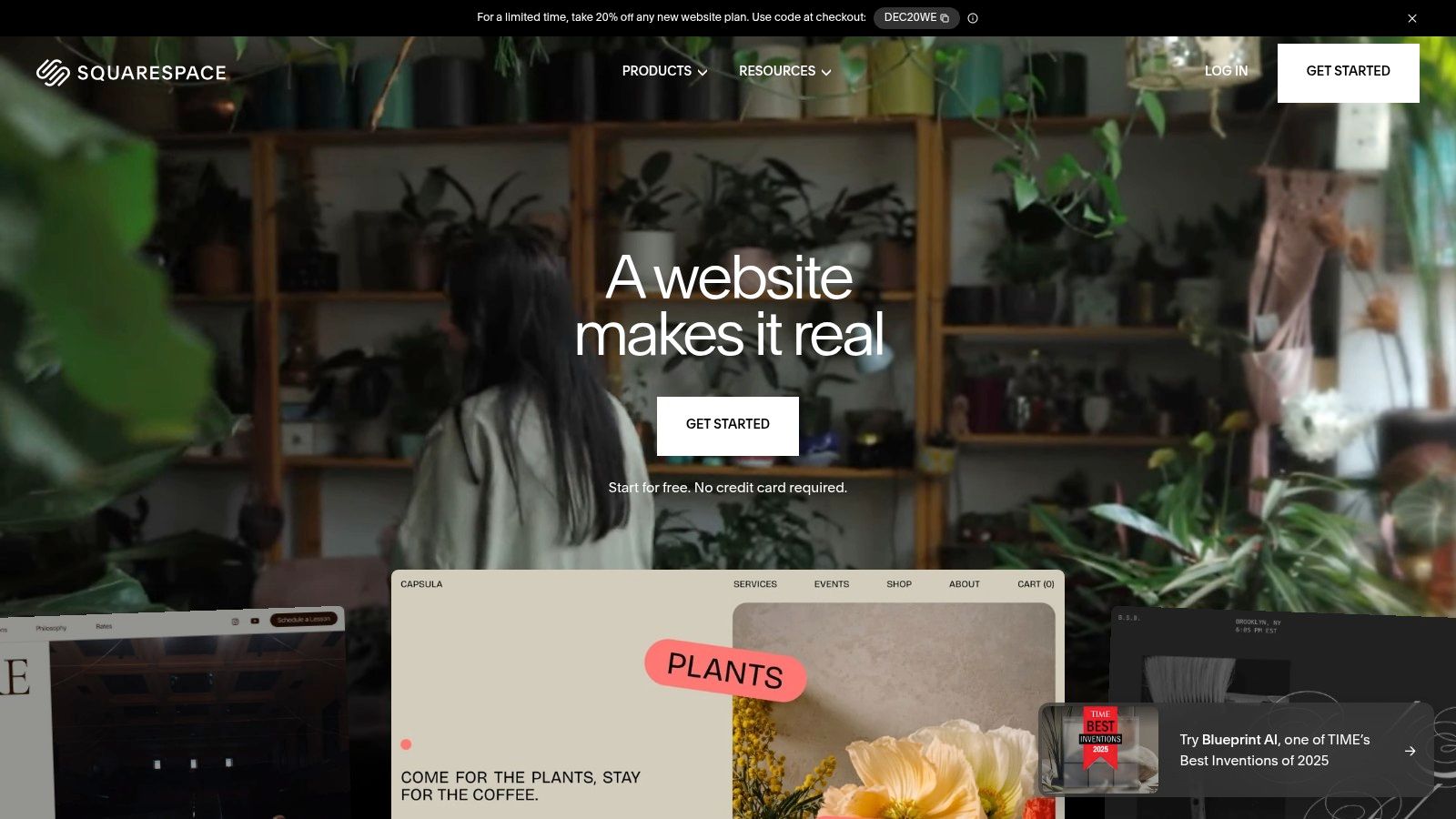
Squarespace is an all-in-one website builder renowned for its visually polished and highly curated templates. While it's a platform to build a site, its extensive template library serves as an excellent collection of examples of business websites, particularly for service providers, local businesses, artists, and e-commerce stores. Its primary value is offering professional, conversion-focused designs that work straight out of the box, with strong native features built-in.
Instead of starting with a blank canvas, you can explore dozens of complete website templates organized by industry, such as "Professional Services" or "Restaurants." This allows you to visualize your final product and understand how different layouts can be used to showcase services, sell products, or book appointments effectively.
Why It's a Top Resource
Squarespace stands out by offering a tightly integrated, all-in-one ecosystem where design and functionality are seamlessly connected. This approach simplifies the process of launching a professional and effective business website without needing to manage third-party tools.
- Curated Template Library: Unlike vast marketplaces, Squarespace offers a smaller, curated selection of templates. Every design is mobile-responsive and built with modern aesthetics and usability best practices in mind, ensuring a high-quality starting point for any business.
- Integrated Native Features: The platform includes powerful built-in tools for scheduling (Acuity Scheduling), e-commerce, email marketing, and analytics. This means you can preview templates that demonstrate these features in a live environment, understanding how they fit into the overall user experience.
- 14-Day Free Trial: Squarespace provides a full-featured 14-day free trial that allows you to build out your entire site before committing to a paid plan. This risk-free period is perfect for experimenting with different templates and features to find the best fit for your business needs.
Strategic Takeaway: Use the Squarespace template library to identify best practices for user flow in service-based businesses. Analyze how their templates for consultants, photographers, or restaurants guide visitors from the homepage to a booking page or contact form. This is a great way to map out your own site's conversion funnel.
Practical Tips for Using Squarespace
To get the most out of Squarespace, leverage its integrated nature. A beautiful design is just the start; its true strength lies in its cohesive toolset.
Start by choosing a template not just for its looks but for its layout and built-in functionality that matches your business goals. For example, if you run a yoga studio, select a template with a pre-styled class schedule and booking integration. Remember that while customization is more limited than in WordPress, you can still significantly alter colors, fonts, and page layouts to match your brand.
Finally, explore the platform’s newer features, such as its AI-powered tools for generating text or SEO descriptions. These can accelerate the content creation process and help ensure your site is optimized from day one. While there is no permanent free tier, the trial period is more than enough time to build a complete, launch-ready website.
7. Webflow
Webflow is a powerful visual development platform that bridges the gap between simple website builders and custom-coded sites. It serves as both a tool for creation and a rich source of examples of business websites through its extensive template marketplace and the "Made in Webflow" showcase. This allows business owners not only to find inspiration but also to access the foundational building blocks of professionally designed websites.
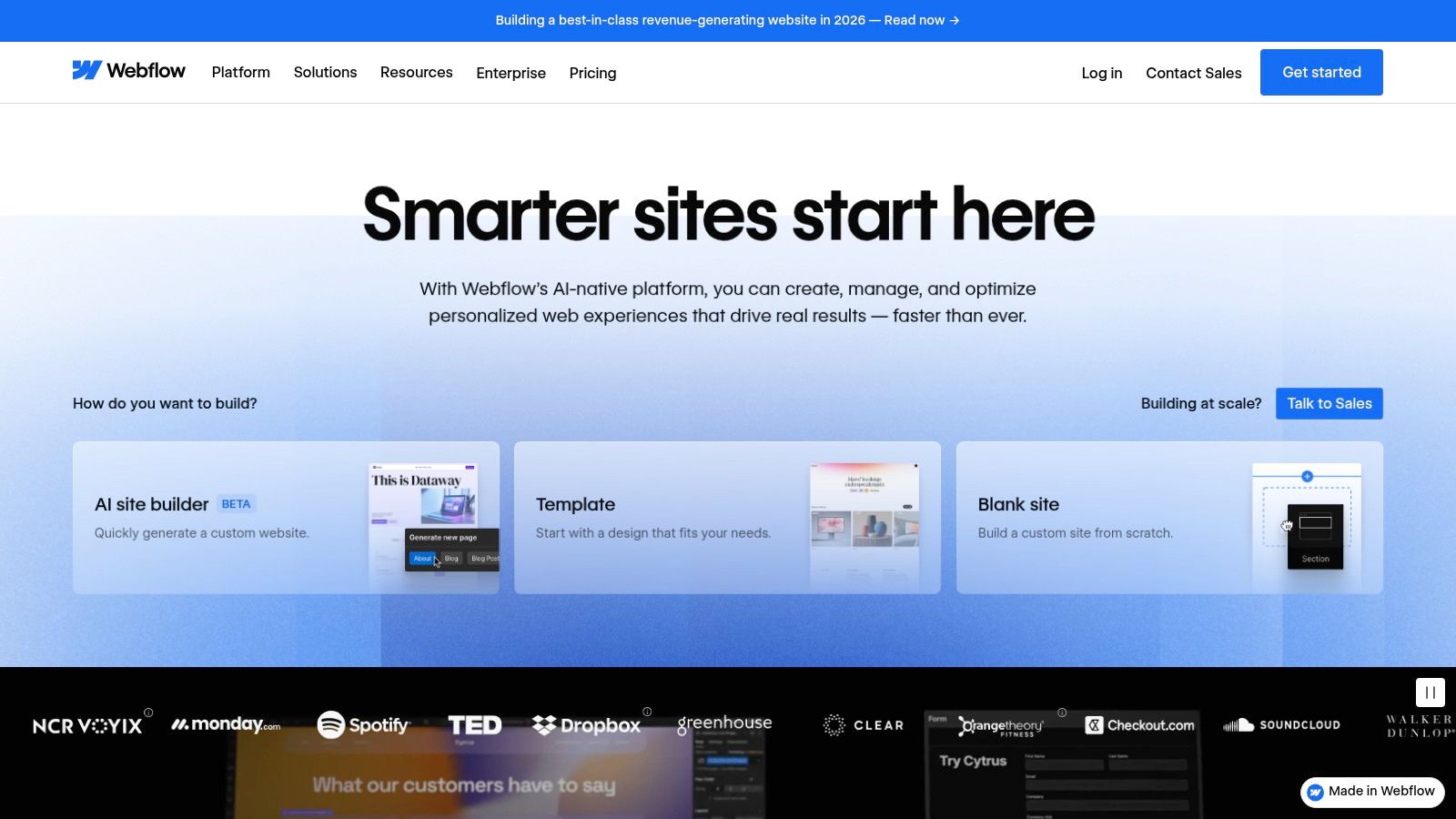
Unlike traditional template marketplaces, Webflow's ecosystem is built around a community of designers and developers. You can explore fully functional business websites created by top-tier talent, see how they were built, and in many cases, clone them to use as a starting point for your own project. This makes it an invaluable resource for learning advanced web design principles while building a high-performance site.
Why It's a Top Resource
Webflow stands out by offering designer-level control and clean code output without requiring you to write the code yourself. It provides a transparent, hands-on environment for evaluating and adapting professional web designs.
- Made in Webflow Showcase: This curated gallery features some of the best websites built on the platform. You can filter by industry, style, and feature to find relevant examples. Many projects are "cloneable," meaning you can copy the entire site structure into your own Webflow account for free to deconstruct and customize.
- Professional Templates: The template marketplace offers hundreds of premium designs (typically $49-$129) with live previews. These templates are production-ready and built by certified experts, ensuring high-quality design and functionality from the start.
- Visual Development Canvas: The core of Webflow is its editor, which allows you to manipulate every element with precision. This visual approach to building with HTML, CSS, and JavaScript makes it possible to create unique, custom animations and interactions that are difficult to achieve with other builders.
Strategic Takeaway: Use the "Made in Webflow" showcase to reverse-engineer high-quality designs. Find a cloneable site that you admire, import it into your workspace, and analyze how its creators structured the layout, animations, and responsive settings. This is a free masterclass in modern web design.
Practical Tips for Using Webflow
Webflow has a steeper learning curve than simpler drag-and-drop builders, but its potential is far greater. To get started, leverage the extensive educational resources provided by Webflow University, which offers free, high-quality video courses.
When choosing a template, prioritize those created by designers who specialize in your industry, as their layouts will likely address common business needs. Check the template's changelog to ensure it is actively maintained and updated. While Webflow offers robust hosting and CMS plans, be aware that its E-commerce Standard plan includes a 2% transaction fee on top of payment processor fees, which is an important consideration for product-based businesses.
7 Business Website Examples — Side-by-Side Comparison
| Option | 🔄 Implementation complexity | ⚡ Resource requirements | 📊 Expected outcomes | 💡 Ideal use cases | ⭐ Key advantages |
|---|---|---|---|---|---|
| Sugar Pixels | 🔄 Medium — agency‑managed (low client technical work) | ⚡ Moderate — tiered monthly/annual fees, upgrades cost extra | 📊 High potential — conversion‑focused builds + ongoing maintenance (results dependent on ongoing investment) | 💡 Startups/small businesses wanting end‑to‑end delivery without technical overhead | ⭐⭐⭐⭐ All‑in‑one service (design, hosting, SEO, email, affiliate) |
| ThemeForest (Envato) | 🔄 Low–Medium — self‑install, varies by author | ⚡ Low upfront — one‑time theme purchase; potential plugin costs | 📊 Variable — depends on theme quality and configuration | 💡 Buyers seeking wide design choice and budget options | ⭐⭐⭐ Huge selection, live demos, transparent ratings/support info |
| TemplateMonster | 🔄 Low–Medium — self‑install, seller‑dependent docs | ⚡ Low — one‑time template fees; possible add‑ons/upsells | 📊 Variable — quality and update cadence vary by seller | 💡 Small businesses needing platform diversity (HTML, WP, Shopify) | ⭐⭐⭐ Wide platform coverage, easy comparison of templates |
| Shopify Theme Store | 🔄 Low — plug‑and‑play within Shopify ecosystem | ⚡ Moderate — theme cost plus Shopify subscription | 📊 High for ecommerce — optimized for conversion and checkout | 💡 Merchants building stores on Shopify | ⭐⭐⭐⭐ Curated, maintained themes; try‑in‑store workflow |
| Wix | 🔄 Low — drag‑and‑drop builder, fast setup | ⚡ Low — subscription includes hosting and tools | 📊 Good for quick launches; limited for complex scale | 💡 Local businesses and owners needing fast, all‑in‑one site | ⭐⭐⭐ Fast to launch, many templates, integrated marketing tools |
| Squarespace | 🔄 Low–Medium — template‑driven, less granular control | ⚡ Low — subscription includes hosting and native features | 📊 Polished visual results; strong for service/conversion sites | 💡 Creatives, restaurants, professional services wanting strong visuals | ⭐⭐⭐⭐ Visually consistent templates and integrated features |
| Webflow | 🔄 High — designer‑level visual control, steeper learning curve | ⚡ Moderate — subscription + template costs, time investment to learn | 📊 High — custom, clean front‑end and scalable CMS/ecommerce | 💡 Designers/agencies and teams needing high design control without coding | ⭐⭐⭐⭐ Designer‑level control, cloneable community examples and clean output |
Ready to Build Your High-Converting Website?
We've journeyed through an extensive gallery of outstanding examples of business websites, dissecting what makes each one a powerful engine for growth. From the sleek portfolios of personal brands to the robust e-commerce storefronts and sophisticated SaaS platforms, a clear pattern emerges. The most effective websites are not just digital brochures; they are strategic assets meticulously crafted to serve a specific purpose and a specific audience.
Across all the platforms we analyzed, from the user-friendly interfaces of Wix and Squarespace to the creative freedom of Webflow and the vast template marketplaces like ThemeForest, the core principles of success remain constant. Strong visual hierarchy, intuitive navigation, compelling calls to action, and performance-optimized design are the universal pillars of a high-converting online presence. These elements work in harmony to guide visitors, build trust, and ultimately, drive conversions.
From Inspiration to Implementation: Your Next Steps
Seeing these diverse examples of business websites is the first step. The next, more critical step is translating that inspiration into a tangible, effective site for your own brand. To do this, you must move beyond admiring aesthetics and start thinking like a strategist. Begin by clearly defining your primary objective. Are you aiming to capture leads, sell products directly, book appointments, or build a community? Your answer will dictate every decision you make.
With your primary goal in mind, consider the following actionable steps:
- Define Your User's Journey: Map out the ideal path a visitor should take on your site. What information do they need first? What is the final action you want them to complete? This map becomes the blueprint for your site's structure and content flow.
- Prioritize Functionality Over Features: It’s easy to get excited about adding complex animations or every trendy feature. Instead, focus on the core functionalities that directly support your business goals. For an e-commerce site, this means seamless checkout; for a service business, it means an effortless booking system.
- Select the Right Tool for the Job: Your choice of platform is crucial. If you need a simple, beautiful site up and running quickly, a builder like Squarespace or Wix might suffice. For a unique, highly-customized experience with complex interactions, a platform like Webflow is more appropriate. For online stores, the Shopify ecosystem is unparalleled.
- Invest in High-Quality Content: A stunning design can only get you so far. Your website’s copy, imagery, and videos are what truly communicate your value and persuade visitors to act. Ensure your content is clear, compelling, and optimized for both users and search engines.
Why Expert Guidance Makes the Difference
While the tools and platforms available today have democratized web design, achieving a professional, high-performance outcome still requires deep expertise. A DIY approach or a generic template can often lead to a website that looks good but fails to convert visitors into customers. It might suffer from slow load times, poor mobile responsiveness, or a confusing user experience that unknowingly drives potential clients away.
This is where a strategic partner becomes invaluable. An expert team doesn’t just build a website; they build a business tool. They understand how to blend stunning custom design with the technical intricacies of SEO, conversion rate optimization, and a seamless user experience. This integrated approach ensures your website not only represents your brand perfectly but also functions as a tireless, 24/7 sales and marketing machine that delivers a tangible return on investment.
The incredible examples of business websites we've explored are more than just design inspiration; they are proof that a strategic online presence is a powerful catalyst for growth. If you're ready to create a custom website that not only captivates your audience but also drives measurable results, Sugar Pixels is here to help. We combine expert design, development, and marketing strategy to build digital experiences that grow your business. Schedule your free discovery call with us today to start your journey.