
A great business website is more than just a digital brochure; it’s a powerful engine for growth, designed to attract visitors, build trust, and drive conversions. But with so many designs and technologies available, what separates a good site from an exceptional one? This guide goes beyond surface-level inspiration. We will deconstruct 7 powerful business websites examples, revealing the specific strategies, user experience choices, and conversion tactics that make them successful.
This isn't just a gallery of pretty designs. We're breaking down why these websites work so well. For each example, you’ll find:
- Strategic Analysis: A deep dive into the business goals each design element serves.
- Key Takeaways: Specific, replicable tactics you can apply directly to your own project.
- Visual Breakdowns: Screenshots highlighting the most effective components, from navigation to calls-to-action.
Beyond aesthetics, a truly great business website prioritizes seamless navigation and functionality. A deep understanding of these principles is central to creating an effective online presence, a topic explored further in this guide to user experience optimization. Our goal here is to equip you with a practical framework for evaluating and building your own high-performing website.
Whether you're a startup defining your brand, an e-commerce store optimizing for sales, or an enterprise looking to innovate, the insights in this article will help you build a website that not only looks professional but also delivers measurable results. Let's dive into the examples and uncover the secrets behind their success.
1. Sugar Pixels
Sugar Pixels earns the top spot in our list of business websites examples by delivering a masterclass in value proposition clarity and user-centric design. From the moment you land on their homepage, the agency effectively communicates its core offering: an all-in-one, managed solution for businesses that want a high-performance online presence without the technical overhead. The website itself serves as a powerful portfolio piece, demonstrating the clean aesthetics, logical navigation, and conversion-focused elements it promises to clients.
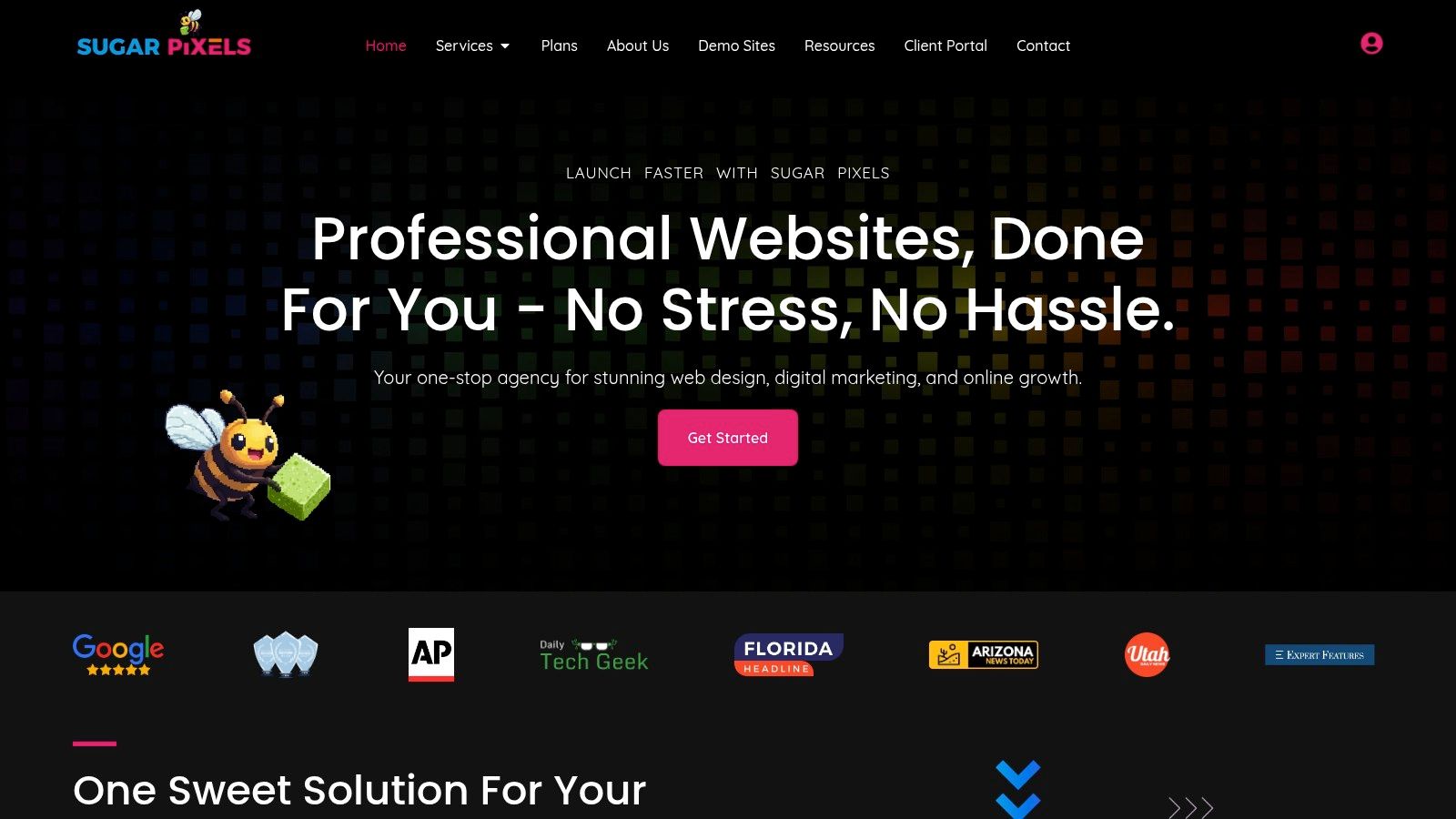
This platform stands out by seamlessly blending custom web design services with a comprehensive digital ecosystem, including hosting, ongoing maintenance, and integrated marketing services. Unlike freelance marketplaces or DIY builders, Sugar Pixels offers a "done-for-you" partnership model, making it an ideal choice for founders and managers who need to focus on running their business, not debugging plugins.
Strategic Breakdown & Key Takeaways
The site’s architecture is engineered to guide potential clients from awareness to action efficiently. The above-the-fold content immediately addresses the primary pain point of its target audience: the complexity of building and managing a successful website. It then presents a clear, compelling solution.
What Makes Sugar Pixels a Top-Tier Example:
- Transparent Tiered Pricing: The pricing structure is presented with exceptional clarity, a rarity in the agency world. Visitors can immediately understand the costs and features associated with each plan, from the entry-level "Growth Pop" to the e-commerce-focused "Candy Cart Pro" and the comprehensive "Queen Bee" package. This transparency builds instant trust and helps qualify leads effectively.
- Integrated Service Funnel: Sugar Pixels strategically bundles its services. A client who comes for web design is naturally introduced to hosting, SEO, and email marketing. This creates a powerful, high-value ecosystem that increases customer lifetime value and delivers a more cohesive digital strategy for the client.
- Conversion-Optimized Layout: Key conversion elements are placed strategically. The "Free Discovery Call" call-to-action is prominent, social proof (client testimonials) is woven throughout the site, and the benefits-driven copy speaks directly to business outcomes like growth and sales.
Key Insight: Sugar Pixels demonstrates how a service-based business can productize its offerings. By creating clearly defined packages with set prices and features, they simplify the buying process, reduce decision fatigue, and make their high-value services feel as accessible as a SaaS subscription.
Replicable Strategies for Your Business
Whether you're building a site for a startup, an e-commerce store, or a corporate brand, you can apply the principles that make Sugar Pixels a prime example of effective business websites.
- Clarify Your Core Offer Immediately: Your homepage's primary headline and sub-headline should tell visitors exactly what you do and for whom within five seconds. Sugar Pixels nails this by communicating its all-in-one solution instantly.
- Structure Your Services into Tiers: If you offer services, package them into 2-3 distinct tiers. This simplifies choice and provides clear upgrade paths. Name them creatively (e.g., "Growth Pop") to reinforce your brand identity.
- Integrate Social Proof at Every Stage: Don't relegate testimonials to a single page. Sprinkle your best quotes and client logos near pricing tables, contact forms, and service descriptions to build credibility at key decision points.
- Prioritize a Single, Clear Call-to-Action (CTA): While you may have multiple goals, your main CTA should be consistent. Sugar Pixels consistently drives traffic toward its "Free Discovery Call," focusing user intent on the most valuable next step.
By adopting these strategies, you can build a business website that not only looks professional but also functions as a powerful engine for lead generation and client acquisition.
Website: https://www.sugarpixels.com
2. Webflow Templates (official marketplace)
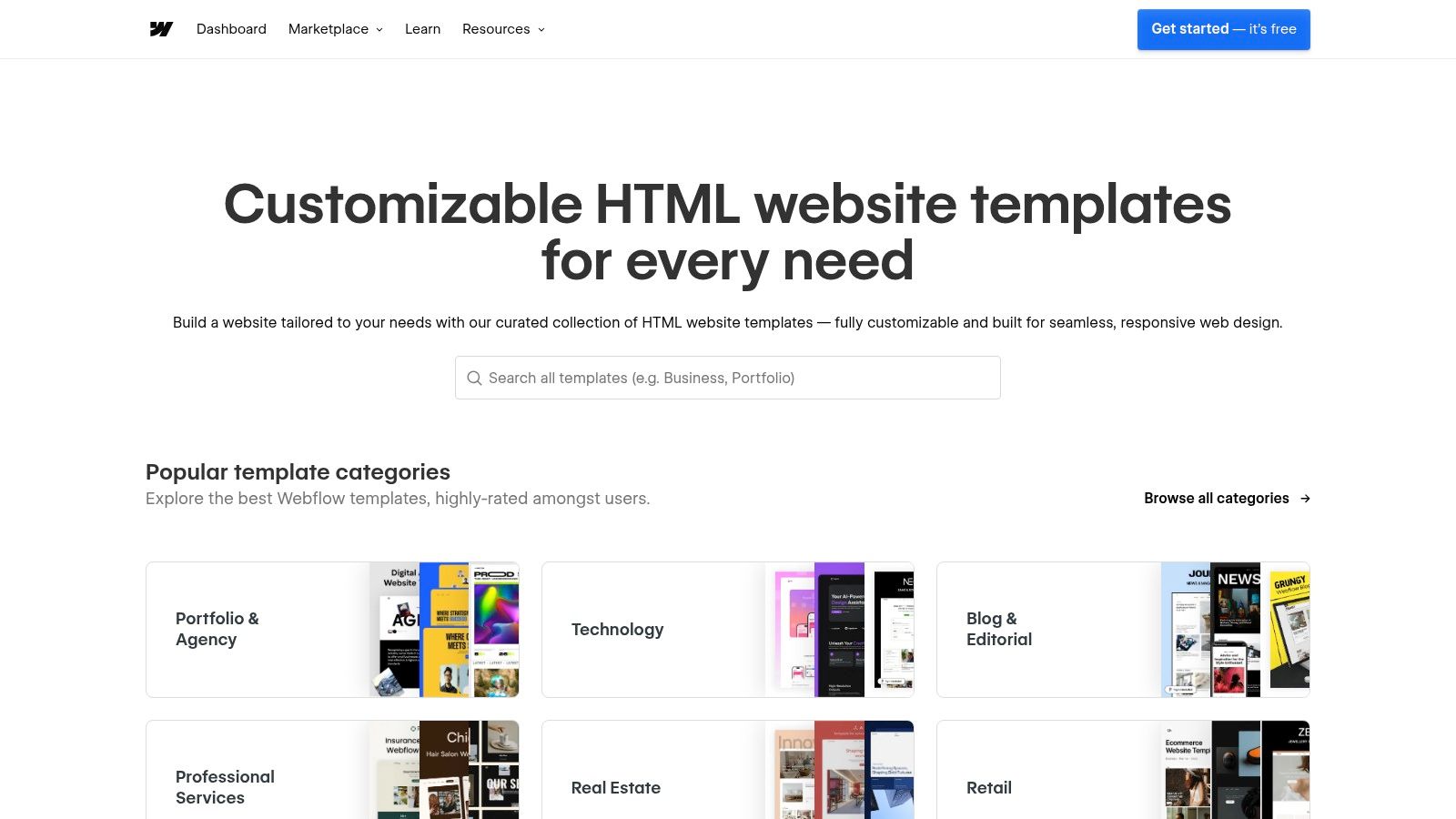
The official Webflow Templates marketplace is a powerful starting point for businesses seeking professional, high-performance websites without the long lead times of custom development. It's a curated gallery of production-ready templates built specifically for the Webflow platform, offering a significant head start on design and functionality. This makes it an excellent example of a platform that empowers businesses to create stunning digital experiences efficiently.
Unlike generic theme marketplaces, every template here is vetted for quality and designed to seamlessly integrate with Webflow’s visual, no-code editor. This means once you select a design, you can customize everything from layouts and colors to complex animations without writing a single line of code.
Strategic Breakdown: Speed to Market with High-End Design
The primary strategy behind the Webflow Templates marketplace is accelerating the launch process while maintaining design integrity. Businesses can bypass the initial wireframing and design phases, jumping straight into customization and content population. This is a game-changer for startups and marketing teams needing to launch campaigns or new products quickly.
The user experience is clean and intuitive. You can filter templates by category (like portfolio, business, or ecommerce), view live previews, and check reviews from other users. Each template listing clearly outlines its features, such as built-in CMS collections, ecommerce capabilities, and custom interactions.
Key Takeaway: Using a high-quality template from a vetted marketplace like Webflow's drastically reduces development time. It allows you to focus resources on brand-specific customization and content strategy rather than foundational design and coding.
Replicable Strategies & Actionable Steps
Here’s how you can leverage the Webflow marketplace strategy for your own business website project:
- Define Core Functionality First: Before browsing, list your must-have features. Do you need a blog (CMS), an online store (ecommerce), or advanced animations? Use Webflow's filters to narrow the options to templates that already have these capabilities built in.
- Prioritize Responsive Previews: Test each potential template's live preview on desktop, tablet, and mobile. A modern business website must be flawless on all devices, and these templates are designed to be mobile-first.
- Plan for Customization: A template is a starting point, not a final product. Choose a design that aligns with your brand's structure but allows for easy color palette, typography, and imagery changes within the Webflow editor.
For those new to the platform, understanding how to create a business website with a tool like Webflow is the first step. The marketplace simplifies this process by providing a solid, well-designed foundation.
| Feature | Details |
|---|---|
| Pricing | Template prices range from free to over $129 (one-time fee). |
| Access | Requires a Webflow account. A separate Webflow site plan is needed to host. |
| Pros | Fast launch, high-quality modern designs, no-code customization. |
| Cons | Vendor lock-in to Webflow hosting, potential learning curve for editor. |
| Direct Link | Webflow Templates |
3. Made in Webflow (community showcase)
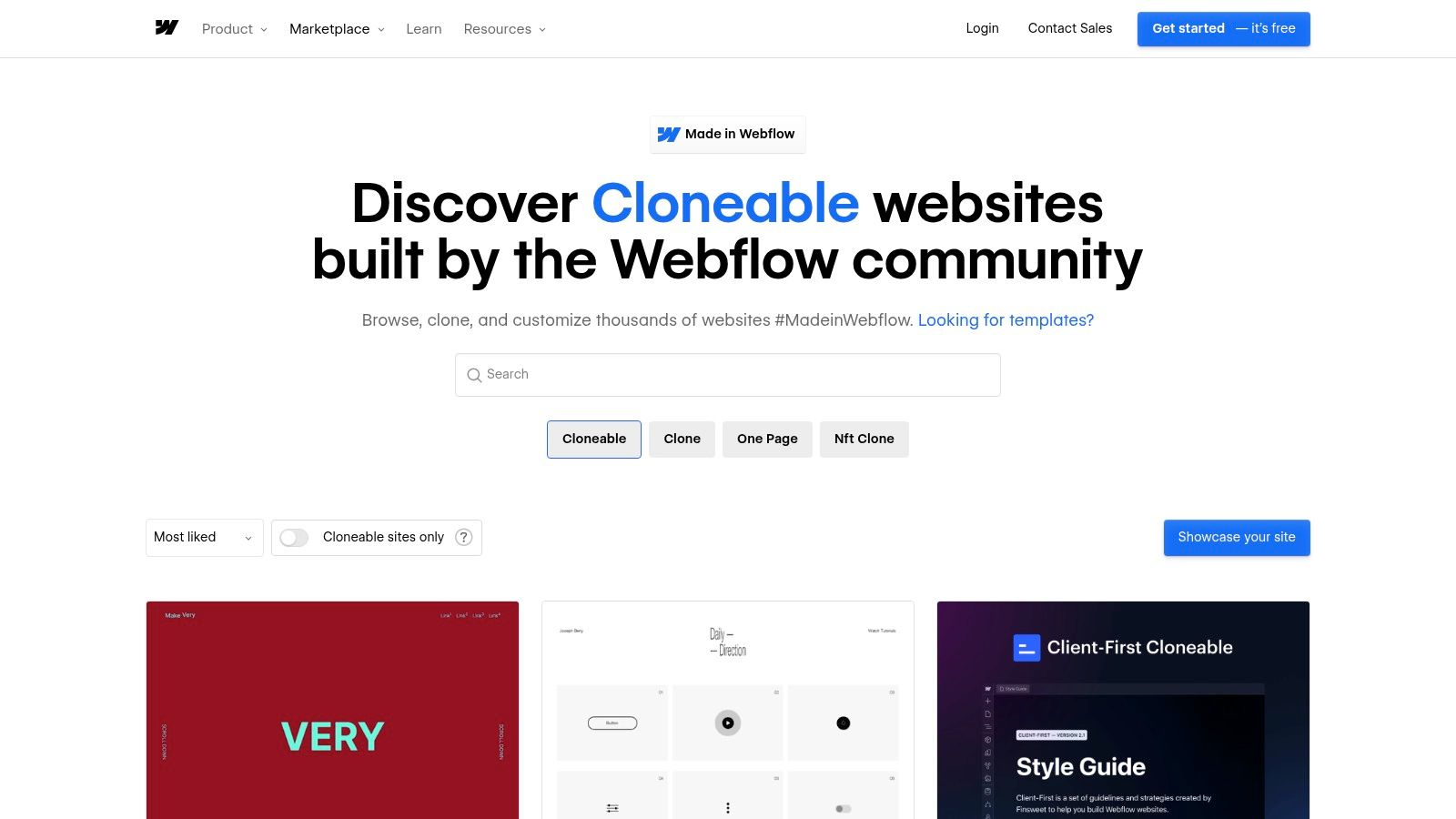
Made in Webflow is a vibrant community showcase where Webflow creators share the live websites they have built. It serves as a massive, real-world gallery of business websites examples, moving beyond theoretical templates to display what is actively being achieved on the platform. This makes it an invaluable resource for inspiration, learning, and even kickstarting your own project with a cloneable design.
Unlike a polished marketplace, Made in Webflow provides a raw, authentic look at web design trends and practical implementations. Its most powerful feature is the ability to filter for "cloneable" projects, allowing you to copy an entire website or specific components directly into your own Webflow account for free. This is a game-changer for rapid prototyping and deconstructing complex interactions to learn how they were built.
Strategic Breakdown: Learn and Prototype with Real-World Assets
The core strategy behind Made in Webflow is leveraging community-generated content to accelerate learning and development. Instead of starting from scratch, businesses can find a live site that aligns with their vision, clone it, and begin customizing immediately. This approach is perfect for validating an idea, creating a quick landing page, or understanding advanced Webflow workflows without a steep learning curve.
The user experience is built around discovery. You can browse thousands of projects, filter by tags like "Business" or "Portfolio," and sort by popularity or recent additions. Each project links to the creator's profile, fostering a sense of community and allowing you to see a designer's full body of work. This transparency makes it a powerful tool for finding talent and seeing how others solve common business design challenges.
Key Takeaway: Cloning projects from Made in Webflow is one of the fastest ways to go from idea to a functional prototype. It allows you to reverse-engineer successful designs and adopt proven layouts, saving countless hours in the initial build phase.
Replicable Strategies & Actionable Steps
Here’s how you can leverage the Made in Webflow showcase for your next business website:
- Filter for Cloneable Business Sites: Start by using the platform’s filters. Select the "Cloneable" option and add the "Business" tag to find relevant, pre-built projects that you can immediately copy into your Webflow account.
- Deconstruct for Learning: Find a site with an interaction or layout you admire. Clone it not to use the entire design, but to open it in the Webflow Designer and see exactly how the creator built the feature. This is a free, hands-on masterclass.
- Build a Component Library: Don't just look for full websites. Search for cloneable navigation bars, footers, pricing tables, or hero sections. Clone these individual assets to create your own library of pre-built components for future projects.
| Feature | Details |
|---|---|
| Pricing | Browsing and cloning projects are free. |
| Access | Requires a free or paid Webflow account to clone projects. |
| Pros | Free access to thousands of real-world examples, excellent for learning, and fast prototyping. |
| Cons | Quality varies widely, not all projects are cloneable or well-documented. |
| Direct Link | Made in Webflow (Cloneables) |
4. Shopify Theme Store
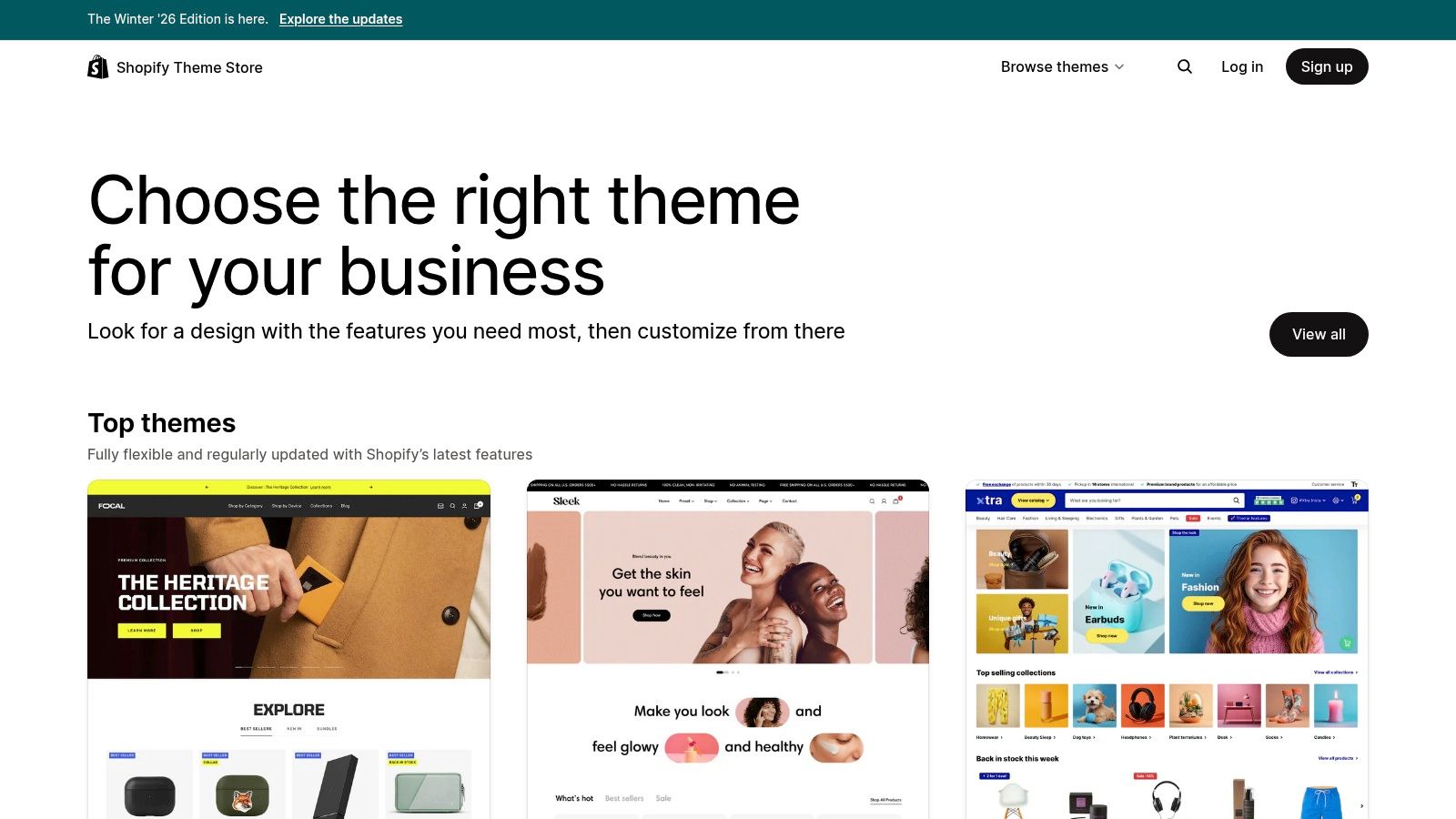
The official Shopify Theme Store is the gold standard for entrepreneurs building an online business on the Shopify platform. It's a curated marketplace of themes designed, vetted, and supported specifically for Shopify's ecosystem. This makes it a critical resource and a prime example of a platform that provides a secure, high-performance foundation for ecommerce business websites.
Unlike third-party marketplaces where compatibility can be a gamble, every theme here is guaranteed to work seamlessly with Shopify’s core features, including its renowned checkout, POS system, and app integrations. This assurance allows business owners to focus on their products and marketing, not on technical troubleshooting.
Strategic Breakdown: Conversion-Focused and Future-Proof
The core strategy of the Shopify Theme Store is to de-risk the process of launching an online store. It provides themes optimized for performance, mobile responsiveness, and conversion, built by trusted developers who provide ongoing updates. Businesses can "try before they buy," installing any theme in their store to preview it with their own products and branding before committing.
The user experience is built around discovery. You can filter themes by industry, catalog size, and specific features like quick-buy or in-store pickup options. Each theme listing includes extensive demos, user reviews, and a list of features, ensuring you know exactly what you're getting. This curated approach minimizes the risk of choosing a slow or poorly coded theme that could harm sales.
Key Takeaway: For ecommerce, starting with a theme from the official Shopify store is a strategic investment in reliability and performance. It ensures your site's foundation is solid, secure, and ready to scale with Shopify's evolving platform features.
Replicable Strategies & Actionable Steps
Here’s how to effectively use the Shopify Theme Store for your business website:
- Map Your Customer Journey: Before choosing a theme, outline the key features your customers need. Do you require advanced product filtering, high-resolution image galleries, or video support? Use the store's detailed filters to find themes that cater to your specific business model.
- Utilize the "Try Before You Buy" Feature: Always install a theme and preview it in your own store. Populate it with your actual products, collections, and brand assets. This is the only way to see how the design truly works for your unique inventory and brand identity.
- Check for Performance and Updates: Look at the theme's reviews and the developer's history. A well-supported theme will receive regular updates to maintain compatibility and security. Fast-loading pages are crucial for ecommerce, and official themes are vetted for performance.
Understanding the investment in a premium theme is part of the overall budget. To see how this fits into the bigger picture, you can explore a detailed breakdown of how much a professional website costs and plan accordingly.
| Feature | Details |
|---|---|
| Pricing | Themes range from free to around $350 (one-time fee). |
| Access | Requires a Shopify account. Themes can be trialed for free before purchase. |
| Pros | High trust, guaranteed compatibility, official support, optimized for conversion. |
| Cons | Higher cost for premium themes, potential for support to end if delisted. |
| Direct Link | Shopify Theme Store |
5. ThemeForest (Envato Market) – Business/Corporate category
ThemeForest, part of the Envato Market ecosystem, is one of the world's largest marketplaces for website themes and templates. It serves as a massive digital library where businesses can find pre-designed solutions for virtually any platform, including WordPress, HTML, and various e-commerce systems. Its sheer volume and variety make it a prime example of a resource that democratizes professional web design for businesses of all sizes.
Unlike curated platforms, ThemeForest is an open marketplace. This means thousands of independent authors contribute themes, creating an incredibly diverse and competitive environment. For a business, this translates into a vast selection of industry-specific designs, from corporate and financial services to creative agencies and local businesses, all at highly accessible price points.
Strategic Breakdown: Choice and Affordability at Scale
The core strategy behind ThemeForest is offering unparalleled choice and value. Businesses can leverage this by finding a highly specific, feature-rich theme that closely matches their needs, drastically cutting down on custom development costs. The platform's powerful filtering and sorting tools allow users to sift through thousands of options based on platform, features, ratings, and price.
The user experience is built around discovery and social proof. Each theme has a detailed page with live previews, user ratings, sales numbers, and a comments section where potential buyers can see questions answered by the author. This transparency helps businesses vet the quality and support level before committing to a purchase, which is crucial in an open marketplace.
Key Takeaway: A vast marketplace like ThemeForest empowers businesses to find a niche-specific, feature-complete design at a low cost. The key is leveraging user reviews and author ratings to vet quality and ensure long-term support.
Replicable Strategies & Actionable Steps
Here's how you can strategically use ThemeForest for your business website project:
- Vet the Author, Not Just the Theme: Look beyond the design. Check the author's portfolio, average item rating, and how recently their themes have been updated. A reputable author is more likely to provide reliable code and ongoing support.
- Scrutinize Reviews and Comments: Pay close attention to the reviews section. Look for patterns in feedback related to customer support, ease of customization, and bugs. This is your best source of real-world insight into the theme's performance.
- Confirm Plugin Compatibility and Updates: Ensure the theme is compatible with your essential plugins (e.g., WooCommerce, Yoast SEO) and the latest version of your chosen platform (like WordPress). Check the theme's changelog to verify a history of regular updates.
Choosing from so many options can be overwhelming, but understanding the landscape of the best website design tools helps you know what to look for in a quality theme.
| Feature | Details |
|---|---|
| Pricing | Most themes range from $19 to $79 (one-time fee), often including 6 months of author support. |
| Access | Requires a free Envato Market account to purchase. Licenses are tied to a single end product. |
| Pros | Huge selection across platforms and industries, competitive pricing, strong community review system. |
| Cons | Quality can vary significantly between authors, support is third-party dependent and must be vetted. |
| Direct Link | ThemeForest Business Themes |
6. Awwwards – Business/Corporate websites
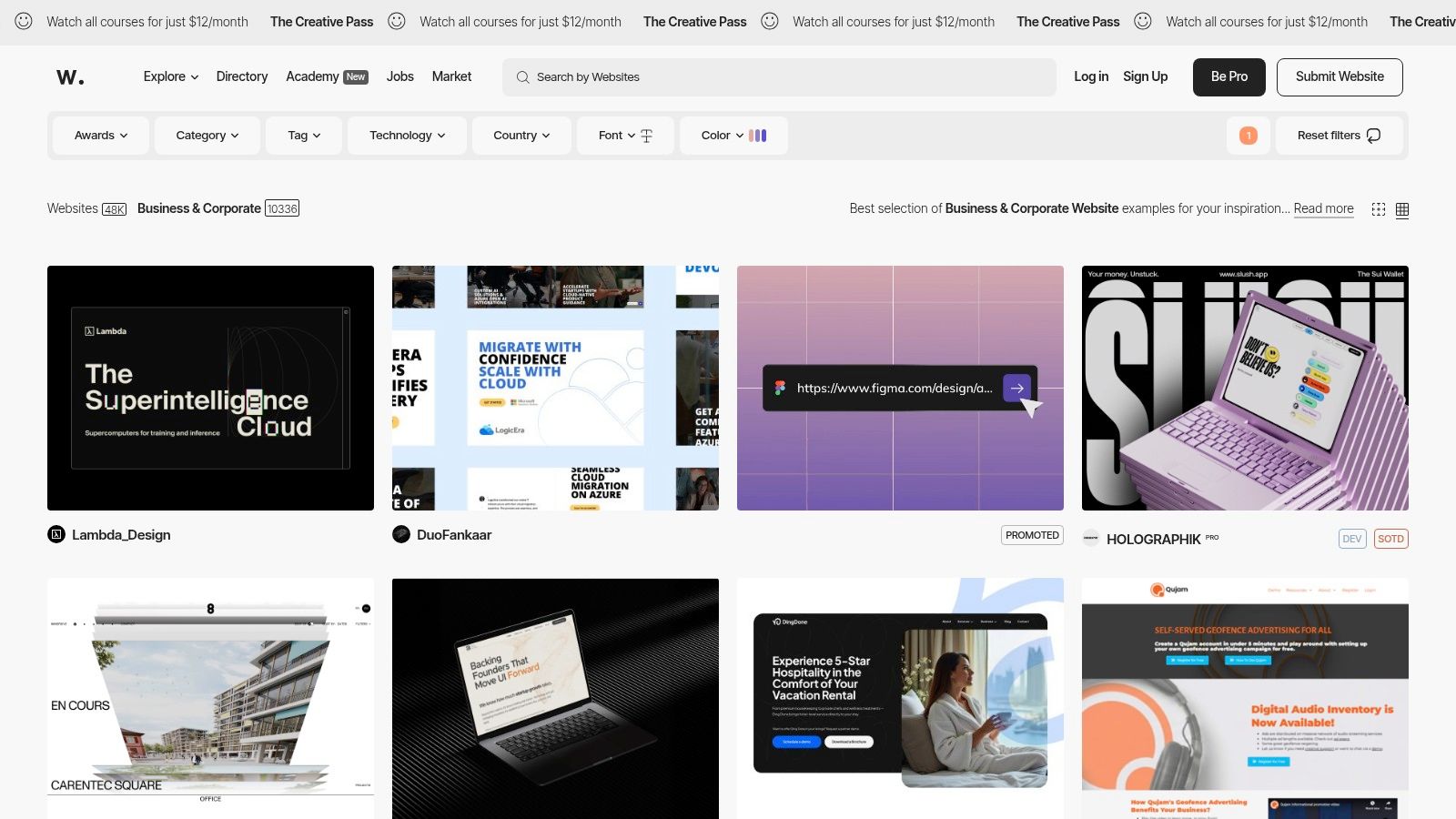
Awwwards is a professional web design and development competition body, and its website serves as a prestigious gallery of the internet's most innovative and well-crafted digital experiences. For businesses, its Business/Corporate category is an unparalleled source of inspiration, showcasing award-winning designs from leading agencies and freelancers worldwide. It acts as a benchmark for what's possible in modern web design, making it an essential resource for teams planning a high-end, custom website build.
Unlike template marketplaces, Awwwards is purely an inspirational and educational platform. It curates and judges submitted websites on criteria like design, usability, creativity, and content, providing a detailed look at the pinnacle of digital craftsmanship. This makes it an invaluable tool for benchmarking against the best and discovering cutting-edge trends.
Strategic Breakdown: Benchmarking Against the Best
The core strategy of using Awwwards is to elevate your design standards by studying the best business websites examples available. Before investing in a custom build, marketing and leadership teams can use the gallery to define their aesthetic preferences, identify innovative user experience patterns, and create a sophisticated creative brief for their design agency or internal team.
The platform's user experience is centered on discovery. You can filter the gallery by category, technology stack (e.g., Webflow, React), color, and country to find highly relevant examples. Each featured site includes a jury score, details about the agency that built it, and often, a breakdown of the technologies used. This provides a 360-degree view of what it takes to create an award-winning digital presence.
Key Takeaway: Use Awwwards not just for visual inspiration, but as a strategic tool to build a project mood board and technical brief. Understanding what the best in the world are doing helps you set realistic yet ambitious goals for your own website project.
Replicable Strategies & Actionable Steps
Here’s how you can leverage Awwwards to inform your next website project:
- Create a "Vision Board": Browse the Business/Corporate category and save examples that align with your brand's identity and goals. Pay attention to specific elements: the homepage hero section, navigation menus, call-to-action buttons, and micro-interactions.
- Analyze the Technology Stack: Use the filters to see what technologies are powering the websites you admire. This can help you make informed decisions about the platform and tools your team will use, whether it's a CMS like WordPress or a framework like React.
- Find Potential Partners: The site doubles as a professional directory. If you consistently admire the work of a particular agency or designer, you can find their profile and portfolio directly on Awwwards, streamlining your search for a high-caliber development partner.
| Feature | Details |
|---|---|
| Pricing | Browsing is free. Professional plans for submitting sites or being listed in the directory vary. |
| Access | Publicly accessible for browsing. An account is needed to save favorites or submit a site. |
| Pros | Best-in-class inspiration, excellent filters for technology and style, helps find top-tier agencies. |
| Cons | Designs are not for sale, can set unrealistically high expectations for smaller budgets. |
| Direct Link | Awwwards Business/Corporate |
7. SiteInspire
SiteInspire is a long-standing, curated showcase of the web's best designs, serving as a vital resource for businesses in the initial stages of a website project. It’s an extensive gallery of real-world business websites examples, hand-picked for their design quality and execution. This makes it an invaluable tool for mood boarding, competitive research, and discovering design trends.
Unlike a stock photo site or a simple search engine, SiteInspire is curated by professional designers. This ensures a high standard of quality and relevance, helping you filter out the noise and focus on clean, modern, and effective designs. The platform's powerful filtering system allows you to drill down by industry, style, color, or even the technology used (like Shopify or Webflow).
Strategic Breakdown: Curation as a Catalyst for Innovation
The core strategy of SiteInspire is to facilitate creative discovery through expert curation. By gathering thousands of high-caliber websites, it allows businesses to see what's possible, identify design patterns in their specific industry, and make more informed decisions before committing to a development path. It’s about leveraging collective creativity to inspire a unique direction.
The user experience is minimalist and focused entirely on the visuals. The grid layout allows for rapid scanning, and the robust tagging and filtering system makes finding relevant examples effortless. This function is particularly useful for identifying what top-performing businesses in your niche are doing, providing a crucial competitive edge during the planning phase.
Key Takeaway: Using a curated gallery like SiteInspire for initial research helps establish a strong visual direction and ensures your project is benchmarked against the best in class. It prevents you from designing in a vacuum and grounds your creative ideas in proven, effective layouts.
Replicable Strategies & Actionable Steps
Here’s how you can use SiteInspire to inform your business website strategy:
- Filter by Industry and Platform: Start by filtering for websites in your specific industry. If you have a platform in mind, add that filter too (e.g., "SaaS" and "Webflow"). This creates a hyper-relevant mood board of your direct and indirect competitors.
- Analyze Common Layouts: As you browse, look for recurring patterns in navigation, hero sections, and call-to-action placement. Note which structures feel the most intuitive and clean. This is market research that can directly inform your wireframes.
- Create a "Swipe File": Use SiteInspire's "Collections" feature (or a simple folder on your computer) to save examples you love. Don't just save full sites; take screenshots of specific elements like a pricing table, a contact form, or a footer that you find particularly effective.
This inspiration-gathering step is a critical part of building a successful site. Understanding the visual landscape helps you communicate your vision clearly to your team or a web design agency.
| Feature | Details |
|---|---|
| Pricing | Free to browse. A Pro account ($7/month) offers ad-free browsing and more. |
| Access | Openly accessible to everyone on the web. |
| Pros | Vast, high-quality selection, powerful filtering tools, free access. |
| Cons | Inspiration only, not a template marketplace; some examples may be dated. |
| Direct Link | SiteInspire |
7 Business Website Examples Compared
| Option | 🔄 Implementation complexity | ⚡ Resource & speed | 📊 Expected outcomes | 💡 Ideal use cases | ⭐ Key advantages |
|---|---|---|---|---|---|
| Sugar Pixels | Low for clients — full-service agency handles build & ops | Higher cost; fast delivery (typically 2–6 weeks); monthly/annual plans | Conversion-focused, hosted sites with ongoing SEO/marketing support | Startups, growing businesses, merchants needing an all-in-one managed partner | All-in-one stack (design, hosting, e‑commerce, affiliate dev), VIP support, clear tiers |
| Webflow Templates (official) | Low–Medium — no-code edits; advanced interactions need learning | Lower upfront cost than agencies; very fast launches; Webflow hosting often required | Polished, responsive CMS/e‑commerce sites ready for customization | Teams wanting modern, mobile-first templates with no-code editing | Vetted catalog, native CMS & interactions, transparent pricing |
| Made in Webflow (community) | Low — cloneable projects for direct reuse; quality varies | Minimal cost (free to clone); fastest for prototyping; requires Webflow account | Practical, real-world examples and reusable sections for rapid prototypes | Rapid prototyping, learning Webflow, reusing patterns | Free cloneables, community examples, great for learning |
| Shopify Theme Store | Low — install and customize within Shopify | Theme purchase cost; optimized for commerce; try-before-you-buy | Commerce-ready stores with checkout, POS, and app integrations | E‑commerce merchants using Shopify who want vetted themes | Official support, performance-optimized themes, seamless Shopify integration |
| ThemeForest (Envato) | Medium — themes across platforms; setup may need developer help | Generally low-cost; wide price range; time varies by theme complexity | Affordable, diverse templates across platforms and industries | Small businesses/agencies seeking budget or industry-specific themes | Huge selection, competitive pricing, clear licensing and reviews |
| Awwwards – Business/Corporate | High — inspirational showcase, not a template provider | No direct templates; research-only (may lead to costly bespoke builds) | Benchmark examples of best-in-class UX/UI and brand experiences | Enterprises and marketing teams benchmarking premium designs | Curated, award-level inspiration, filters, and learning resources |
| SiteInspire | Low — curated gallery for inspiration only | Free to browse; useful early in design process; no ready-to-use code | Clean, modern design direction and mood‑board material | Early-stage research, mood‑boarding, competitive landscaping | Wide curated examples, advanced filtering, design-focused references |
Ready to Transform Your Inspiration into a High-Converting Website?
We've journeyed through a curated gallery of outstanding business websites examples, dissecting what makes them effective, from the polished templates on Webflow and Shopify to the award-winning custom builds showcased on Awwwards. Across every successful example, a clear pattern emerges: the best websites are not just digital brochures; they are strategic assets meticulously designed to serve a specific audience and achieve clear business objectives.
The core lesson is that a powerful online presence is built on three pillars: a deep understanding of the user, a crystal-clear value proposition, and a frictionless path to conversion. It’s about more than just aesthetics; it’s about creating an intuitive experience that guides visitors from curiosity to commitment.
From Blueprint to Reality: Your Action Plan
Inspiration is the spark, but a strategic plan is the engine that drives results. As you move forward, distill the lessons from the business websites examples we've explored into a concrete action plan for your own project.
Your Immediate Next Steps:
- Define Your Core Objective: What is the single most important action you want a visitor to take? Is it to book a demo, purchase a product, or subscribe to a newsletter? Every design and content decision should support this primary goal.
- Map the User Journey: Put yourself in your customer’s shoes. What information do they need at each stage? How can you answer their questions proactively and guide them smoothly toward your call to action?
- Audit Your Content: Does your messaging resonate with your target audience? Is it concise, compelling, and benefit-driven? The examples from SiteInspire and Awwwards excel at this, using minimal text to make a maximum impact.
- Prioritize Performance: A beautiful site that loads slowly is a failed site. Ensure your chosen platform and design elements are optimized for speed and mobile responsiveness, a non-negotiable factor in today's digital landscape.
Choosing the Right Tools and Path Forward
The platforms we've covered, like Shopify for e-commerce or Webflow for custom design, offer incredible power. However, the tool is only as effective as the strategy behind it. Selecting the right platform depends entirely on your specific needs, technical comfort level, and long-term goals.
- For Speed and Simplicity: Template marketplaces like ThemeForest or the official Shopify Theme Store can provide a fantastic starting point, allowing you to launch quickly with a professional look.
- For Unmatched Customization: Platforms like Webflow empower creative freedom, enabling you to build a truly unique digital experience that mirrors the bespoke designs seen on Awwwards.
Once your high-converting website is live, the next critical step is driving qualified traffic to it. A stunning site without visitors cannot achieve its goals. Mastering paid acquisition channels is essential for growth, and to do that effectively, you need to understand the nuances of each platform. For instance, a well-optimized website is the perfect destination for a targeted ad campaign; you can learn how to unlock your Facebook Ads conversion rate for higher ROI to ensure your advertising budget is spent efficiently. This synergy between a great website and smart marketing is what separates successful businesses from the rest.
Ultimately, the journey from viewing inspiring business websites examples to launching your own successful site is about translating proven principles into a unique digital experience that reflects your brand. It requires a blend of creative vision, technical execution, and strategic marketing. Whether you choose to build it yourself using these powerful tools or partner with an expert, the goal remains the same: create a website that not only impresses but, more importantly, performs.
Feeling inspired but need an expert partner to handle the execution? Sugar Pixels specializes in translating the strategies from top-tier business website examples into a custom, high-performance site for your brand. Let us build the digital asset that drives your growth, so you can focus on what you do best. Visit Sugar Pixels to schedule your free discovery call today.