

In 2026, a successful website is more than just a digital brochure; it's a powerful engine for growth, customer engagement, and brand reputation. While aesthetics are undeniably important, the most effective sites are built on a solid foundation of strategic, user-centric principles. This guide cuts through the noise to deliver the 12 most critical best practices for web design that directly impact user experience, search engine rankings, and ultimately, your bottom line.
We will move beyond surface-level advice and provide a comprehensive blueprint for creating a high-performing digital asset. You will learn how to master everything from creating seamless mobile-first experiences and optimizing for lightning-fast page load speeds to building rock-solid trust with your audience through clear visual identity and social proof. The insights here are designed to transform your online presence from a static page into a conversion-generating powerhouse. For a holistic view on enhancing user experience, accessibility, and conversions, delve into this holistic guide to best design practices which complements the detailed strategies we will cover.
Whether you're a startup building your first site from scratch, an e-commerce entrepreneur looking to boost sales, or an established brand aiming to refine your digital strategy, mastering these fundamentals is non-negotiable. Let's explore the proven strategies that separate the average websites from the unforgettable ones, with expert guidance on how to implement them for maximum, measurable impact.
1. Mobile-First Responsive Design
Mobile-first responsive design is an essential web development strategy that prioritizes designing for mobile devices before scaling up to larger screens like desktops. With over 60% of all web traffic originating from mobile, this approach ensures your site provides a seamless, high-quality user experience for the majority of your audience. It involves using flexible layouts, fluid grids, and adaptive images that automatically adjust to any screen size, a core tenet of modern best practices for web design.

Why Mobile-First is a Non-Negotiable Practice
Starting with mobile constraints forces you to focus on core content and functionality, leading to a cleaner, more efficient design. This improves user engagement and is heavily favored by search engines like Google, which uses mobile-friendliness as a key ranking factor. Companies like Amazon and Airbnb demonstrate this principle perfectly, with mobile experiences that are just as robust and intuitive as their desktop counterparts, driving a significant portion of their conversions.
Actionable Implementation Tips
To effectively implement a mobile-first strategy, follow these key steps:
- Design for Touch: Ensure all buttons and interactive elements are large enough for easy tapping, with a minimum size of 44×44 pixels.
- Prioritize Above-the-Fold Content: Place your most critical information and calls-to-action where users can see them immediately without scrolling.
- Use Modern CSS: Leverage CSS Flexbox and Grid to create flexible, adaptive layouts that respond predictably across different viewport sizes.
- Optimize Images: Implement the
srcsetattribute for images to serve different sizes based on the user's screen resolution, improving load times. - Test on Real Devices: While emulators are useful, always test your design on actual smartphones and tablets to catch device-specific quirks.
By adopting this approach, you create a foundation that is both user-centric and performance-optimized. For a deeper dive into the methodology, you can learn more about the fundamentals of mobile-first design on sugarpixels.com.
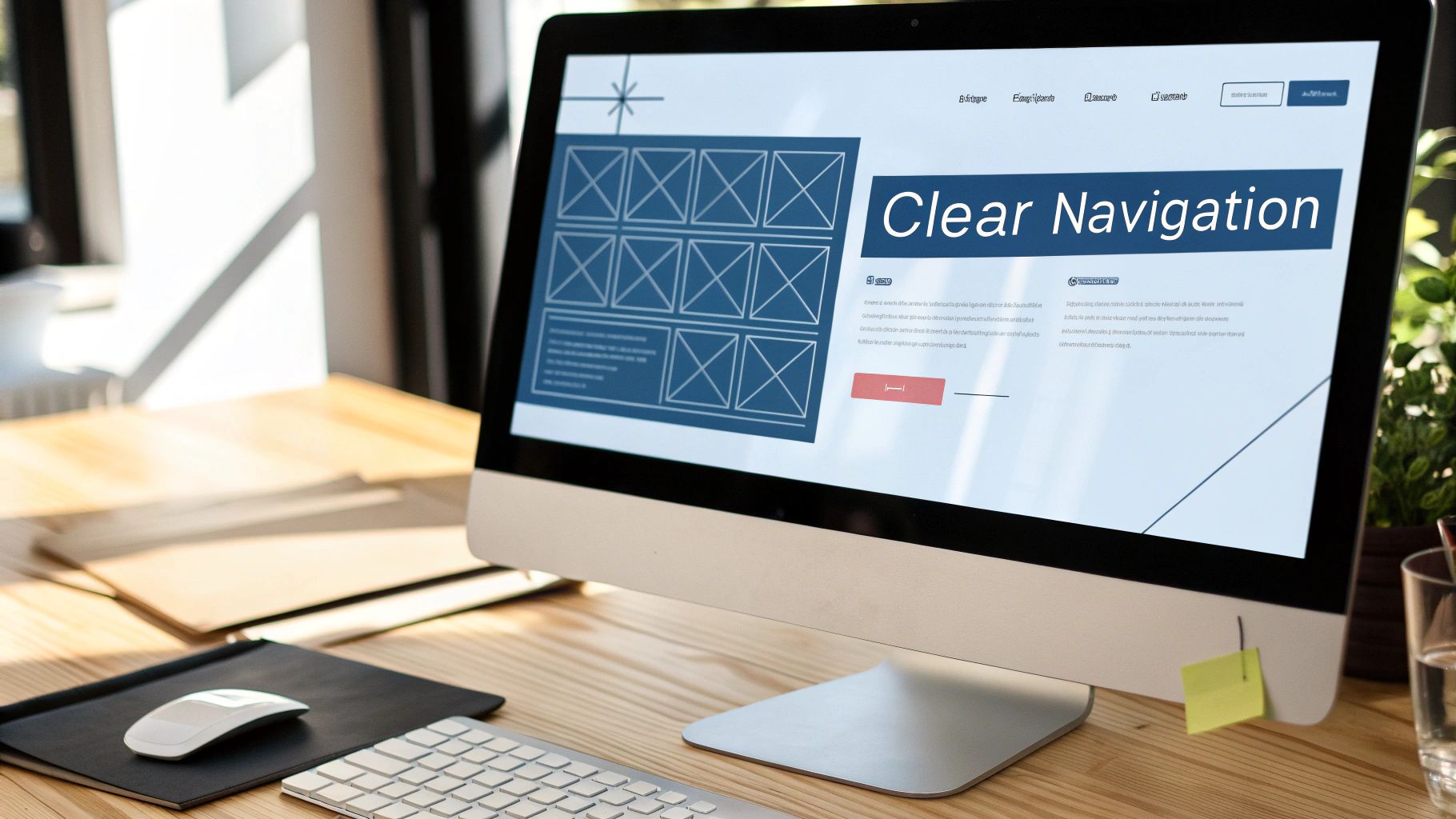
2. Clear Information Hierarchy and Navigation
A clear information hierarchy organizes content by importance, guiding users intuitively through your website. Effective navigation helps visitors find what they need quickly, preventing confusion and frustration. This involves using visual cues like size, color, and position to establish a logical content structure and creating menus that reflect user expectations, a cornerstone of best practices for web design.
Why Clear Hierarchy is a Non-Negotiable Practice
When users can't find what they are looking for, they leave. A logical structure, championed by usability experts like Steve Krug, reduces cognitive load and improves user satisfaction. It directly impacts engagement rates and conversions by making the user journey seamless. Apple’s website exemplifies this with a minimal, predictable navigation system, while e-commerce sites like Zappos use logical product categories to drastically reduce search time and guide users to purchase.
Actionable Implementation Tips
To effectively implement a strong information hierarchy and navigation, follow these key steps:
- Limit Main Navigation: Keep your primary menu concise with 5-7 essential items to avoid overwhelming users.
- Use Sticky Headers: On long pages, a sticky header keeps the main navigation accessible as the user scrolls.
- Implement Breadcrumbs: For sites with deep structures, breadcrumbs show users their location and provide an easy path back.
- Highlight the Current Page: Visually distinguish the user's current page in the navigation menu to provide clear orientation.
- Create a Strategic Footer: Use the footer for secondary navigation, contact information, and other important but less critical links.
By structuring your content logically, you create an intuitive experience that builds trust. To learn more about usability principles, explore the insights from the Nielsen Norman Group.
3. Fast Page Load Speed and Performance Optimization
Page load speed is a critical factor that directly impacts user experience, conversion rates, and search engine rankings. In a digital world where attention spans are short, a website that loads in under 3 seconds sees significantly better engagement. Performance optimization involves a series of technical enhancements like minimizing file sizes, reducing server response times, and leveraging browser caching, all of which are fundamental best practices for web design.
Why Fast Performance is a Core Business Metric
A slow website actively costs you money and drives users away. For instance, Amazon calculated that every 100-millisecond delay costs them 1% in sales, while Walmart saw a 2% conversion increase for every one-second improvement in speed. These metrics prove that performance isn't just a technical detail; it's a key business driver. Google also heavily weighs site speed, particularly Core Web Vitals, in its ranking algorithm, making optimization essential for visibility.
Actionable Implementation Tips
To boost your site’s speed, integrate these performance-enhancing strategies:
- Audit Your Site: Use tools like Google PageSpeed Insights and Lighthouse to identify performance bottlenecks and get a clear baseline.
- Optimize Images: Implement modern formats like WebP, which offers superior compression compared to traditional JPEGs and PNGs.
- Defer Non-Critical Resources: Use the
deferattribute for JavaScript files that are not essential for the initial page render, allowing content to load first. - Use a Content Delivery Network (CDN): Distribute your site’s assets across a global network of servers to reduce latency for users worldwide.
- Enable GZIP Compression: Configure your server to compress files before sending them to the browser, significantly reducing transfer times.
Improving performance requires a consistent, multi-faceted approach. For a more in-depth look at the technical aspects of speeding up your site, refer to a comprehensive guide on how to optimize website performance. For a detailed checklist, you can learn more about our performance optimization techniques on sugarpixels.com.
4. Accessible and Inclusive Design (WCAG Compliance)
Accessible design is the practice of creating websites that are usable by everyone, including people with disabilities. Following the Web Content Accessibility Guidelines (WCAG) ensures your site accommodates visual, auditory, motor, and cognitive impairments. This inclusive approach is one of the most critical best practices for web design, as it improves usability for all users, expands your audience reach, and mitigates legal risks.

Why Accessibility is a Foundational Practice
Ignoring accessibility doesn't just exclude over a billion people globally; it can also lead to significant legal and financial penalties, as seen in Target's $6 million ADA settlement. Conversely, companies like Microsoft embrace accessibility, building a loyal customer base. Government sites like USA.gov model WCAG AA compliance, proving that accessibility is achievable and essential for serving a broad audience effectively. An accessible site is fundamentally a more usable and SEO-friendly site for everyone.
Actionable Implementation Tips
To make your website more accessible and inclusive, start with these actionable steps:
- Audit Your Site: Use tools like WAVE, Axe, or Lighthouse to identify immediate accessibility issues.
- Aim for WCAG 2.1 Level AA: This is the recognized global standard and a solid benchmark for compliance.
- Provide Text Alternatives: Ensure all images have descriptive
alttext and that videos have captions and transcripts. - Test Keyboard-Only Navigation: All interactive elements, including links, buttons, and form fields, must be fully operable using only a keyboard.
- Ensure Sufficient Color Contrast: Use a contrast checker to verify that your text and background colors meet a minimum ratio of 4.5:1.
Implementing these practices creates a more robust and user-friendly experience for your entire audience. You can learn more about the essentials of web accessibility on sugarpixels.com.
5. Conversion-Focused Design and CTA Optimization
Conversion-focused design is a strategic approach that guides users toward completing specific actions, such as making a purchase or signing up for a newsletter. It uses persuasive layouts, clear visual cues, and friction reduction to create a seamless path to conversion. A critical component is call-to-action (CTA) optimization, which refines button placement, color, and copy to maximize engagement, making it one of the most impactful best practices for web design.

Why Conversion-Focused Design is a Non-Negotiable Practice
A beautiful website is useless if it doesn't achieve business goals. By focusing on conversion, you directly link your design efforts to tangible results like increased revenue and lead generation. For example, Unbounce famously increased conversions by 25% simply by reducing form fields, while HubSpot found that gradient CTA buttons boosted click-through rates by 21%. These examples prove that small, data-driven design changes can yield significant returns.
Actionable Implementation Tips
To effectively implement conversion-focused design, concentrate on your CTAs:
- Use Action-Oriented Copy: Write compelling, first-person copy like "Get My Free Trial" instead of a generic "Submit."
- Create Visual Contrast: Ensure your CTA buttons stand out from the page background using a brand-aligned yet contrasting color. Use whitespace to draw the eye.
- Strategic Placement: Place your primary CTA above the fold where it's immediately visible. Repeat secondary CTAs throughout longer pages to provide multiple conversion opportunities.
- Reduce Friction: Keep forms as short as possible and only ask for essential information to minimize user effort and abandonment.
- A/B Test Everything: Continuously test variations of your button colors, microcopy, and placement to identify what resonates most with your audience.
By prioritizing conversion, you transform your website from a digital brochure into a powerful tool for business growth. For more insights on optimization, you can explore the principles popularized by industry leader Unbounce and their CRO resources.
6. Strong Brand Consistency and Visual Identity
Strong brand consistency ensures that all visual and messaging elements align cohesively across your entire website, fostering recognition and building user trust. A unified visual identity, encompassing typography, color palettes, imagery, and tone of voice, transforms a website from a collection of pages into a memorable brand experience. This consistency is a cornerstone of effective best practices for web design because it creates an emotional connection and reinforces your brand's credibility with every click.
Why Brand Consistency Builds Trust
A consistent design language makes your brand instantly recognizable and appear more professional. When users see the same logos, colors, and fonts, it signals reliability and attention to detail. Companies like Apple exemplify this, with a minimalist design language that is identical across their website, products, and marketing, creating a powerful and trusted brand ecosystem. Similarly, Slack's playful and consistent visual identity helps build user loyalty and differentiate it in a crowded market.
Actionable Implementation Tips
To establish and maintain a strong visual identity, focus on creating a scalable system:
- Develop a Brand Style Guide: Create a comprehensive document that defines your logo usage, color palette, typography rules, icon style, and tone of voice.
- Create a Reusable Component Library: Build a design system with reusable UI elements like buttons, forms, and navigation bars to ensure consistency across all pages.
- Use Centralized Design Tools: Leverage tools like Figma or Adobe XD to create and manage a single source of truth for all design assets and components.
- Conduct Regular Brand Audits: Periodically review your website to identify and correct any inconsistencies that may have emerged over time.
- Train Your Team: Ensure everyone involved in creating content, from designers to marketers, understands and follows the established brand guidelines.
By systematically implementing these steps, you can build a powerful, recognizable brand that resonates with your audience. For a closer look at how leading brands build their identity, you can explore the principles behind Google's Material Design system.
7. User-Centered Design and User Research
User-centered design is a foundational methodology that places real user needs, behaviors, and preferences at the heart of every design decision. This approach involves conducting comprehensive research, such as interviews, surveys, and usability testing, to deeply understand the target audience before and during the design process. Embracing data-driven decisions is a cornerstone of modern best practices for web design, leading to higher user satisfaction and superior business outcomes.
Why User-Centered Design Drives Success
Designing based on assumptions is a recipe for failure; user-centered design removes the guesswork. It ensures the final product is intuitive, valuable, and enjoyable for the people who will actually use it, directly impacting engagement and conversion rates. For example, Airbnb’s extensive user testing on its booking flow famously increased conversions by improving clarity and reducing friction, while Spotify’s research into listening habits led to its powerful, algorithm-driven recommendation engine.
Actionable Implementation Tips
To effectively integrate user-centered design into your workflow, follow these key steps:
- Create Data-Driven Personas: Develop detailed user personas based on real data from analytics and user interviews, not just assumptions.
- Map the Customer Journey: Visualize the steps users take to interact with your site to identify pain points, friction, and opportunities for improvement.
- Conduct Usability Testing: Start with a small group of 5 users, as recommended by the Nielsen Norman Group, to uncover the most significant usability issues.
- Leverage Modern Tools: Utilize platforms like UserTesting, Maze, or Userlytics to facilitate both moderated and unmoderated user testing sessions.
- Implement Feedback Loops: Establish a continuous cycle of gathering, analyzing, and implementing user feedback throughout the entire design and development process.
By grounding your design in authentic user insights, you build products that resonate deeply. To explore this topic further, read Steve Krug's seminal book, "Don't Make Me Think".
8. Search Engine Optimization (SEO) Best Practices
Integrating Search Engine Optimization (SEO) into your development process is not an afterthought; it is a fundamental component of the best practices for web design. This involves strategically structuring your site’s technical foundation and content to improve its visibility on search engines like Google. A well-optimized website attracts high-quality organic traffic, enhancing lead generation and reducing long-term customer acquisition costs by earning, rather than paying for, visibility.
Why SEO is a Core Design Pillar
A beautiful website that no one can find is ineffective. SEO ensures your design efforts reach your target audience. By aligning content with user search intent and ensuring your site is technically sound, you improve both user experience and search rankings. Leaders in this space, like HubSpot and Moz, have built entire business models around creating valuable, SEO-driven content that attracts millions of organic visitors monthly, proving the power of a content-first optimization strategy.
Actionable Implementation Tips
To effectively integrate SEO into your web design from the ground up, follow these steps:
- Conduct Keyword Research: Use tools like Ahrefs or SEMrush to identify the terms your audience is searching for and structure your content and site architecture around them.
- Optimize On-Page Elements: Ensure every page has a unique title tag, a compelling meta description, and properly structured headers (H1, H2, H3) that include target keywords.
- Implement Schema Markup: Add structured data to your HTML to help search engines understand your content better and display rich snippets in search results.
- Prioritize Content Quality: Create comprehensive "pillar" pages on core topics and link out to related "cluster" articles, establishing topical authority.
- Monitor with Google Search Console: Regularly track your site’s performance, submit sitemaps, and identify technical issues that could be hindering your rankings.
By embedding these SEO principles into your design workflow, you create a powerful, sustainable engine for organic growth. For a deeper look into advanced SEO techniques, you can explore the comprehensive guides available at Backlinko.
9. Trust Signals and Social Proof Implementation
Trust signals are crucial design elements that build credibility and reduce user anxiety about making a purchase or sharing information. By incorporating elements like customer testimonials, security badges, and user reviews, you can establish your site's legitimacy and reliability. This practice is fundamental to modern best practices for web design because it directly addresses the user’s need for security and validation, which is essential for boosting conversions and fostering loyalty.
Why Social Proof Builds Credibility
Displaying social proof and trust signals effectively answers the user’s subconscious question: "Can I trust this business?" When visitors see that others have had positive experiences, it validates their decision to engage with your brand. For instance, Slack’s homepage prominently features logos of well-known companies and a running count of "teams actively using Slack," which immediately establishes authority. Similarly, Amazon’s comprehensive review system is a cornerstone of its e-commerce dominance, providing transparent social proof that heavily influences purchasing decisions.
Actionable Implementation Tips
To effectively integrate trust signals into your website, follow these actionable steps:
- Display Star Ratings: Prominently feature star ratings and review counts on product or service pages to provide immediate social validation.
- Feature Customer Logos: If you are a B2B company, showcase the logos of recognizable clients to build instant credibility with new prospects.
- Use High-Impact Testimonials: Prioritize video testimonials or quotes that include a customer’s photo and name, as they are more authentic and impactful.
- Show Security Badges: Place SSL certificates and secure payment badges (e.g., Norton, PayPal) visibly in the header, footer, and checkout process.
- Leverage User-Generated Content: Create sections for customer photos or stories, showcasing real people using and enjoying your products.
- Develop Detailed Case Studies: Publish in-depth case studies with specific metrics and results to demonstrate your value and expertise to potential clients.
10. Clear Calls-to-Action (CTAs) and Streamlined Conversion Paths
A well-designed website must guide users toward a specific goal, and that is achieved through clear calls-to-action (CTAs) and streamlined conversion paths. This practice focuses on eliminating friction in the user journey by reducing steps, removing distractions, and creating an obvious route to a desired action, like a purchase or sign-up. A frictionless path is a core component of best practices for web design, directly impacting your site's ability to generate leads and sales.
Why Streamlined Conversion is a Non-Negotiable Practice
Every extra field, unnecessary click, or confusing instruction creates an opportunity for a user to abandon the process. By simplifying the path, you significantly increase the likelihood of conversion. Amazon’s patented "1-Click" checkout is a prime example, drastically reducing friction and boosting impulse buys. Similarly, the CRO experts at Unbounce found that simply changing button text from "Sign Up" to more specific, value-driven language could increase form submissions by over 90%, demonstrating the power of a clear CTA.
Actionable Implementation Tips
To effectively streamline your conversion paths and strengthen your CTAs, follow these key steps:
- Use Action-Oriented Text: Replace generic words like "Submit" with compelling, specific phrases like "Get Your Free Quote" or "Download My Ebook."
- Offer Guest Checkout: Do not force users to create an account to make a purchase. Providing a guest checkout option can dramatically reduce cart abandonment.
- Minimize Form Fields: Only ask for essential information. Each additional field you remove can improve your conversion rate.
- Provide Trust Signals: Display security badges, customer testimonials, and money-back guarantees near checkout and sign-up forms to build user confidence.
- Implement Visual Progress Indicators: For multi-step processes, show users where they are in the journey (e.g., "Step 1 of 3") to manage expectations and reduce drop-off.
By focusing on clarity and ease, you transform your website from a passive brochure into an active conversion engine. For more insights on this topic, you can learn about conversion rate optimization fundamentals on neilpatel.com.
11. Responsive Images and Media Optimization
Responsive images and media optimization is the practice of delivering media assets that adapt to the user's device, screen size, and network conditions. This technique significantly reduces load times and bandwidth consumption by serving appropriately sized and formatted files. By using features like srcset attributes, the <picture> element, and modern formats like WebP, you ensure visuals are crisp and performance is high, a crucial component of the best practices for web design.
Why Optimized Media is a Performance Game-Changer
Unoptimized images are one of the biggest causes of slow websites, directly impacting user experience and bounce rates. Implementing responsive media can lead to dramatic performance gains. For instance, Wikipedia reduced its image bandwidth by 50% after adopting WebP, while Shopify stores using responsive images have seen load times improve by as much as 30%. These optimizations directly improve Core Web Vitals, which boosts SEO rankings.
Actionable Implementation Tips
To effectively optimize your images and media, follow these key steps:
- Use Modern Formats: Serve images in WebP format, which offers superior compression over JPEG and PNG, and provide JPEG or PNG fallbacks for older browsers.
- Implement
srcset: Use thesrcsetattribute on<img>tags to provide multiple image sizes, allowing the browser to choose the most appropriate one for the user's viewport. - Leverage Native Lazy Loading: Add the
loading="lazy"attribute to images and iframes that are below the fold to defer loading until they are needed. - Compress Your Media: Utilize tools like TinyPNG or ImageOptim to compress images without a noticeable loss in quality before uploading them.
- Prevent Layout Shift: Use the CSS
aspect-ratioproperty on media elements to reserve space and prevent content from jumping as images load.
By focusing on media optimization, you create a faster, more enjoyable experience that retains visitors and satisfies search engines. For an in-depth guide on the topic, explore Google's comprehensive resources on web image optimization.
12. Analytics Implementation and Data-Driven Decision Making
Effective web design isn't just about aesthetics; it's about results. Analytics implementation is the process of tracking user behavior, conversions, and engagement to inform design and marketing decisions with hard data. By setting up tools like Google Analytics 4, you can move beyond guesswork and use evidence-based insights to systematically improve your website's performance. This data-centric approach is a cornerstone of modern best practices for web design, allowing you to optimize user journeys and maximize ROI.
Why Data-Driven Decisions are Non-Negotiable
Relying on assumptions is one of the quickest ways to fail online. Data-driven design ensures every change you make is validated by user behavior, leading to higher engagement and conversion rates. For instance, Netflix famously uses detailed analytics to personalize its UI and content recommendations, directly increasing user retention. Similarly, Dropbox discovered through analytics that 25% of its growth stemmed from its file-sharing features, prompting them to make those tools even more prominent and user-friendly.
Actionable Implementation Tips
To effectively integrate analytics into your design process, follow these key steps:
- Define Clear KPIs: Before tracking anything, determine your Key Performance Indicators (KPIs), such as conversion rate, bounce rate, or session duration.
- Implement GA4 with Goal Tracking: Set up Google Analytics 4 and configure specific goals, like form submissions or product purchases, to measure success.
- Track Custom Events: Monitor important user interactions that aren't standard page views, such as video plays, button clicks, or PDF downloads.
- Use Heatmaps and Session Recordings: Employ tools like Hotjar or Microsoft Clarity to visualize where users click and how they navigate your pages.
- A/B Test Design Changes: Use data to form a hypothesis, then test variations of a page to see which one performs better based on statistical significance.
By making data the foundation of your design strategy, you create a powerful feedback loop for continuous improvement. For more on setting up effective tracking, you can explore Google's own guide to getting started with GA4.
12-Point Web Design Best Practices Comparison
| Item | 🔄 Implementation Complexity | 💡 Resource Requirements | ⭐ Expected Outcomes | 📊 Key Advantages | Ideal Use Cases |
|---|---|---|---|---|---|
| Mobile-First Responsive Design | Medium–High — careful planning & testing | Moderate dev time, device testing, CSS frameworks | ⭐⭐⭐⭐ — improved mobile UX & SEO | Unified codebase, lower mobile bounce | Mobile-heavy sites, e‑commerce, landing pages |
| Clear Information Hierarchy and Navigation | Medium — research + IA work | UX research, content strategy, card sorting | ⭐⭐⭐⭐ — better findability & engagement | Reduces cognitive load, improves accessibility | Multi-page sites, marketplaces, content sites |
| Fast Page Load Speed and Performance Optimization | Medium–High — technical tuning | Devops, CDN, monitoring tools, performance audits | ⭐⭐⭐⭐⭐ — faster load, higher conversions | Better SEO (Core Web Vitals), lower server cost | High-traffic sites, e‑commerce, media sites |
| Accessible and Inclusive Design (WCAG) | Medium–High — standards & testing | Training, assistive tech testing, audits | ⭐⭐⭐⭐ — broader reach, compliance | Reduces legal risk, improves usability for all | Government, enterprise, public-facing brands |
| Conversion-Focused Design and CTA Optimization | Medium — iterative testing | CRO tools, A/B testing, copywriting | ⭐⭐⭐⭐ — increased revenue & CTR | Direct ROI lift, data-driven iterations | Landing pages, product pages, subscription funnels |
| Strong Brand Consistency and Visual Identity | Medium — design system setup | Brand guidelines, design system, asset library | ⭐⭐⭐⭐ — stronger recognition & trust | Scales design, speeds future development | Startups, consumer brands, enterprise sites |
| User-Centered Design and User Research | High — iterative research cycles | Researchers, testing participants, UX tools | ⭐⭐⭐⭐⭐ — reduced rework, higher satisfaction | Validates assumptions, improves product‑market fit | New products, feature redesigns, startups |
| Search Engine Optimization (SEO) Best Practices | Medium — ongoing effort | Content creators, SEO tools, link building | ⭐⭐⭐⭐ — sustained organic traffic growth | Low CAC over time, improved authority | Content marketing, e‑commerce, local businesses |
| Trust Signals and Social Proof Implementation | Low–Medium — content collection | Review systems, testimonial assets, moderation | ⭐⭐⭐⭐ — higher trust & conversion | Reduces purchase anxiety, boosts credibility | E‑commerce, SaaS, B2B landing pages |
| Clear Calls-to-Action (CTAs) & Streamlined Conversion Paths | Low–Medium — UX tuning | UX/dev tweaks, form optimization, testing | ⭐⭐⭐⭐ — lower abandonment, higher conversions | Immediate impact on revenue & UX | Checkout flows, lead gen forms, signups |
| Responsive Images and Media Optimization | Medium — markup + formats | Image processing, CDN, modern formats (WebP/AVIF) | ⭐⭐⭐⭐ — faster pages, improved LCP | Reduces bandwidth, improves mobile performance | Product catalogs, image-rich blogs, news sites |
| Analytics Implementation and Data-Driven Decision Making | Medium — correct tracking setup | GA4, heatmaps, dashboards, analyst time | ⭐⭐⭐⭐ — actionable insights & measured ROI | Replaces guesswork, supports prioritized changes | All websites, marketing campaigns, CRO programs |
Putting It All Together: Your Path to a World-Class Website
We have journeyed through a comprehensive landscape of web design, exploring twelve foundational pillars that transform a simple website into a powerful digital asset. From the non-negotiable standard of mobile-first responsive design to the data-driven insights of analytics, each practice represents a crucial piece of a larger puzzle. Mastering these concepts is not about ticking boxes on a checklist; it's about adopting a holistic philosophy centered on the end-user.
The core thread weaving through every point, from information hierarchy to conversion paths, is a relentless focus on creating a seamless, intuitive, and valuable user experience. A visitor who can effortlessly find what they need on any device, trusts your brand through clear visual identity and social proof, and enjoys a lightning-fast browsing experience is a visitor who is far more likely to convert, return, and recommend. Adhering to these best practices for web design is your strategic roadmap to achieving that exact outcome.
From Theory to Tangible Results
Understanding these principles is the first step, but implementation is where true transformation happens. It can feel daunting to address everything at once, especially for small businesses or startups with limited resources. The key is to approach this as an iterative process, not an overnight overhaul.
Consider these actionable next steps to begin your journey:
- Conduct a Self-Audit: Start by evaluating your current website against the twelve principles discussed. Use free tools like Google's PageSpeed Insights to check performance or run an accessibility audit using a browser extension. Identify the two or three most critical areas for improvement. Is your mobile experience clunky? Are your calls-to-action buried or unclear?
- Prioritize for Impact: You don't need to fix everything simultaneously. Focus on the changes that will deliver the most significant impact on your business goals. For an e-commerce site, optimizing page speed and streamlining the checkout process (a key conversion path) might be the top priority. For a content-heavy blog, improving navigation and mobile readability could be paramount.
- Embrace a Mindset of Continuous Improvement: The digital world is dynamic. Browser capabilities evolve, user expectations shift, and search engine algorithms are constantly updated. The most successful websites are those that are consistently monitored, tested, and refined. Regularly review your analytics, gather user feedback, and stay informed about emerging trends. This commitment to ongoing optimization ensures your digital presence remains effective and competitive for years to come.
Ultimately, investing in these best practices for web design is an investment in your brand's future. It’s about building a resilient, scalable, and user-centric platform that not only attracts visitors but also fosters trust, drives conversions, and builds lasting customer relationships. It's the difference between having a simple online brochure and a high-performing engine for business growth. The journey toward a world-class website begins with a single, deliberate step forward. Start today.
Ready to translate these best practices into a high-performing website without the guesswork? The team at Sugar Pixels specializes in integrating these principles into every project, creating digital experiences that are not only beautiful but are also built to convert. Let us help you build a powerful, secure, and optimized online presence that delivers measurable results.