

Your Content Management System (CMS) is the engine behind your website. It dictates how you create content, manage products, and engage with your customers. But with countless options available, finding the best cms for a small business can feel overwhelming. Hosted vs. self-hosted? An all-in-one builder versus a flexible open-source platform? This decision impacts your budget, workflow, and long-term scalability.
This guide cuts through the noise. We’ll break down 12 leading CMS platforms, analyzing them not just on features, but on real-world use cases, potential hidden costs, and the technical skill required to manage them effectively. Whether you're launching a simple brochure site, a bustling online store, or a content-rich blog, this resource will help you make an informed decision that supports your growth.
We provide a detailed look at the pros, cons, and ideal user for each platform, from giants like WordPress and Shopify to powerful alternatives like Webflow and Ghost. For those focused primarily on sales, understanding the nuances between a general CMS and a dedicated sales platform is key. To find your perfect fit, it's crucial to compare various options, including the best ecommerce platform for small business, to see how they stack up for your specific product-based needs.
Each entry in our list includes screenshots and direct links, giving you a clear, practical overview. Our goal is simple: to provide the clarity you need to choose a CMS that empowers your business, rather than complicates it. Let's dive in and find the right foundation for your digital presence.
1. WordPress.com (hosted WordPress)
WordPress.com is the all-in-one, hosted version of the world’s most popular CMS, offering a simplified entry point for small businesses. It bundles hosting, security, and maintenance into a single package, eliminating the technical overhead of managing your own server. This makes it an ideal choice for entrepreneurs who need to launch a professional-looking site quickly without a steep learning curve. The platform is built for scalability, allowing you to start with a simple brochure site and seamlessly upgrade to a full-featured e-commerce store as your business grows.
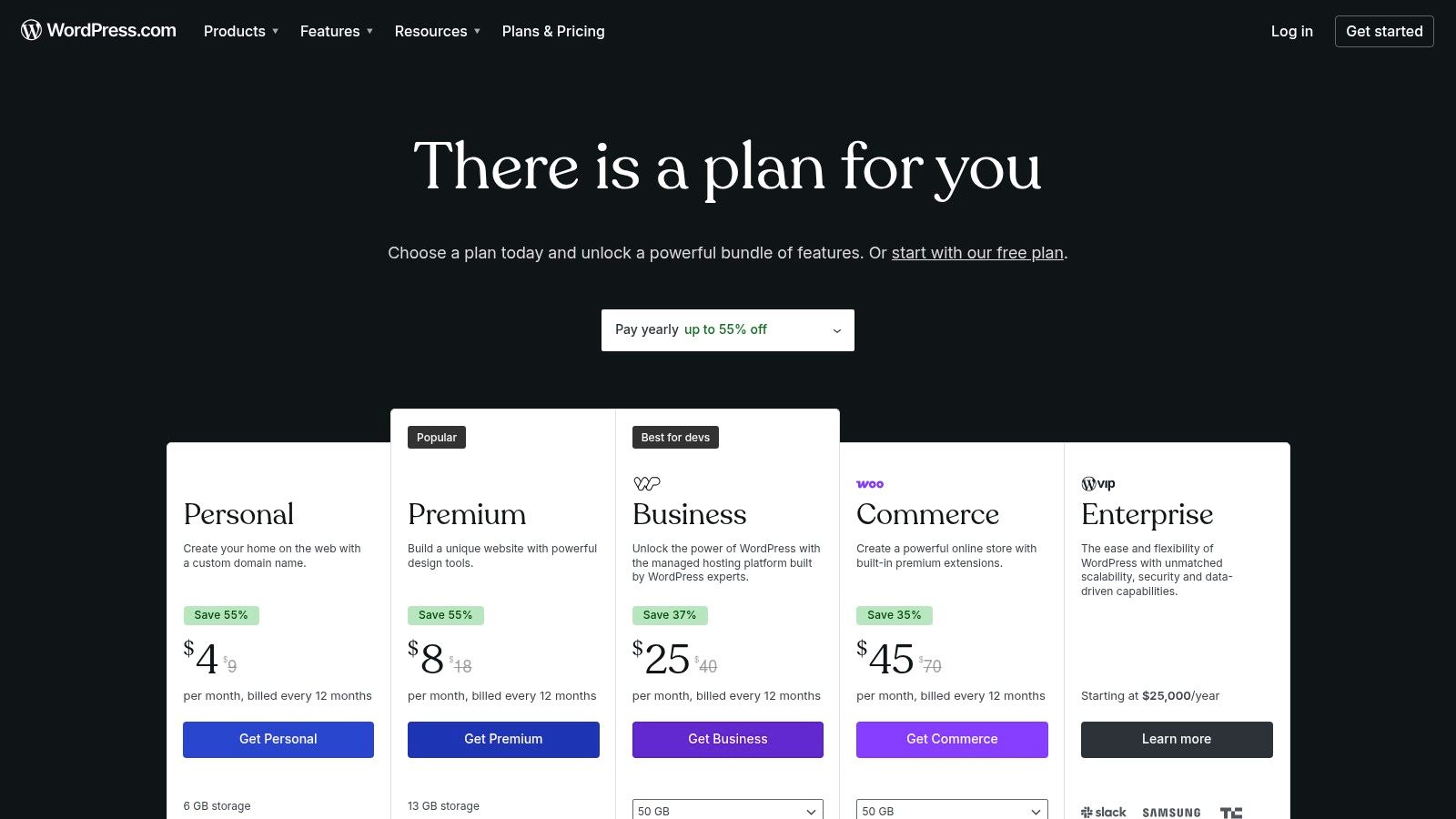
Its structured plan system is both a pro and a con. Lower-tier plans are affordable but limit access to plugins and advanced customization. To unlock the full power of the WordPress ecosystem, including custom themes and plugins, you'll need a Business or Commerce plan. This structured approach, however, ensures stability and security, as the platform manages all updates and technical aspects for you. For many, this trade-off is why it's considered one of the best cms for small business owners seeking a hands-off solution.
Key Details & Pricing
- Best For: Service businesses, bloggers, consultants, and e-commerce startups needing a scalable, low-maintenance solution.
- Pros: Extremely easy to set up, managed security and hosting, 24/7 support on paid plans, clear upgrade path.
- Cons: Limited customization and no plugin access on lower-tier plans; can become more expensive than self-hosting.
- Pricing: Plans range from a limited free option to the Commerce plan at around $45/month (billed annually), which includes full WooCommerce capabilities.
Website: https://wordpress.com/pricing
2. WordPress.org (self-hosted WordPress)
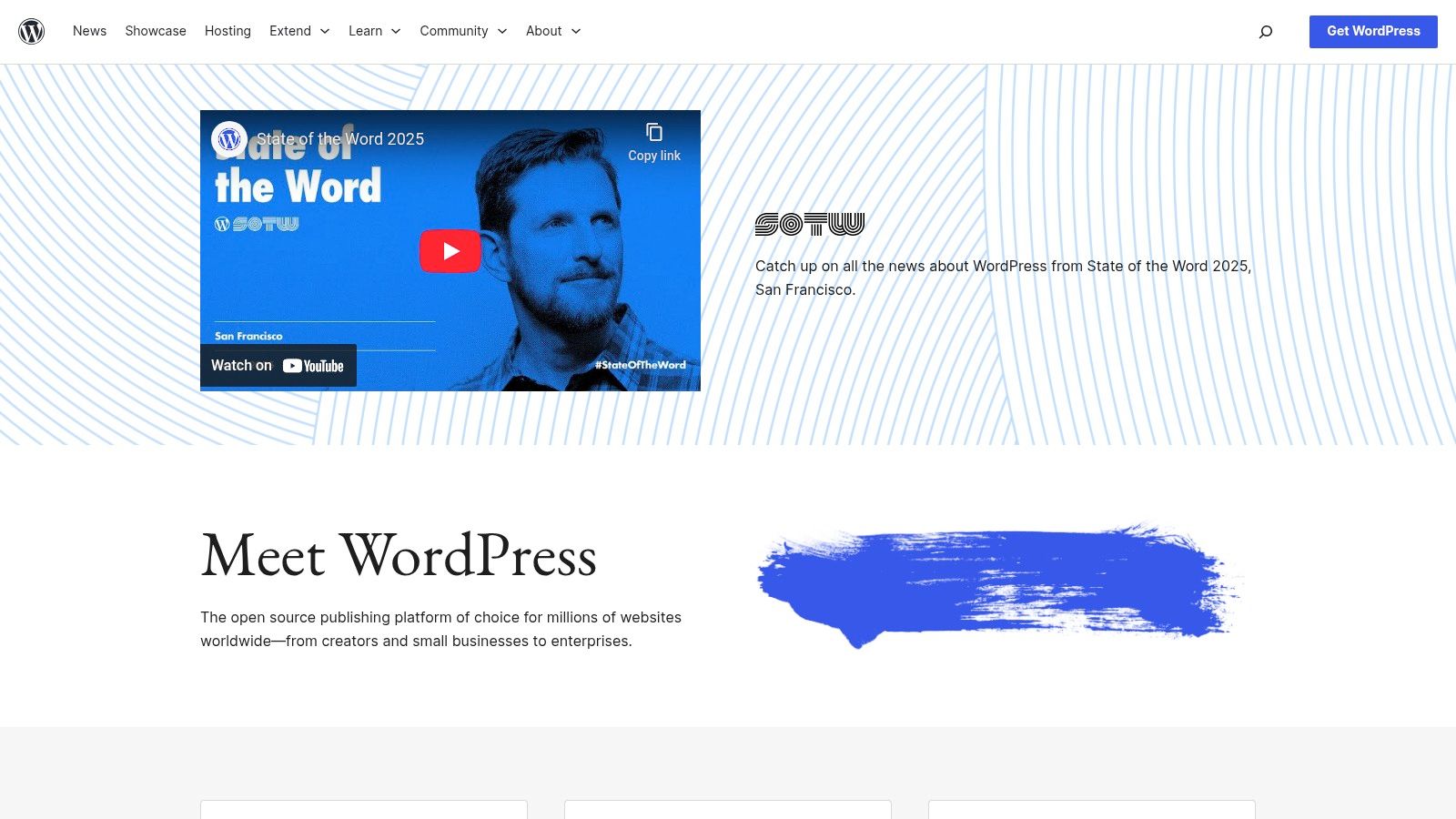
Often called "the real WordPress," WordPress.org provides the free, open-source software that powers over 43% of the web. This self-hosted version offers unparalleled freedom and control, making it the go-to choice for small businesses that want complete ownership of their digital assets. Unlike its hosted counterpart, you are responsible for choosing a hosting provider, installing the CMS, and managing all security and updates. While this requires more technical involvement, it unlocks limitless customization possibilities through thousands of free and premium themes and plugins.
The primary advantage is cost-effectiveness and flexibility. You can build anything from a simple one-page site to a complex e-commerce marketplace or a membership portal without being tied to a specific platform's pricing tiers or feature limitations. This level of control is why many consider it the best cms for small business when long-term scalability and a unique brand identity are top priorities. The learning curve is steeper, but the massive global community and extensive documentation provide robust support for navigating any challenges. The trade-off is clear: more responsibility for more power.
Key Details & Pricing
- Best For: Businesses wanting full control, tech-savvy entrepreneurs, and those with specific functionality needs that require custom plugins or themes.
- Pros: Maximum flexibility and ownership, vast ecosystem of plugins and themes, lower long-term costs, no platform restrictions.
- Cons: You must manage your own hosting, security, and updates; the quality of third-party plugins and themes can vary.
- Pricing: The core WordPress software is free. Costs come from domain registration (approx. $10-20/year), hosting (starting from $5-25/month), and any premium themes or plugins you choose to purchase.
Website: https://wordpress.org
3. Shopify
Shopify is a commerce-first platform designed from the ground up for businesses that need to sell products. It’s a fully hosted solution that combines a user-friendly website builder with powerful backend tools for inventory management, payments, and shipping. This integrated approach allows entrepreneurs to launch a professional online store with minimal technical knowledge, providing reliable infrastructure and a secure checkout process right out of the box. Its core strength lies in its singular focus on e-commerce, making it a go-to for retail businesses.
While its blog and content features are functional, they aren't as robust as a dedicated content management system. However, its expansive App Store fills almost any gap, offering integrations for marketing, customer service, and advanced analytics. The platform's true power is unlocked through this ecosystem, allowing for multi-channel selling across social media and marketplaces. For businesses prioritizing sales and product management over complex content strategies, Shopify is arguably the best cms for small business owners in the e-commerce space.
Key Details & Pricing
- Best For: Retail businesses, direct-to-consumer brands, and anyone needing an integrated online store and Point of Sale (POS) system.
- Pros: Extremely fast setup and reliable infrastructure, extensive app ecosystem for added functionality, strong fulfillment and tax tools.
- Cons: Transaction fees apply if not using Shopify Payments; reliance on paid apps can significantly increase monthly costs.
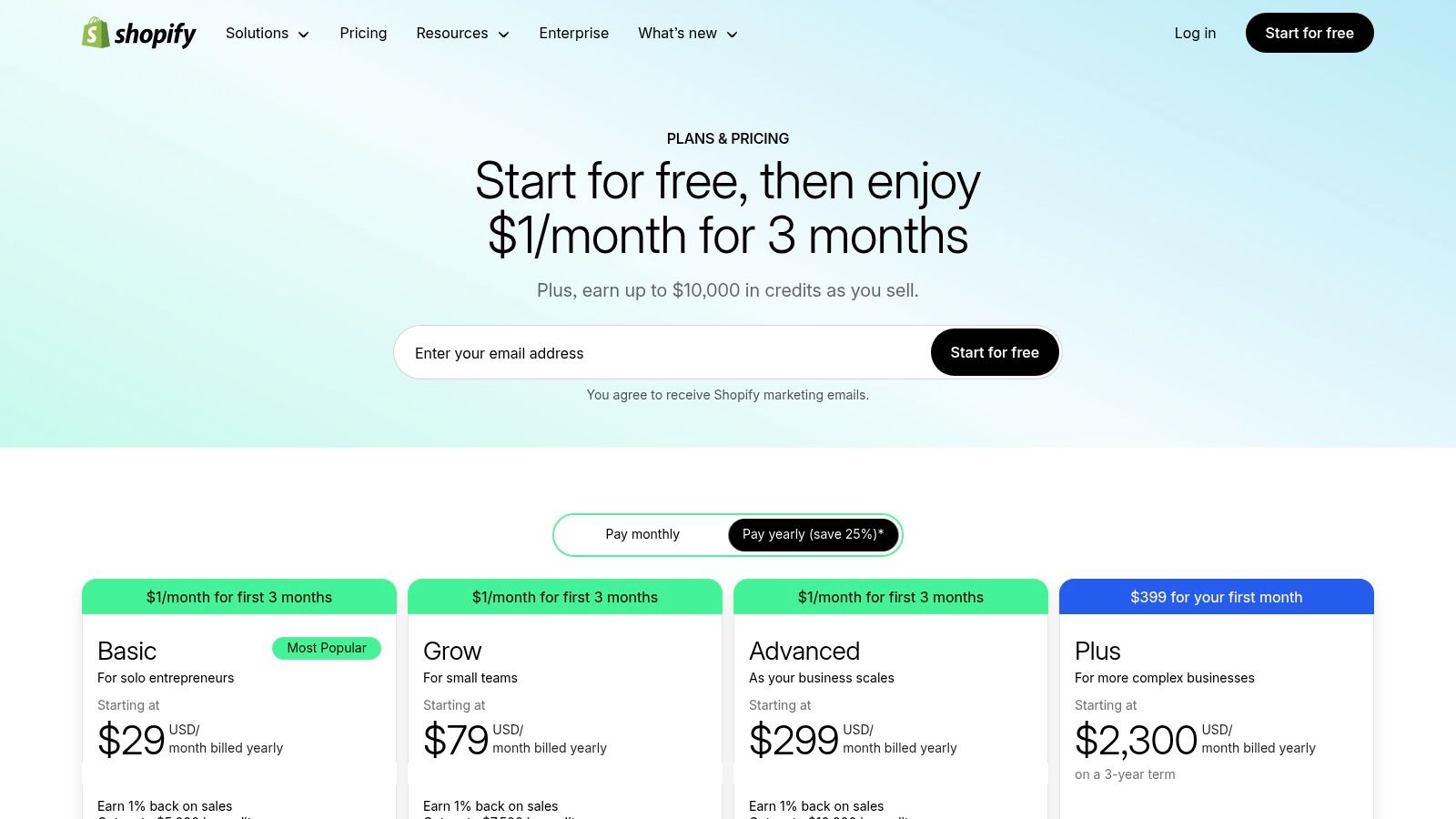
- Pricing: Plans start from the Basic plan at around $29/month (billed annually) up to the Advanced plan, with tiered features for inventory and shipping.
Website: https://www.shopify.com/pricing
4. Wix
Wix has evolved from a simple website builder into a powerful, all-in-one platform with an integrated CMS, making it a top contender for sole proprietors and small teams who prioritize speed and simplicity. Its core strength lies in its highly intuitive drag-and-drop editor and AI site creation tools, which empower users with no coding knowledge to launch a visually appealing website in hours, not weeks. The platform bundles everything from hosting and SSL certificates to robust e-commerce, booking, and marketing tools, streamlining the entire digital presence management process.
The trade-off for this simplicity is a degree of creative constraint. While the template library and App Market are extensive, moving your design to another platform or making deep structural changes can be difficult. This makes it less flexible than developer-centric CMS options. However, for businesses that need an attractive, functional site online quickly without hiring a developer, Wix is arguably the best cms for small business due to its remarkably low barrier to entry and comprehensive feature set.
Key Details & Pricing
- Best For: Service providers (salons, consultants), restaurants, artists, and small e-commerce shops that need a complete, user-friendly solution.
- Pros: Very quick to publish and beginner-friendly, all-in-one approach includes hosting, domains, and SSL, strong built-in business tools.
- Cons: Design portability is limited once a template is chosen, advanced customization can be harder than developer-centric CMSs.
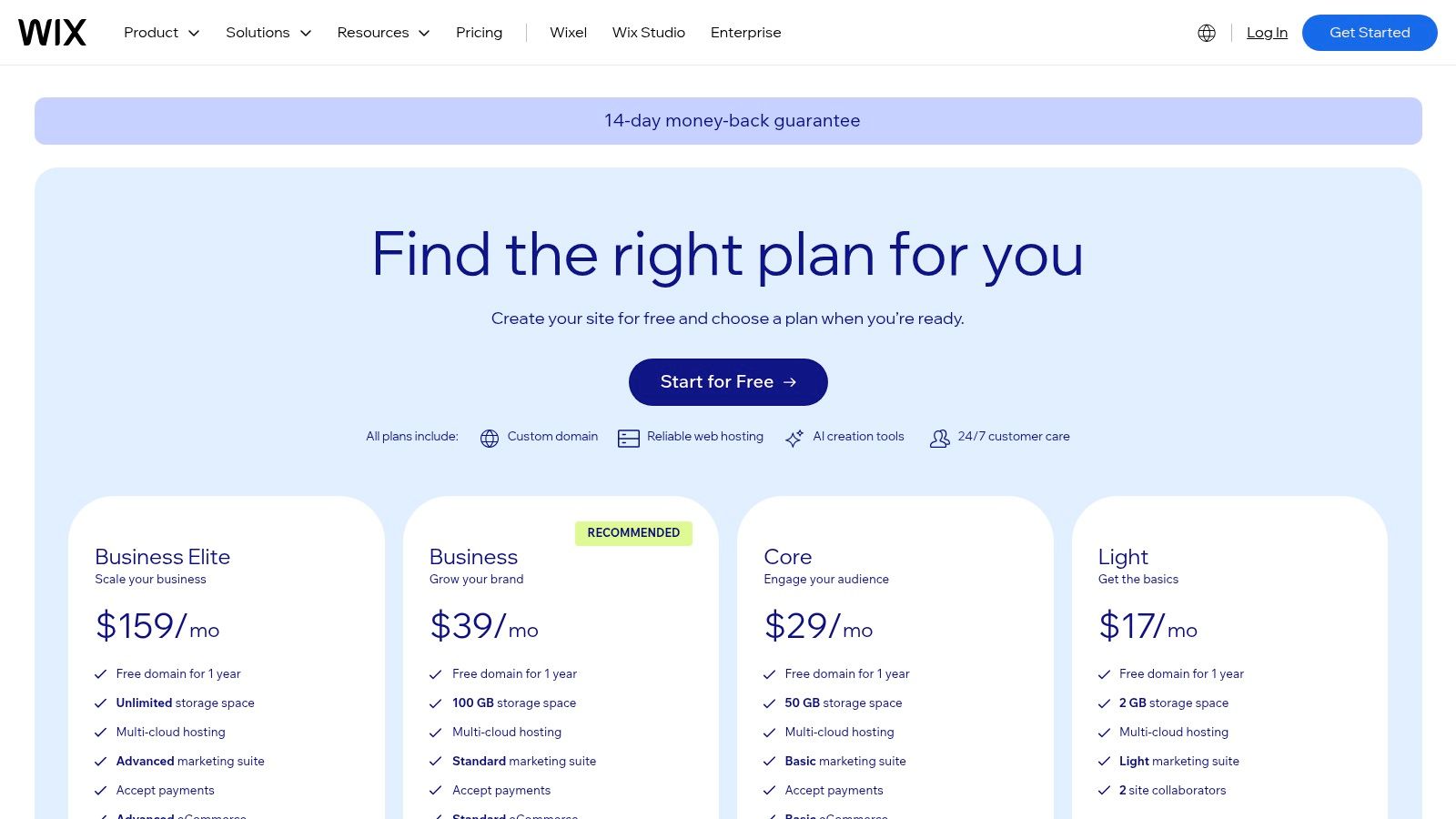
- Pricing: Plans range from a limited free option with Wix branding to business plans starting around $27/month, scaling up with more e-commerce features.
Website: https://www.wix.com/plans
5. Squarespace
Squarespace is a design-forward website builder and CMS that excels at helping small businesses create visually stunning, polished websites with minimal effort. It is an all-in-one platform, bundling hosting, security, and a domain name into its plans, making it perfect for those who prioritize aesthetics and ease of use. Its drag-and-drop editor is incredibly intuitive, allowing business owners to build professional portfolios, service-based sites, and boutique online stores without touching a line of code. The platform is built around a curated set of high-quality templates that are both mobile-responsive and highly customizable.
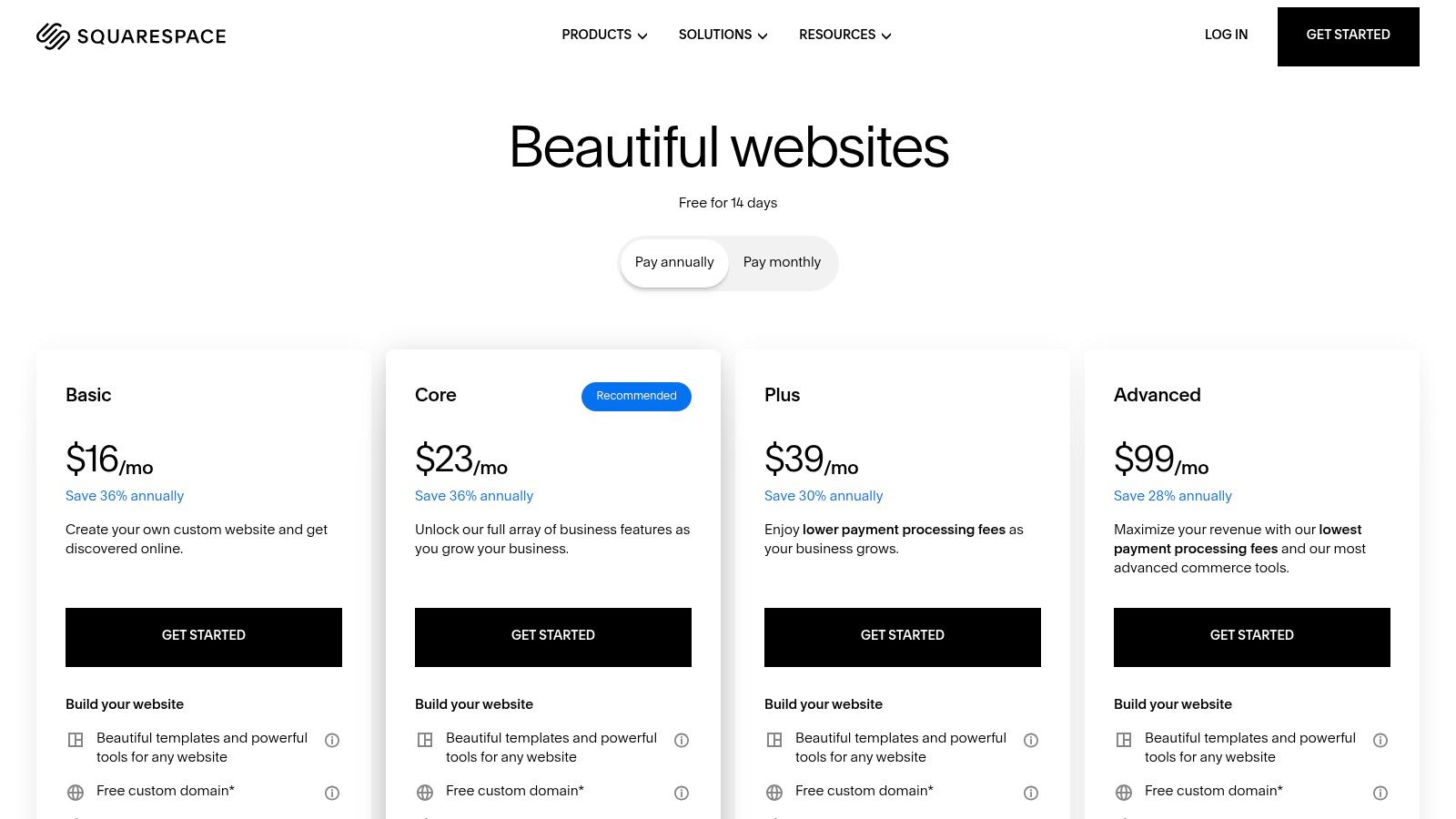
While Squarespace offers a seamless, integrated experience, this curated approach means it's less extensible than open-source platforms. You are limited to its built-in tools and a smaller selection of third-party extensions. However, for many users, this trade-off is a major benefit. The built-in features for scheduling, email campaigns, and analytics are powerful and remove the need to manage multiple services. This integrated ecosystem makes it one of the best cms for small business owners who want a beautiful, functional site that just works right out of the box without technical complexity.
Key Details & Pricing
- Best For: Photographers, artists, restaurants, local services, and small e-commerce shops prioritizing brand aesthetics.
- Pros: Best-in-class aesthetics and award-winning templates, extremely easy to use, all-in-one hosting, domains, and 24/7 support.
- Cons: Commerce transaction fees on the Business plan; less extensible and customizable than developer-centric CMSs.
- Pricing: Plans start around $16/month (billed annually) for a personal site and go up to $49/month for the Advanced Commerce plan.
Website: https://www.squarespace.com/pricing
6. Webflow
Webflow is a designer-centric CMS that merges visual design with the power of a dynamic content management system. It provides unparalleled control over layout and styling directly in a visual interface, making it ideal for businesses that prioritize custom design for marketing sites, portfolios, and blogs. Instead of relying on pre-built themes, you build visually, allowing for unique, responsive designs without writing code from scratch. This makes it a powerful tool for creating bespoke digital experiences.
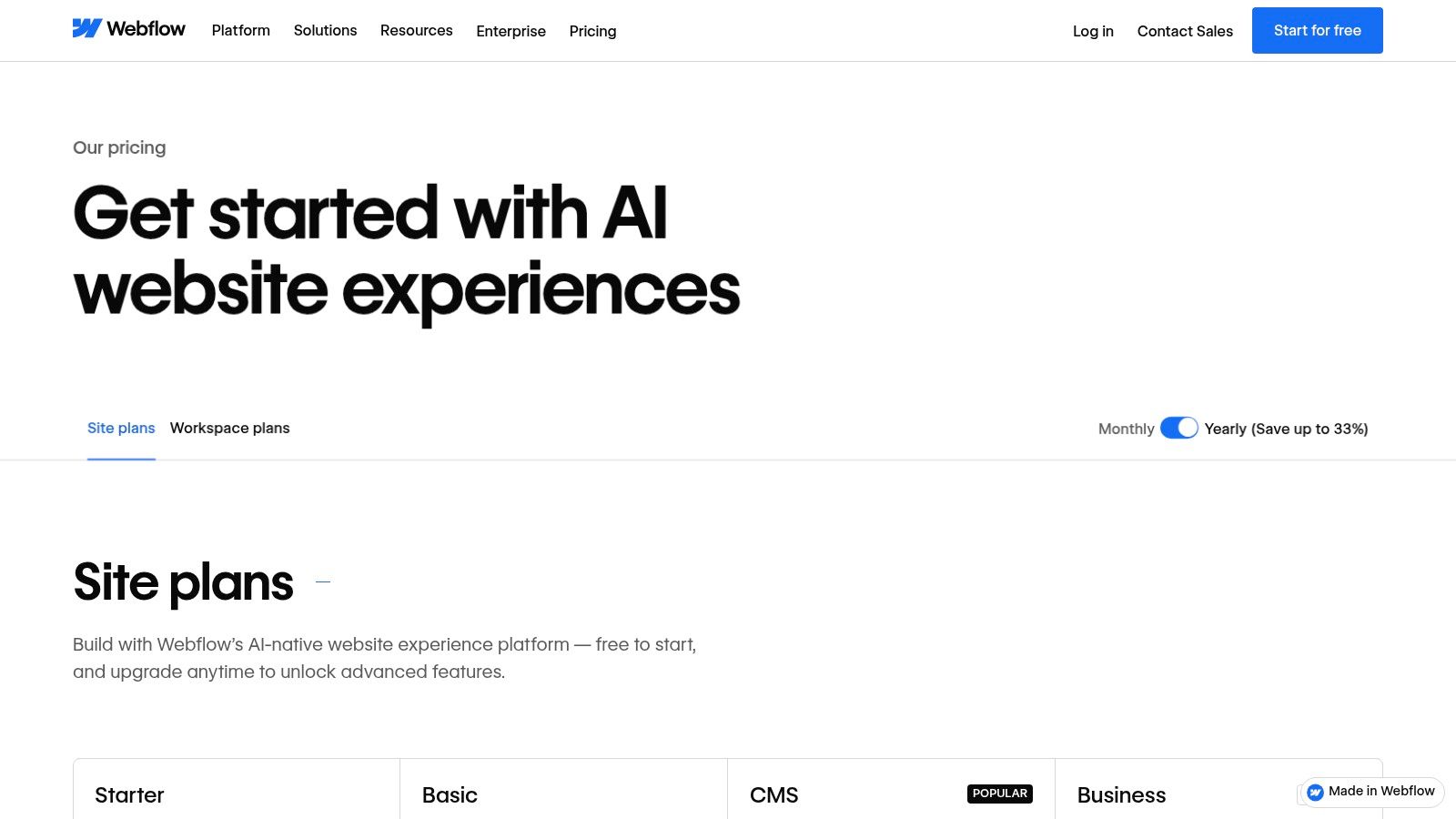
The platform's core strength lies in its "CMS Collections," which let you structure content like blog posts, team members, or services and then visually bind that data to your design. This approach offers flexibility far beyond typical template-based systems. While its visual builder is incredibly powerful, it comes with a steeper learning curve, especially for those without a design background. For businesses that need pixel-perfect control and see their website as a critical marketing asset, Webflow is arguably the best cms for small business teams with design resources.
Key Details & Pricing
- Best For: Design-forward businesses, marketing agencies, and startups wanting custom-branded websites without extensive coding.
- Pros: Precise visual control over layout and design, powerful for content-rich marketing sites, built-in SEO controls and high-performance hosting.
- Cons: Has a significant learning curve for non-designers; can be more complex than necessary for simple brochure sites.
- Pricing: Site plans start with a free staging tier, with paid plans ranging from around $14/month (billed annually) for basic sites to $39/month for CMS-driven sites. E-commerce plans are separate.
Website: https://webflow.com/pricing
7. BigCommerce
BigCommerce is a powerful, e-commerce-first CMS designed for businesses that prioritize online sales and scalability. Unlike general-purpose platforms where e-commerce is an add-on, BigCommerce provides a feature-rich, built-in toolkit for everything from inventory management to omnichannel selling across platforms like Amazon and social media. This integrated approach minimizes reliance on third-party apps, offering a more stable and cohesive system for managing a growing online store. It is an excellent choice for businesses aiming to expand their product catalog and sales channels without hitting a feature ceiling.
Its core strength lies in its comprehensive, out-of-the-box functionality and its commitment to zero platform transaction fees on all plans. While the visual editor can be less intuitive for absolute beginners compared to drag-and-drop builders, its power is undeniable for serious retailers. The platform's structure, which automatically upgrades your plan based on sales volume, supports this growth-focused model. This makes it one of the best cms for small business owners who are planning for significant e-commerce expansion and need a robust, dedicated solution to support their goals.
Key Details & Pricing
- Best For: Growth-oriented e-commerce businesses, retailers with both B2C and B2B needs, and brands focused on omnichannel selling.
- Pros: No platform transaction fees on any plan, powerful built-in features reduce app dependency, strong SEO capabilities, and headless commerce options.
- Cons: The theme editor is less beginner-friendly than competitors; plans auto-upgrade as revenue grows, which can lead to unexpected cost increases.
- Pricing: Standard plans start around $29/month, with Plus and Pro plans offering more advanced features based on annual sales thresholds.
Website: https://www.bigcommerce.com/essentials/pricing/
8. HubSpot Content Hub (formerly CMS Hub)
HubSpot Content Hub is an all-in-one platform that tightly integrates a powerful CMS with a world-class CRM. This connection is its greatest strength, making it ideal for small businesses focused on lead generation and data-driven marketing. Instead of just building a website, you’re creating an engine for growth where your content, forms, SEO, and marketing automation are all fueled by rich customer data. This allows for powerful personalization, such as showing different content to visitors based on their previous interactions with your business.
The platform features an intuitive drag-and-drop editor, built-in SEO recommendations, and AI content assistants to streamline content creation. While it lacks the vast plugin ecosystem of WordPress, its native tools for analytics, A/B testing, and automation are robust and seamlessly connected. For businesses that see their website as a core part of their marketing and sales funnel, HubSpot Content Hub is arguably the best cms for small business because it eliminates tool sprawl and provides a single source of truth for customer interactions.
Key Details & Pricing
- Best For: Marketing-focused businesses, B2B service providers, and companies wanting to align their website with sales and CRM activities.
- Pros: All-in-one CMS and CRM reduces tool complexity, powerful analytics and automation, excellent for personalization and lead nurturing.
- Cons: Pricing can climb quickly beyond the entry-level tiers; fewer third-party integrations and design options than open-source platforms.
- Pricing: Starts with a limited free plan. Paid plans begin with the Starter tier at around $23/month (billed annually) and scale up significantly for Professional and Enterprise plans.
Website: https://www.hubspot.com/products/content-management/pricing
9. Duda
Duda is a professional, agency-grade website builder and CMS that stands out for its strong multi-site management and client collaboration features. It's built for design agencies, freelancers, and businesses that manage multiple websites, offering a streamlined workflow with white-labeling, client portals, and role-based permissions. Hosted on robust AWS infrastructure, Duda prioritizes performance and reliability, ensuring sites are fast, secure, and always online, which is critical for maintaining a professional presence.
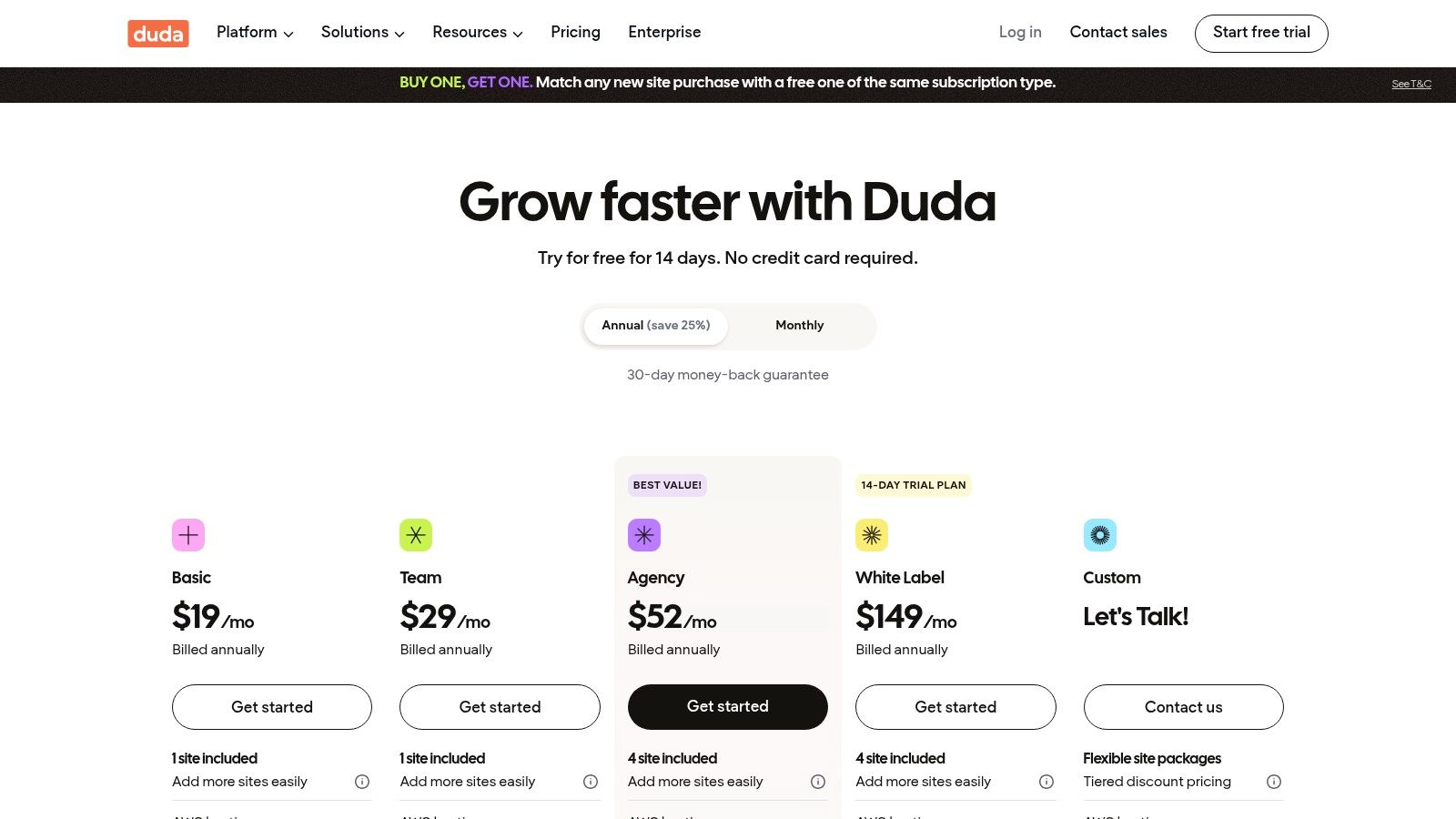
While its core strength lies in serving agencies, its powerful editor, AI-driven content and SEO assistants, and native e-commerce add-ons make it a compelling option for individual businesses too. The platform charges 0% transaction fees on its e-commerce plans, a significant advantage for growing online stores. For businesses looking for a high-performance, scalable solution without the technical burden of traditional hosting, Duda proves why it is considered among the best cms for small business platforms, especially for those with an eye on future growth or multi-brand management.
Key Details & Pricing
- Best For: Marketing agencies, freelancers managing multiple clients, and small businesses needing a high-performance, all-in-one platform.
- Pros: Excellent for managing multiple sites, strong performance and uptime with AWS hosting, white-labeling features for agencies, 0% e-commerce platform fees.
- Cons: No permanent free plan; e-commerce functionality requires a paid add-on for each site, increasing the total cost.
- Pricing: Plans start around $19 per month (billed annually) for a single site, with team and agency plans offering more features and support for multiple sites at higher price points.
Website: https://www.duda.co/pricing
10. Square Online (by Block/Square)
Square Online is a website builder and e-commerce platform designed for businesses already using or planning to use Square's payment ecosystem. Its main strength lies in its seamless integration with Square POS, making it perfect for restaurants, service providers, and local retailers that manage both in-person and online sales. This unified approach simplifies inventory, order, and customer management by syncing everything automatically, eliminating the need for separate systems. It's built for speed and simplicity, allowing businesses to launch an online ordering or retail site with minimal technical effort.
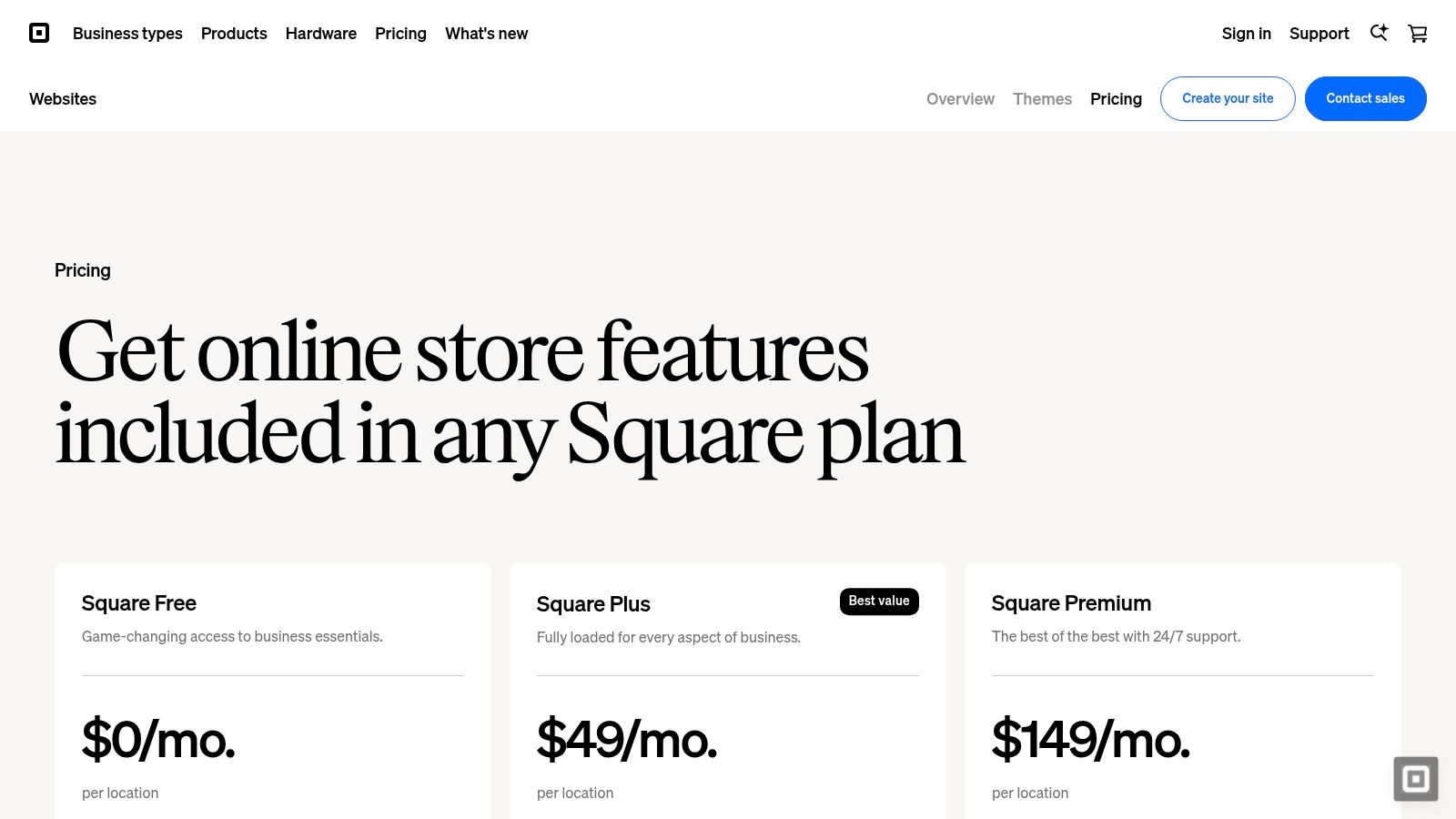
While the free-to-start model is a major draw, the platform's core value is its operational efficiency. Features like appointment booking, online ordering for pickup, and QR code payments are built-in, not bolted on. However, this focus on transactional functionality comes at the cost of design flexibility, which is more limited compared to dedicated builders like Wix. For businesses prioritizing a single, cohesive system for all sales channels, Square Online is arguably the best cms for small business owners who value integration over extensive customization.
Key Details & Pricing
- Best For: Restaurants, local retail stores, and service-based businesses using Square POS for in-person transactions.
- Pros: Seamless integration with the entire Square ecosystem, excellent features for local businesses (e.g., curbside pickup), and a free plan to get started.
- Cons: Limited design and content management capabilities, and advanced marketing or loyalty features require paid add-ons.
- Pricing: Starts with a free plan (plus transaction fees). Paid plans offering more features range from around $29/month to $79/month (billed annually).
Website: https://squareup.com/us/en/online-store/plans
11. Ghost(Pro)
Ghost(Pro) is a modern, performance-focused publishing CMS designed for content-first small businesses and creator-led brands. It excels where others add complexity, offering built-in memberships, newsletters, and paid subscriptions directly within the platform. This makes it an outstanding choice for businesses that monetize through content, such as niche publications, consultants, or online course creators. Its minimalist, distraction-free editor and emphasis on speed ensure both a superior writing experience and a fast-loading site for readers.
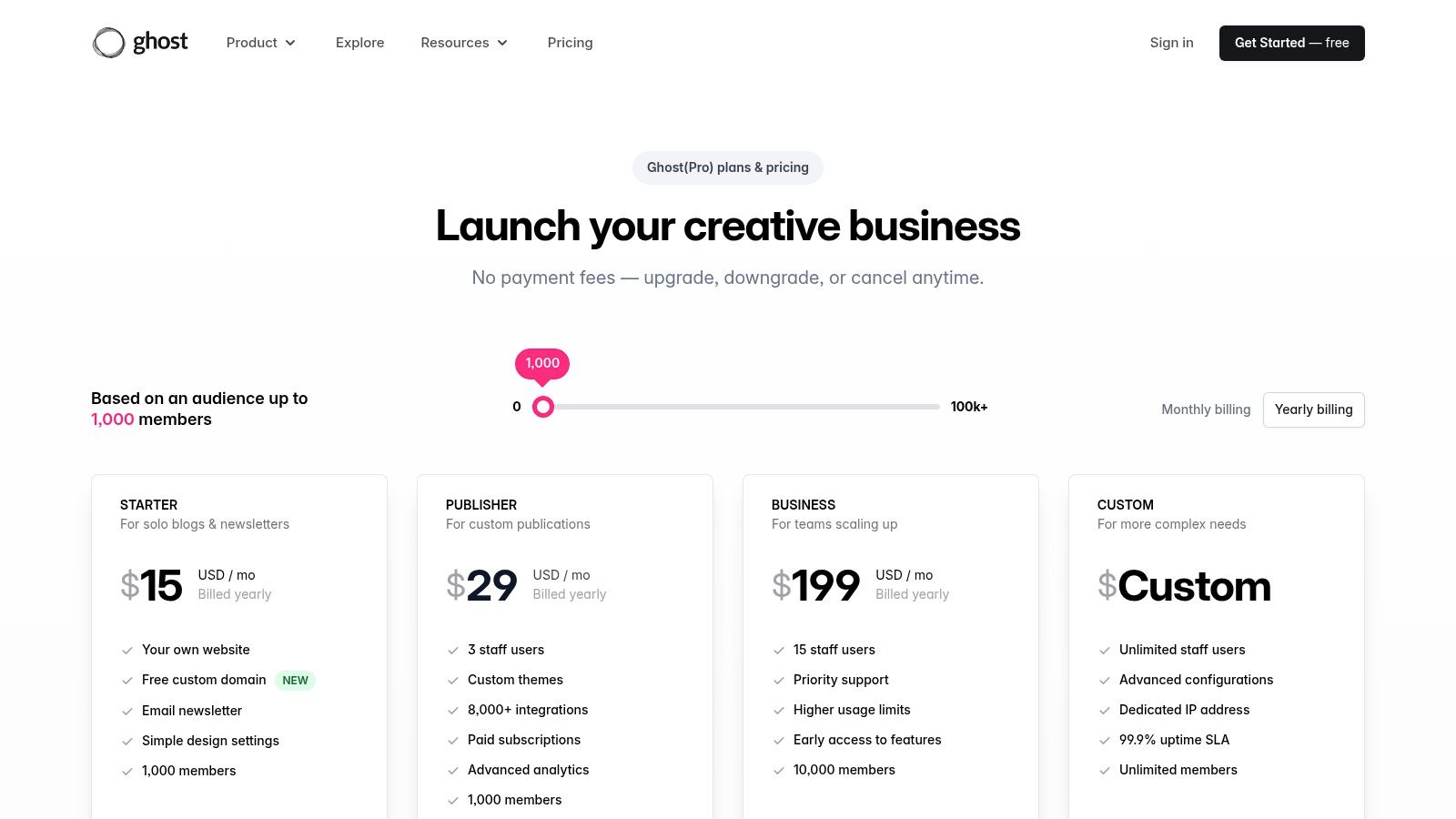
Unlike general-purpose platforms, Ghost is unapologetically built for publishing. The platform's managed hosting environment, Ghost(Pro), handles all technical aspects like security, backups, and CDN, allowing you to focus purely on creating and monetizing your content. Its clear, audience-based pricing and zero transaction fees on subscriptions are significant advantages over competitors that take a cut of your revenue. For businesses where content is the core product, Ghost is easily one of the best cms for small business options available, prioritizing creator tools over broad, often unnecessary, functionality.
Key Details & Pricing
- Best For: Publishers, newsletter creators, podcasters, and service businesses monetizing their expertise through content subscriptions.
- Pros: Extremely fast and lightweight, built-in membership and email marketing tools, simple pricing with no platform transaction fees.
- Cons: Not designed for complex e-commerce or brochure sites, smaller plugin ecosystem compared to WordPress.
- Pricing: Plans are based on audience size, starting at around $9/month (billed annually) for up to 500 members.
Website: https://ghost.org/pricing
12. Craft CMS (self‑hosted and Craft Cloud)
Craft CMS is a developer-centric platform prized by agencies and small businesses seeking a truly bespoke digital presence. Unlike template-driven systems, Craft offers a clean slate, allowing for powerful, custom content modeling that can be tailored to any business need, from intricate service catalogs to multi-language corporate sites. It provides the flexibility of a headless CMS via GraphQL alongside traditional Twig templating, giving developers complete control over the final product. The optional Craft Cloud offers a managed, serverless environment for those who want the power without the infrastructure hassle.

The primary trade-off with Craft is its reliance on developer expertise. It is not a DIY solution for beginners but a professional tool for building high-performance, scalable websites. This makes it an exceptional choice for businesses that have outgrown simpler platforms and need a specific, non-generic solution built by a professional team. For companies investing in a custom-tailored website, Craft is often considered the best cms for small business because it avoids the bloat of other systems while providing a robust, secure, and future-proof foundation.
Key Details & Pricing
- Best For: Businesses partnering with a web agency for a custom-built website, complex content structures, and unique e-commerce experiences.
- Pros: Unmatched flexibility in content modeling, excellent developer experience, strong security record, and clear one-time licensing fees for self-hosting.
- Cons: Requires a developer to set up and manage; e-commerce functionality (Craft Commerce) is a separate paid product.
- Pricing: The self-hosted Solo plan is free forever. The Pro license is a one-time fee of $299 per project, plus ongoing renewal fees. Craft Cloud pricing starts at $12/month per environment.
Website: https://craftcms.com/pricing
Top 12 Small-Business CMS Comparison
| Platform | Core strengths ✨ | UX & Quality ★ | Value & Pricing 💰 | Best for 👥 | Standout 🏆 |
|---|---|---|---|---|---|
| WordPress.com | Managed hosting, SSL, WooCommerce path ✨ | ★★★★ — easy hosted experience | 💰 Tiered plans; scales with growth | 👥 Bloggers & SMBs wanting hosted WP | 🏆 All‑in‑one WordPress ecosystem |
| WordPress.org | Full control, plugins/themes, headless options ✨ | ★★★ — depends on setup | 💰 Core free; hosting/admin costs apply | 👥 Developers & agencies needing flexibility | 🏆 Maximum customization & ownership |
| Shopify | Commerce‑first, POS, app ecosystem ✨ | ★★★★★ — fast, reliable storefronts | 💰 Commerce pricing; gateway/app fees | 👥 Retailers & multichannel sellers | 🏆 End‑to‑end ecommerce + logistics |
| Wix | Drag‑and‑drop + AI builder, built‑in tools ✨ | ★★★★★ — very beginner friendly | 💰 Affordable starter plans | 👥 Sole proprietors & small teams | 🏆 Speed to publish; integrated stack |
| Squarespace | Polished templates, built‑in email & analytics ✨ | ★★★★ — design‑forward UX | 💰 Mid‑range; commerce fees on lower tiers | 👥 Creatives, portfolios, local services | 🏆 Best‑in‑class aesthetics |
| Webflow | Designer‑centric CMS, dynamic CMS Collections ✨ | ★★★ — precise control, steeper curve | 💰 Premium for designer workflows | 👥 Designers & marketing teams | 🏆 Pixel‑perfect design without heavy dev |
| BigCommerce | Scalable commerce, headless & omnichannel ✨ | ★★★★ — powerful but less newbie‑friendly | 💰 Good value for scale; revenue thresholds | 👥 Growth‑minded B2C/B2B stores | 🏆 No platform transaction fees; built‑in features |
| HubSpot Content Hub | CMS+CRM, personalization & automation ✨ | ★★★★ — polished, analytics rich | 💰 Can be costly as needs scale | 👥 Data‑driven SMBs needing automation | 🏆 CRM‑driven personalization & reporting |
| Duda | Agency tools, white‑label, client portals ✨ | ★★★★ — agency‑focused UX | 💰 Agency pricing; no free plan | 👥 Agencies & resellers | 🏆 White‑label + client management |
| Square Online | POS + online ordering, curbside features ✨ | ★★★★★ — quick setup for sellers | 💰 Free to start; add‑on fees | 👥 Local retailers & restaurants | 🏆 Seamless online↔offline sales integration |
| Ghost(Pro) | Publishing, memberships & newsletters ✨ | ★★★★ — fast, content‑first UX | 💰 Simple pricing; no platform fees | 👥 Creators & subscription publishers | 🏆 Built‑in memberships & email monetization |
| Craft CMS | Powerful content modeling, headless ready ✨ | ★★★ — dev‑centric, robust | 💰 Licensing + dev costs for custom builds | 👥 Agencies building bespoke SMB sites | 🏆 Advanced content modeling & developer tools |
Making the Final Call: Your CMS Checklist and Next Steps
Navigating the landscape of content management systems can feel overwhelming, but making an informed choice is one of the most impactful decisions you'll make for your digital presence. As we've explored, the best CMS for a small business is not a one-size-fits-all answer. It's the platform that best aligns with your specific goals, technical skills, and vision for growth.
The key is to move beyond feature lists and focus on your core business needs. A platform that excels for a local service business might hinder an ambitious e-commerce startup. Your final decision hinges on a clear-eyed assessment of your priorities.
Your Quick-Reference CMS Selection Checklist
Before you commit, run through this final checklist. Thinking through these points will solidify your choice and prevent costly mistakes down the line.
- Primary Business Goal: What is the number one job of your website? Is it to sell products directly (Shopify, BigCommerce), generate leads through content (HubSpot, WordPress), or showcase a stunning portfolio (Squarespace, Webflow)?
- Technical Comfort Level: Be honest about your team's capabilities. Do you want an all-in-one, managed solution that handles security and updates for you (Wix, Duda, Squarespace), or do you have the resources (or a partner) to manage a self-hosted environment for ultimate control (WordPress.org, Craft CMS)?
- True Total Cost: Look beyond the monthly subscription fee. Factor in potential costs for premium themes, essential plugins or apps, transaction fees, and developer support if you plan to customize. A "cheaper" platform can quickly become expensive.
- Scalability & Future Needs: Where do you see your business in three to five years? While platforms like Square Online are great for starting, will they support your growth? Choosing a CMS with a robust ecosystem, like WordPress.org or Shopify, provides a clear path to scale.
- Content Workflow: How will you and your team create and publish content? If you're a solo creator focused on a newsletter, Ghost is streamlined. If you have a marketing team that needs advanced workflows and collaboration tools, a platform like HubSpot Content Hub or a customized WordPress build might be better.
- Integration is Everything: Your website doesn't operate in a vacuum. List the essential third-party tools you rely on (CRM, email marketing, accounting software) and confirm the CMS integrates seamlessly with them, either natively or through reliable extensions.
From Decision to Action: Your Next Steps
Once you've narrowed your options to one or two contenders, the next step is to get hands-on. Nearly every platform we've discussed offers a free trial or a demo. Use this time wisely.
Attempt to build a core page, write a blog post, and add a product. This practical experience is invaluable and will quickly reveal if a platform's interface feels intuitive or cumbersome to you. This is the final and most important step in finding the best CMS for your small business because it validates your research with real-world use.
Choosing your CMS is a foundational step, not the final destination. It's the launchpad for your digital strategy, a tool that should empower, not limit, your business. Select the right one, and you're not just building a website; you're building a powerful engine for growth.
Feeling confident in a platform choice but need an expert to bring your vision to life? At Sugar Pixels, we specialize in building high-performance, custom websites on flexible platforms like WordPress and provide secure, managed hosting so you can focus on your business. Contact Sugar Pixels today for a consultation and let's build your digital foundation the right way.