

When it comes to the best website builders for small businesses, the top contenders are almost always Wix, Squarespace, and Shopify. Each one is a powerhouse, but they all shine in different areas.
Think of it like this: Wix is your best all-arounder, offering incredible flexibility for almost any kind of business. Squarespace is the go-to for brands that live and die by their visual aesthetic. And Shopify? That’s the undisputed champion for anyone serious about building a robust e-commerce business. The right choice isn't about which one is "best," but which one is best for you—your business model, your comfort with tech, and where you see yourself in a few years.
Choosing the Right Foundation for Your Digital Presence
Picking a website builder is one of the most foundational decisions you'll make as a small business owner. This isn't just about throwing a page online; it's about building a digital home base that actually brings in customers, handles sales, and can adapt as your business evolves. This single choice will influence your visibility on Google, your day-to-day operations, and even your ability to scale.

The market for these platforms is booming, with the website builder industry valued somewhere between $2.0 to $3.06 billion in early 2024 and projected to keep climbing. For you, this growth is a good thing—it means more competition, which leads to more powerful and user-friendly tools than ever before.
Key Criteria for Small Businesses
To really figure out the best fit, we need to look past the slick marketing and zero in on what actually matters for a small business day-in and day-out. We'll be judging each platform on a few core principles that reflect real-world needs.
Here’s what our comparison will dig into:
- Ease of Use: How fast can a non-techy person get a professional site up and running? This is all about the editor's learning curve and the helpfulness of its support.
- Design & Flexibility: Does it provide modern, mobile-friendly templates right out of the box? More importantly, how much can you customize the look and feel to match your unique brand?
- Pricing & Value: We'll break down the true cost. That means looking beyond the monthly fee to include transaction costs and any essential add-ons so you don’t get hit with surprise expenses.
- SEO Capabilities: Can this platform actually help you get found on Google? We’ll look at the built-in tools for handling meta tags, site speed, and other fundamentals for ranking well.
- Scalability & Integrations: Will your website builder grow with you, or will you outgrow it? This is where we evaluate e-commerce muscle, app marketplaces, and the ability to bolt on new functionality down the road.
A website builder is the digital equivalent of choosing a physical location for your store. The right choice sets you up for high traffic and smooth operations, while the wrong one can become a frustrating bottleneck to growth.
This guide is designed to walk you through this decision so you can feel confident you're making the right call. We're not just listing features; we're exploring how those features solve real problems for businesses like yours. And remember, your platform choice goes hand-in-hand with hosting, which you can learn more about in our website hosting comparison guide.
Alright, let's find the perfect foundation for your business.
A Head-to-Head Comparison of Top Website Builders
Choosing the best website builder for your small business feels like a massive decision, because it is. You're not just picking a tool; you're laying the foundation for your digital storefront and your brand's future. To help you get it right, let's break down the industry heavyweights—Wix, Squarespace, Shopify, and GoDaddy—and look at where each one really shines for a small business owner.
We'll skip the generic feature lists and get straight to practical applications, helping you picture how each platform would actually work for your business.
Wix: The All-In-One Powerhouse
Wix has positioned itself as the ultimate do-it-all solution, and frankly, for most service-based or content-heavy small businesses, it delivers. Its biggest draw is its incredible design flexibility, thanks to a true drag-and-drop editor. You can literally drag any element and drop it anywhere on the page, giving you total creative freedom without touching a line of code.
This level of control is a game-changer for businesses wanting a truly unique look. A boutique consulting firm can build a site that feels completely custom, while a local restaurant can easily design a visually rich page with menus, photo galleries, and even an integrated reservation system pulled from the Wix App Market.
The numbers back up its popularity. As of 2025, Wix commands a massive 45% market share among website builders, powering around 8 million websites. This explosive growth, up from just 3.8% of all websites in 2025, shows just how many businesses are buying into its vision.
The Secret Weapon: The Wix App Market is what truly sets it apart. With over 500 apps, you can bolt on advanced features like online booking, event management, and sophisticated contact forms in just a few clicks. It’s incredibly adaptable.
The only catch? All that freedom can be a bit much if you're a complete beginner. The editor’s endless options have a bit of a learning curve compared to more structured builders.
Squarespace: The Design-First Champion
If your brand lives and dies by its visual appeal, Squarespace is your platform. It’s the undisputed choice for photographers, artists, designers, and high-end service providers who need a website that looks and feels like a premium digital portfolio.
Squarespace approaches design differently. Instead of a free-for-all editor, it uses a more contained, section-based system. This might sound restrictive, but it's actually its greatest strength—it’s nearly impossible to build an ugly website on Squarespace. Its award-winning templates give you a polished, professional head start, ensuring your site is clean, modern, and perfectly mobile-responsive right out of the box.
For a wedding photographer, this means their portfolio is always showcased in a stunning, minimalist gallery. For an architect, the clean lines and elegant fonts of a Squarespace template perfectly mirror their professional aesthetic.
The Secret Weapon: Squarespace’s "all-in-one" approach means powerful tools like blogging, podcasting, and scheduling (through its native Acuity Scheduling) are built right in. They feel like core parts of the platform, not clunky add-ons.
The trade-off for this curated perfection is less granular control than Wix. You can't just stick anything anywhere, and its app ecosystem is much smaller. But for businesses that value flawless aesthetics over total freedom, it’s a compromise worth making.
Shopify: The Unrivaled E-commerce Engine
When your main goal is selling products online, Shopify is in a class of its own. Yes, other builders have e-commerce features, but Shopify was built from the ground up to be a sales machine. It’s not a website builder with a store function tacked on; it's a world-class e-commerce platform that happens to include a great website builder.
That distinction is everything for businesses with plans to grow. Shopify gets the nitty-gritty of running an online store right. Its inventory management is rock-solid, its payment processing is seamless (especially with Shopify Payments), and its shipping integrations are unmatched. It easily handles complex tasks like tax calculations and multi-channel selling across Facebook, Instagram, and Amazon.
Think about a small business selling handmade candles. On Shopify, they can manage inventory for both their online store and local craft fairs, run abandoned cart email campaigns to win back lost sales, and tap into a huge app store for things like loyalty programs. For businesses in Canada, it's also worth checking out the ecosystem of Popular E-commerce Platforms in Canada to see how Shopify stacks up locally.
The Secret Weapon: Scalability is Shopify’s superpower. It can grow with you from your first sale to your ten-thousandth without breaking a sweat, offering a clear upgrade path with Shopify Plus for when you hit the big time.
The downside is its laser focus on e-commerce. If you’re a consultant with no plans to sell physical products, Shopify is probably overkill and more expensive than you need. Its design tools and blogging features are good, but not as sophisticated as what you'll find with Wix or Squarespace.
GoDaddy: The King of Simplicity
For the small business owner who just needs to get online fast and without any headaches, the GoDaddy website builder is a fantastic choice. Its entire reason for being is speed and simplicity. The editor is incredibly straightforward, using a block-based system that walks you through the whole process.
GoDaddy is made for the busy entrepreneur who’s juggling a million other tasks. It cleverly bakes marketing tools right into the dashboard, so you can manage email campaigns, social media posts, and online reviews all from one spot. That consolidated approach is a massive time-saver.
Picture a local plumber or electrician. They don't need a complex, artsy website. They need a professional-looking site with their services, contact info, and a few customer reviews—and they needed it live yesterday. GoDaddy delivers exactly that, often in less than an hour.
The Secret Weapon: GoDaddy excels at speed-to-market. Its AI-powered setup can generate a surprisingly decent starter website in minutes, complete with industry-specific photos and text that you can quickly tweak.
Of course, that simplicity has its limits. The design options are more constrained than the others, and you won't find a big app market for advanced features. It’s built for businesses that need a solid, no-nonsense online presence without all the bells and whistles.
Website Builder Feature Breakdown for Small Businesses
To make things even clearer, here’s a quick-glance table comparing how each platform stacks up on the features that matter most to small business owners. This should help you zero in on the one that best fits your specific needs.
| Feature | Wix | Squarespace | Shopify | GoDaddy |
|---|---|---|---|---|
| Best For | Service businesses, creatives, anyone needing design freedom. | Creatives, portfolios, high-end services, blogs. | Any business selling physical or digital products online. | The "get it done now" business needing a simple, professional site. |
| Ease of Use | Moderate learning curve due to high flexibility. | Very easy, but structured. Hard to make a bad-looking site. | Easy for e-commerce, but has a lot of powerful backend tools. | Extremely easy. The simplest and fastest of the four. |
| Design Flexibility | Highest. True drag-and-drop editor for total control. | High, but within a structured, section-based system. | Good, with an increasing number of customizable themes. | Lowest. Template-based with limited customization. |
| E-commerce | Good. Solid features for small to medium stores (Wix Stores). | Good. Best for smaller inventories and digital products. | Excellent. The industry standard for a reason. Unmatched. | Basic. Fine for a handful of products, but not for serious stores. |
| App Marketplace | Excellent. Over 500 apps for almost any function. | Limited. A curated selection of high-quality integrations. | Excellent. The largest e-commerce app store in the world. | Very limited. Mostly relies on built-in tools. |
| Blogging/Content | Very good. Strong SEO tools and flexible layout options. | Excellent. Beautiful blog layouts and great content tools. | Good. Functional, but not its primary strength. | Basic. Gets the job done but lacks advanced features. |
| Starting Price (Monthly) | ~$17 (without Wix ads) | ~$16 | ~$39 | ~$10 |
This breakdown shows there’s no single "best" platform—only the best one for your situation. A photographer would feel constrained by GoDaddy, while a local contractor would find Shopify’s robust e-commerce engine completely unnecessary. Use this as your guide to match your business goals with the right tool for the job.
Matching a Website Builder to Your Business Model
Figuring out the "best" website builder isn't about finding a universal winner. It’s about how well a platform’s strengths line up with what your business actually does. Generic feature lists are a start, but the real breakthrough comes when you can visualize how each builder works in your specific, day-to-day world.
So, let's reframe the question. Instead of asking, "Which one is best?", we need to ask, "Which one is best for me?" This section digs into that, offering practical, scenario-based recommendations to help you find the right fit.
Here’s a quick visual overview of the top players we'll be discussing.
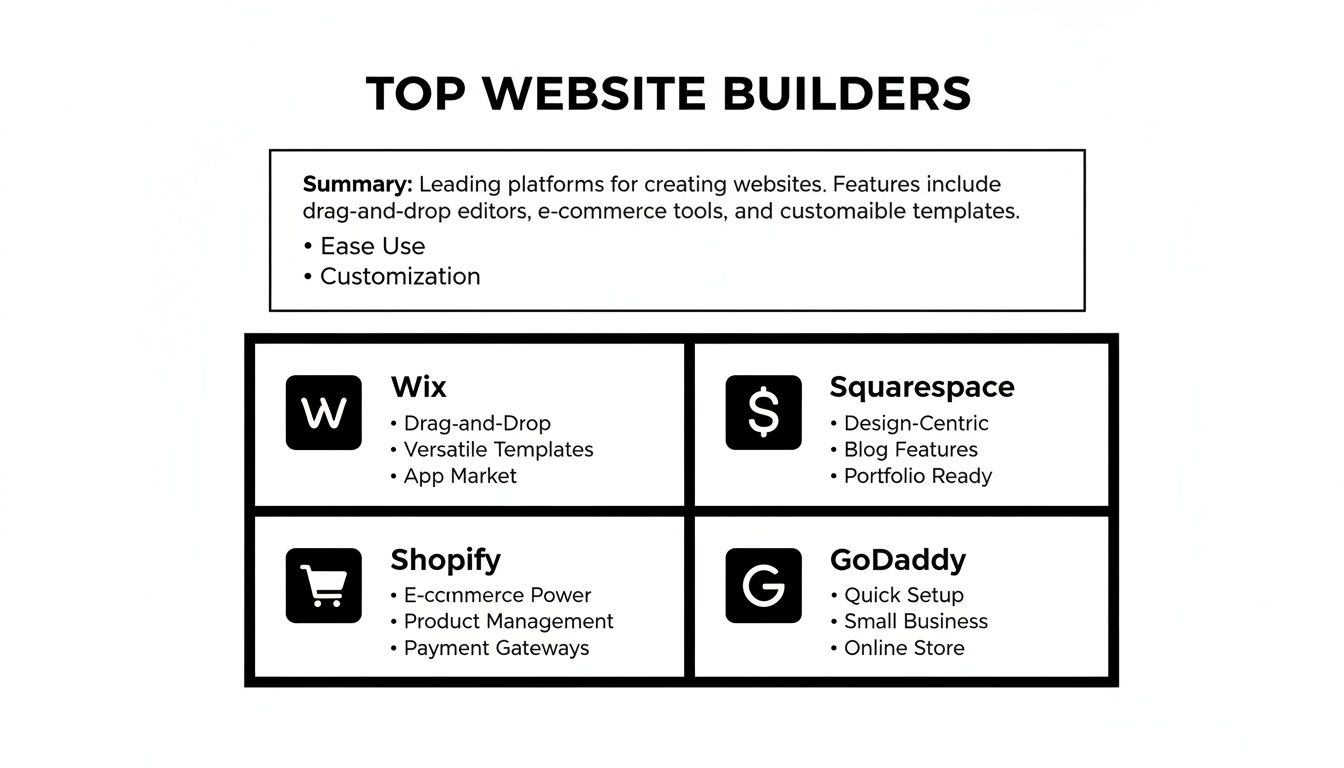
Each of these builders has a core purpose—from selling products to booking services—and understanding that is the key to making the right choice.
For the Local Service Business
Think plumbers, consultants, home inspectors, or personal trainers. For a business like this, a website has two main jobs: generate leads and manage appointments. You need to make it dead simple for a potential customer to find you, see what you offer, and book your time.
Top Recommendations: Wix or GoDaddy.
Both platforms really shine when it comes to integrating booking and customer management tools. Wix, with its fantastic Wix Bookings app, lets you take appointments, manage a calendar, accept payments, and even host online sessions right through your site. GoDaddy offers a similar setup but with a laser focus on simplicity, building scheduling and marketing tools directly into its dashboard. A local consultant can get a professional site up on GoDaddy in a single afternoon, complete with a contact form and a "Book Now" button that syncs right to their calendar.
For the Creative Professional
This is for the photographers, graphic designers, architects, and artists out there. In this world, your website isn't just a brochure—it's your portfolio. The design, the way you present your work, is just as important as the work itself. You need aesthetics, visual storytelling, and a premium feel. No compromises.
Top Recommendation: Squarespace.
When it comes to visually-driven brands, Squarespace is the undisputed champ. Its templates are famous for their clean, modern, and elegant designs, creating the perfect frame for high-quality images and creative projects. The platform’s structured editor ensures that no matter what you do, the end result looks polished and professional.
A photographer will fall in love with Squarespace’s gallery blocks, which offer stunning ways to showcase a portfolio. A writer will appreciate its beautiful blog layouts that make content a joy to read. Squarespace puts design integrity first, and that’s exactly what a creative business needs.
Choosing a builder is like hiring an employee. You wouldn't hire an accountant to design your marketing materials. Similarly, you shouldn't choose an e-commerce giant if your primary goal is to showcase a visual portfolio.
For the E-commerce Entrepreneur
If your business is all about selling physical or digital products online, your needs are on another level. You’re looking for a rock-solid system to handle inventory, process payments securely, calculate shipping, and recover abandoned carts. Your website isn't a marketing tool; it's your entire storefront.
Top Recommendation: Shopify.
Sure, other builders have e-commerce features, but Shopify was built for it. It's not a website builder with an added store; it’s a dedicated e-commerce engine that happens to have a really good website builder. That distinction is everything for someone serious about growing their online sales.
Shopify just handles the messy parts of e-commerce better than anyone. Its inventory tracking is best-in-class, its payment gateway is seamless, and its app store gives you integrations for everything from complex shipping rules to slick marketing automation. For a growing apparel brand, Shopify's ability to manage product variants (size, color) and integrate with social selling on channels like Instagram is absolutely essential for growth.
For the Content Creator or Blogger
For businesses built on information—bloggers, podcasters, and online educators—the platform has to be great at organizing, presenting, and optimizing content. The ability to categorize posts, manage comments, and dial in your SEO is non-negotiable.
Top Recommendations: Squarespace or Wix.
Squarespace is known for its exceptional blogging templates and typography, which make long-form content look beautiful and incredibly readable. It also has built-in tools for things like podcast hosting, making it a perfect hub for creators who work across different media.
Wix also brings a powerful blogging platform to the table with strong SEO tools and much more design flexibility. You have more granular control over the layout of individual posts, which is a huge plus for content that needs custom formatting or interactive elements. By matching your business model to a builder's core strengths, you ensure the platform you choose is a genuine asset, not an obstacle to your growth.
Looking Beyond Design: SEO and E-commerce Power
A beautiful website is a great start, but it won't do much for your bottom line if customers can't find it or buy from you. This is where we separate the good website builders from the great ones—by digging into their search engine optimization (SEO) and e-commerce tools. These aren't just extra features; they're the engines that will drive traffic and sales for years to come.

Let's pull back the curtain on how these platforms handle the nitty-gritty of getting ranked on Google and processing online sales, translating tech specs into real-world business results.
A Deep Dive into Search Engine Optimization
Good SEO is all about making it dead simple for search engines to find, understand, and rank your website. All the big players cover the basics like custom URLs and meta descriptions, but when you look closer, their advanced capabilities start to diverge—a lot.
Wix really rolls out the red carpet for you with its comprehensive SEO toolkit. It offers a personalized checklist called the Wix SEO Wiz that guides you through the essentials, from connecting to Semrush for keyword ideas to generating AI-powered meta tags. It's a fantastic, hand-holding approach for business owners who are just getting their feet wet with optimization.
Squarespace also packs a punch with solid, built-in SEO features. It automatically creates a sitemap for your site (a must-have for search engines) and gives you total control over page titles, meta descriptions, and image alt text. The guidance here is less direct than Wix's, though, making it a better fit if you already have some SEO know-how.
The most beautifully designed website is useless if no one can find it. Strong, built-in SEO tools aren't a luxury; they are a fundamental requirement for any small business serious about attracting organic traffic and competing online.
Now, Shopify is an SEO powerhouse, but it has a one-track mind: e-commerce. It absolutely excels at the technical SEO for product pages, automatically creating clean URLs and implementing schema markup that helps your products show up correctly in search results. If you’re selling physical goods, this specialized focus is a massive advantage.
GoDaddy, on the other hand, keeps things simple. It covers the essentials but just doesn't have the sophisticated controls or in-depth analytics you’ll find elsewhere. It’s enough to get a local business on the map for local searches, but it will likely struggle to compete for tougher, national keywords.
Comparing E-commerce Engines
If you're selling anything online, the e-commerce engine is the heart of your operation. We’re talking about much more than a simple "buy now" button; this is about managing inventory, handling payments, and sorting out shipping.
Shopify is the undisputed champion in this arena. It was built from day one to sell things, offering best-in-class inventory management, over 100 payment gateway options, and advanced shipping and tax calculators. Its entire world, from the massive app store to its seamless Shopify Payments system, is built to make selling as frictionless as possible.
Wix and Squarespace both offer very capable e-commerce solutions that are perfect for small to medium-sized online stores. Both can handle physical products, digital downloads, and services without breaking a sweat. Wix stands out with features like abandoned cart recovery built into its core business plans, while Squarespace shines with its elegant product displays and slick appointment booking tools. For a more detailed breakdown, check out our complete e-commerce platforms comparison to see which is right for your specific needs.
GoDaddy's e-commerce functionality is straightforward but quite limited. It's perfectly fine if you're just selling a handful of products, but it lacks the advanced inventory and marketing features you'd need to grow a serious online retail business.
Payment processing is a critical piece of the puzzle. Here’s a quick look at how they stack up:
| Feature | Wix | Squarespace | Shopify | GoDaddy |
|---|---|---|---|---|
| Transaction Fees | 0% (standard processing fees apply) | 0% on higher plans (3% on Business) | 0% when using Shopify Payments | Standard processing fees (e.g., 2.7%) |
| Payment Gateways | Wix Payments, PayPal, Stripe, etc. | Squarespace Payments, PayPal, Stripe | Shopify Payments + 100+ others | GoDaddy Payments, PayPal, Stripe |
| Best For | Small to mid-size stores needing flexibility | Creatives and service-based sellers | Businesses prioritizing sales growth | Simple stores with few products |
To keep your checkout process smooth and offer plenty of payment options, it’s worth looking into the top payment gateways for small businesses. Choosing a builder that plays well with a reliable gateway is key to building customer trust and locking in those sales.
Deciding Between a DIY Builder and a Professional Agency
Let's be clear: the best website builders are game-changers for small businesses. They give you a fast, affordable way to get online, and for many entrepreneurs, they’re the perfect place to start. These platforms put you in the driver's seat, letting you build, manage, and even grow your business without a massive upfront cost.
But every business on a growth path eventually hits a ceiling. As your operations get more complex and your vision expands, the very simplicity that made a DIY builder so appealing can start to feel like a limitation. Knowing when you've hit that point is the key to your next big leap.
Spotting the Signs You've Outgrown Your Builder
There are a few tell-tale signs that it might be time to move on from a DIY platform. These aren't failures of the tool itself; they're actually signs that your business is doing so well it now needs more specialized support.
Keep an eye out for these common growing pains:
- You need custom features. You have a great idea for a unique pricing calculator, a private client portal, or an integration with a specific piece of industry software, but there’s no app or plugin for it.
- Your SEO has hit a wall. You've done everything the platform's SEO wizard has asked, but you're still not ranking for the keywords that matter. You now need advanced technical SEO, like optimizing Core Web Vitals or implementing complex schema markup, which is beyond the builder's scope.
- You're out of time. Your most precious resource is your own time. If you're spending hours wrestling with website updates or trying to fix small glitches instead of actually running your business, it's a problem.
- Your brand feels generic. Your website looks nice enough, but it doesn't quite scream you. The template, while professional, looks like a dozen of your competitors' sites and fails to capture the unique, premium feel of your brand.
If any of this is starting to sound familiar, you’re standing at a crossroads. The way forward often means trading a pre-packaged solution for a custom-built one.
When to Call in the Experts
This is the point where hiring a professional web design agency shifts from being an expense to being a strategic investment. A great agency doesn't just build you a website; they build a growth machine specifically designed to meet your business goals.
A DIY website builder gets you in the game. A professional agency helps you win it. The shift happens when you stop thinking about your website as a static brochure and start seeing it as a dynamic tool for customer acquisition and retention.
An agency like Sugar Pixels is built to solve the very problems that DIY builders can't. Custom code can bring any feature you can dream of to life. A team of SEO experts can dive deep into the technical details required to climb the search rankings. But most importantly, it frees you up to do what you do best: lead your business.
Making this leap is a big step, and finding the right team to guide you is everything. To make that process easier, we put together a guide on how to choose a web design agency that lays out a clear path for finding a partner who gets your vision. A professional partnership closes the gap between a starter site and a high-performance digital asset, making sure your website can finally keep up with your ambition.
Frequently Asked Questions About Website Builders
After looking at the top platforms, you probably still have a few questions rolling around in your head. It’s smart to think beyond the marketing pages. Choosing the right builder means considering long-term growth, what the real cost is, and some of the technical details that aren't always front and center.
Let's cut through the noise and get you clear, direct answers to the most common questions we hear from small business owners. This should help you connect the final dots and make a decision you feel great about.
Can I Switch Website Builders Later If I Change My Mind?
The short answer is yes, but it’s almost never a simple copy-and-paste job. Migrating between all-in-one builders like Wix, Squarespace, and Shopify means you can’t just pack up your site’s design and move it. You’re essentially building a new site from the ground up on a different foundation.
Here’s what that process usually looks like:
- Exporting Your Content: You can typically export things like product data, blog posts, and customer lists into CSV files.
- Rebuilding Your Pages: Every single page—your homepage, about page, service pages—will have to be recreated from scratch on the new platform.
- Redirecting URLs: This is a big one for your SEO. You'll need to set up 301 redirects to tell search engines that your old page URLs now live at new addresses. Some builders handle this better than others.
Switching website builders is like moving to a new house. You can bring your furniture (your content), but you have to rebuild the house itself (the design and functionality) on the new property.
What Is the True Total Cost of a Website Builder?
That attractive monthly price you see advertised is really just the starting line. The true total cost of ownership involves a lot more, and a platform that looks like a bargain at first can get expensive once you start adding the features you actually need.
Be sure to factor in these potential costs:
- Premium Apps and Plugins: Need a sophisticated booking system, advanced analytics, or special marketing tools? Many of these features come from paid apps in the platform's marketplace.
- Transaction Fees: Even if a builder waives its own fees on a pricier plan, you'll always pay the standard credit card processing fees from providers like Stripe or PayPal. Expect around 2.9% + $0.30 for every transaction.
- Higher-Tier Plans: Often, a single must-have feature, like abandoned cart recovery or the ability to sell subscriptions, is locked behind a more expensive plan, forcing you to upgrade.
How Much SEO Control Do I Really Have?
Modern website builders do a great job of giving you control over the on-page SEO basics. You can easily edit your meta titles, descriptions, image alt text, and things like that.
Where you run into limits is with deep, technical SEO. You generally can't dig into core site files or make server-level tweaks to fine-tune performance for metrics like Core Web Vitals. The platform handles the backend infrastructure, so while the big players are usually pretty well-optimized, you’re ultimately riding on their updates and architecture for site speed and technical health. For businesses that live and die by advanced SEO, this is often the reason they eventually move to a more flexible solution.
Feeling like the technical side of things is a bit much, or just don't have the hours to spare? A DIY builder is a fantastic starting point, but a professional agency is your partner for real growth. Sugar Pixels specializes in creating custom, high-performance websites that deliver business results, not just a pretty template. Explore our web design services and let's build the powerful online presence your business truly deserves.