

Smart inventory management can turn stock tracking into a genuine growth engine. In one case, a neighborhood boutique watched $5,000 vanish in a single month because bestselling items were out of stock. On the flip side, a regional distributor added basic visibility tools and trimmed carrying costs by 15%, freeing up cash for other priorities.
Understanding Inventory Management For Small Business

Picture yourself on a hectic Saturday, scanning shelves and realizing your top seller has zero units left. Fast-forward to next month, and you’re stuck with clearance bins full of items nobody’s buying.
- Improved cash flow through smarter buying
- Higher customer satisfaction thanks to dependable stock levels
- Reduced waste via timely sell-through
- Clear, data-driven decisions using key metrics
Why Visibility Matters
Consider a small distributor juggling inventory across three warehouses without a clear view of on-hand levels. After setting up a simple scanning tool linked to an affordable cloud dashboard, they unlocked 12% of tied-up capital in just a few weeks.
Excess inventory masks real expenses—think storage fees, insurance bills and product spoilage. Meanwhile, stockouts erode trust, sending customers straight to competitors and costing thousands in lost sales.
- Hidden carrying costs: rent, utilities, financing
- Shrinkage risks: theft, damage, obsolescence
- Customer trust: accurate counts ensure on-time delivery
Accurate inventory control protects cash flow and boosts customer loyalty.
Practical Steps To Improve Control
Start by mapping every touchpoint from receiving to shipping. Clear processes cut down on picking errors and speed up fulfillment.
- Conduct a baseline cycle count to uncover discrepancies
- Zone inventory locations for faster picking and restocking
- Deploy a straightforward scanning system for live updates
- Train your team on consistent stock-handling procedures
Surveys show the average U.S. retail operation hits only 63% inventory accuracy, meaning almost four in ten records are off. Even basic visibility upgrades can have a huge impact. Learn more about inventory management statistics.
Next Steps To Refine Your System
- Schedule a weekly mini-audit to catch discrepancies before they snowball
- Review carrying cost reports each month to tweak safety stock levels
- Set up reorder alerts driven by sales trends and seasonal patterns
Inventory Fundamentals And Key Metrics
Before you reorder a single item, you need a firm handle on inventory basics. Understanding how stock moves means smarter purchasing and smoother operations.
A clear stock classification reduces errors and avoids overstock.
Defining Stock Types
Raw materials are the ingredients you buy to make products. A café, for example, orders coffee beans and milk before brewing lattes.
Work-in-progress covers any goods partway through production. In a bakery, dough resting on proofing racks counts as WIP.
Finished goods are items ready for sale or shipment. That sandwich prepped behind the counter? It’s your café’s finished inventory.
- Assign each category to specific warehouse zones
- Tag costs correctly for raw materials, WIP, and finished items
- Track movement from receipt through shipping
Monitoring Core KPIs
A handful of key performance indicators guide every inventory decision:
- Inventory Turnover shows how often stock cycles in a year. Small retailers often aim for 6 turns.
- Days Inventory Outstanding (DIO) tells you how many days it takes to clear stock. Keeping DIO under 60 days frees up cash.
- Stockout Rate measures unfulfilled orders due to zero stock. Successful cafés target under 2 %.
- Carrying Cost Percentage captures expenses like storage, spoilage, and insurance. Online boutiques often keep this at 20 % or less.
“Tracking the right metrics turns guesswork into growth drivers,” says one shop owner who slashed costs by 15 % in six months.
Below is a quick guide to the essential KPIs you should monitor.
Key Inventory Metrics For Small Business Performance
Essential KPIs, clear definitions, and target ranges so you know which numbers to monitor and why they matter.
| Metric | Definition | Target Range |
|---|---|---|
| Inventory Turnover | Annual cost of goods sold divided by average inventory | 4–8 times per year |
| Days Inventory Outstanding | Average days to sell off current stock | 45–75 days |
| Stockout Rate | Percentage of orders lost due to stock unavailability | 1–3 % |
| Carrying Cost Percentage | Annual cost of storing, insuring, and financing inventory | 15–25 % of value |
Use these benchmarks as a jumping-off point. Your own targets may shift based on product type and seasonality.
Linking Metrics To Cash Flow
When you boost turnover and curb stockouts, your overall costs can drop by 10–12 %. That’s more cash moving back into your business each month.
One café owner fine-tuned reorder points using DIO data and saw 20 % less capital tied up in beans and milk. The extra funds paid for a weekend pastry launch.
Find detailed insights in the Inventory Management Statistics report.
Spotting Warning Signs Early
Keep an eye out for trend shifts before they hurt your bottom line:
- DIO rising above your target for two straight months
- Sudden stockout spikes during promotions
- Carrying costs creeping past budgeted percentages
Set up an alert system that flags these anomalies immediately. A quick notification gives you time to tweak reorder points or adjust safety stock before customers feel the impact.
Comparing Benchmarks And Real Cases
An online retailer hit an 8-turn average by clearing slow movers each week. Their DIO stayed near 50 days and stockouts hovered around 1.5 %.
By contrast, a small café tracked raw materials and finished products separately. They optimized bean orders to avoid spoilage and held carrying costs close to 22 % of inventory value.
These real-world examples show how context shapes your ideal targets.
Establishing Regular Review Cadence
Consistency matters. Schedule a monthly meeting with finance and operations to:
- Share the latest KPI dashboard
- Analyze any stockout or delay causes
- Adjust safety stock based on upcoming promotions or seasonality
Clear charts and bullet-point summaries keep everyone focused on the numbers that really matter.
Conclusion And Key Takeaways
Make inventory fundamentals part of your daily routine and you’ll shift from reactive firefighting to strategic planning. You’ll spot red flags early, tweak orders on the fly, and maintain healthier cash flow.
Key Takeaway
Solid definitions plus targeted metrics create clear checkpoints. Track turnover, DIO, stockouts, and carrying costs to steer your inventory strategy with confidence.
Take these principles into your next planning session. You’ll see budget wins almost immediately.
Designing Efficient Inventory Workflows
A quick walkthrough from receiving to shipping often uncovers small bottlenecks that add up over the week. Even minor tweaks in layout or procedure can reclaim hours of labor without extra hires.
Take a mid-size hardware store that reallocated rack zones by how fast items moved. Walk paths shrank by 30%, and picking errors dropped 40% in just a fortnight.
- Reduced daily walk time by up to 15 minutes per picker
- Lowered error rates, cutting returns and refunds
- Boosted throughput with the same staffing levels
- Created a flexible setup that grows with changing SKUs
Organizing Receiving Stations
First, equip each dock with barcode scanners so incoming shipments get logged on the spot. That simple change stops paperwork from piling up and accelerates putaway.
In Ohio, a warehouse placed two handheld scanners at every gate. The result? A 25% faster dock-to-stock cycle—and no one running back to a central terminal.
- Handheld scanner or tablet paired with your inventory system
- Clearly marked staging zones for incoming pallets
- Flat surfaces for quick labeling and quality checks
- Dedicated bins to pre-sort SKUs by storage area
Zoning Shelves For Faster Picking
Next, split shelves into turnover-based zones. Keep “A” items (top 20%) nearest packing lanes, then “B” items, with slow movers on the outer aisles. This layout slashes average retrieval time.
A hardware store used colored tape and laminated tags to highlight each zone. New team members could spot key SKUs in under ten minutes, cutting training time in half.
- Tiered labels: zone letters plus numbers
- Quarterly sales reviews to reshuffle items
- Wide, unobstructed aisles for carts and forklifts
Visual Labeling Systems
Layer in bold visuals so pickers never guess what goes where. Large, color-coded labels on shelf edges act as instant guides.
Consider red for high-velocity items and blue for bulk storage. After rolling this out, that same Ohio warehouse saw mis-picks fall by 20%.
- Labels showing SKU, bin number, and zone hue
- Directional arrows for complex rack layouts
- Quick-reference charts posted at every aisle entrance
Here’s an infographic that visualizes how turnover, DIO, and stockouts interrelate to drive your workflow improvements.
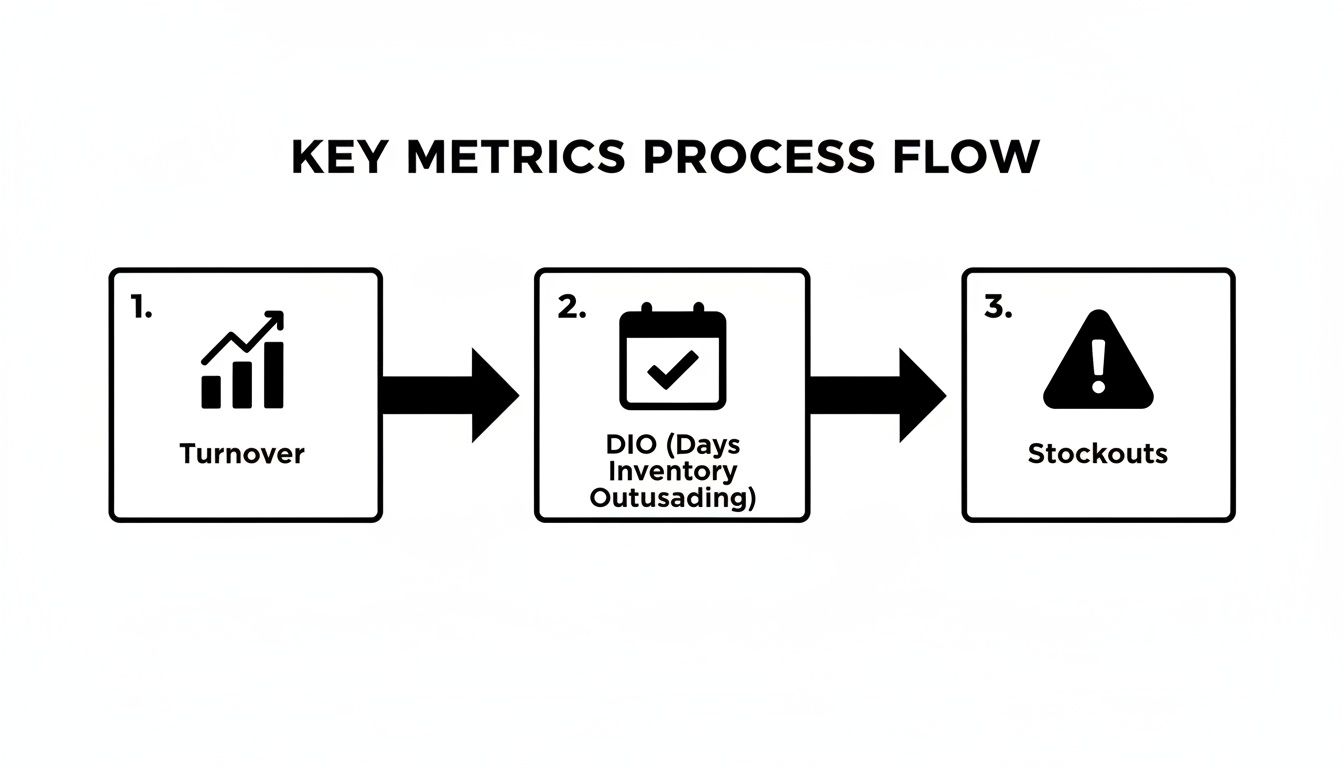
This visual highlights that lifting inventory turnover and reducing DIO sharply cuts stockout risk and smooths daily tasks.
Plotting Pack And Ship Routes
After picking, you want a one-way route from packing benches straight to the docks. No backtracking, no cross-traffic—just a steady flow.
A local retailer sketched routes right onto a floor plan, then timed trial runs. The change delivered a 30% shorter packing-to-shipping interval.
- Map key points: picking zones, packing areas, shipping dock
- Draw arrows along a unidirectional path
- Stock supplies at ergonomic heights along the route
- Run timed mock shipments and gather team feedback
You might be interested in our guide on ecommerce solution development for integrated order management that further accelerates packing and shipping. Learn more about ecommerce solutions in our ecommerce solution development guide.
Worker Training And SOP Snippets
Consistent SOPs keep everyone on the same page. Write clear task scripts for receiving scans, zone scans, packing checks, even cycle counts.
A typical SOP might read:
- Scan inbound pallet and verify SKU match
- Sort items by zone label, then move to staging rack
- Confirm the quantity in the system before storage
Weekly huddles and role-play drills cement these routines. In practice, this approach cut onboarding time by 50% and boosted new-hire confidence.
- Quick-start sessions with live demos
- SOP printouts at every workstation
- Simulated picking tasks to test newcomers
Implementing Cycle Count Schedule
Routine cycle counts keep you at 95% stock accuracy without shutting down operations. A six-person team can knock out a full count in four days by rotating zones.
Assign one zone per person each day and rotate weekly. This nips discrepancies in the bud and maintains accuracy above 95%.
“Our crew runs through every aisle on a rotating basis and fixes variances before they snowball,” says the hardware store manager.
| Zone | Count Frequency |
|---|---|
| Aisles 1-3 | Daily |
| Aisles 4-6 | Twice Weekly |
| Reserve | Weekly |
These layouts and templates give small teams the framework they need to scale efficiently and keep inventory in check.
Start mapping your flows today.
Forecast Demand And Set Reorder Points
Inventory planning is all about balancing cash and sales. You don’t want money tied up in excess stock, but you also can’t afford empty shelves when customers walk in. The secret lies in solid demand forecasting.
By smoothing out daily orders into a rolling average, you filter noise—those one-off spikes or sudden lulls—and get a clear baseline. Imagine a café tracking syrup usage over the past 90 days. On hotter afternoons, they see consumption jump from five to eight bottles a day. Armed with that insight, they can plan smarter.
- Pull daily sales into a spreadsheet
- Apply a 30-day moving average formula
- Refresh weekly to capture new trends
Gather Sales Data
Export your sales history from the point-of-sale or e-commerce system. Make sure you include order dates, quantities, and product IDs. This raw data forms the backbone of your forecast. Keep an eye out for promotional pushes or holiday rushes—they can skew your averages if left unchecked.
“Exporting data weekly cut our stockout rate by 25%,” says one café manager.
Calculate Safety Stock
Safety stock is your buffer against supplier hiccups or sudden demand spikes. Aiming for a 95% service level usually strikes a good balance between risk and carrying costs. Here’s a quick reference:
| Service Level | z-Score |
|---|---|
| 90% | 1.28 |
| 95% | 1.65 |
| 99% | 2.33 |
In practice, that café decided to hold two extra syrup bottles per week to hit a 95% service level.
Set Reorder Point
Your reorder point (ROP) tells you exactly when to place a new order—just before you hit the critical low. The formula is simple:
- Find your average daily usage
- Note supplier lead time in days
- Calculate: Usage × Lead Time + Safety Stock
For the syrup SKUs, that worked out to 50 bottles, which kept the café covered even during unexpected rainy-day rushes.
Automate Reorder Alerts
Why slog through manual checks when your spreadsheet can do the work? Set up conditional formatting and automate alerts:
- In cell F2: calculate the ROP
- Highlight G2 when inventory ≤ ROP
- Use Google Apps Script or Zapier to fire off low-stock emails
You’ll often see a 30% drop in stockouts within weeks. Here’s a sample layout:
| Cell | Formula | Description |
|---|---|---|
| F2 | =D2×E2+F1 | Calculates reorder point |
| G2 | =IF(G2≤F2,"Reorder","OK") | Flags low stock |
| H2 | Apps Script trigger | Sends email at threshold |
Build a habit of reviewing actual usage versus forecasts each month. Tweak your moving average window, adjust safety stock for new product launches, and fine-tune lead times as needed.
Key Takeaway
Automate forecasting steps to save time and prevent stockouts.
Once your forecast-to-reorder workflow hums along in the background, you’ll reclaim hours every week—time better spent on menu innovation, marketing strategies, or negotiating bulk discounts.
- Review supplier lead times quarterly
- Compare forecast accuracy monthly and track variances
- Update safety stock when introducing new flavors or items
Start tracking yesterday’s sales and tomorrow’s needs in a single flow. Soon, replenishment will feel like a silent partner in your café’s success story. Let’s get started.
Choose And Integrate Inventory Software
Moving away from a mishmash of formulas and tabs can feel like jumping into the deep end without a lifeline. A clear roadmap helps you navigate this transition.
When you’re weighing cloud-based tools against on-premise platforms, think about:
- Cost: subscription fees vs. one-time hardware and license investments
- Control: who holds the data keys and how easily you can tweak workflows
- Scalability: growing locations, users, and SKUs without major headaches
Look for:
- Barcode Scanning to speed up receiving and picking
- Real-Time Dashboards to flag low stock and fast movers
- Mobile Access so your team can check numbers on the fly
- API Connections to sync with your accounting or ecommerce site
Cloud setups push updates across every outlet instantly, which slashes oversells. On-premise gives you added security over your data—but plan for IT overhead and server upkeep.
Vendor Questions
Don’t dive in blind. Jot down detailed queries that match your daily operations.
Ask about:
- Setup timelines and migration support
- Integration with your existing accounting or POS
- Update cadence and data backup routines
- Uptime guarantees and SLA fine print
In one coffee shop, the owner halved reconciliation time by importing five years of sales history—after cleaning out dead SKUs and normalizing units. That prep paid off on Day One.
Rollout Best Practices
Start small, with a single product line or location. That way, you can validate imported stock against physical counts and catch hiccups early.
- Train a handful of “super users” first
- Run dry rehearsals of key tasks, from receiving to shipping
- Set up auto alerts for sync mismatches
“Successful integration relies on staff confidence and clear rollback plans.”
Tackle core modules—inventory, purchasing—before layering on analytics or barcode add-ons. The phased approach keeps chaos at bay.
The following screenshot shows a typical inventory dashboard and SKU status view.
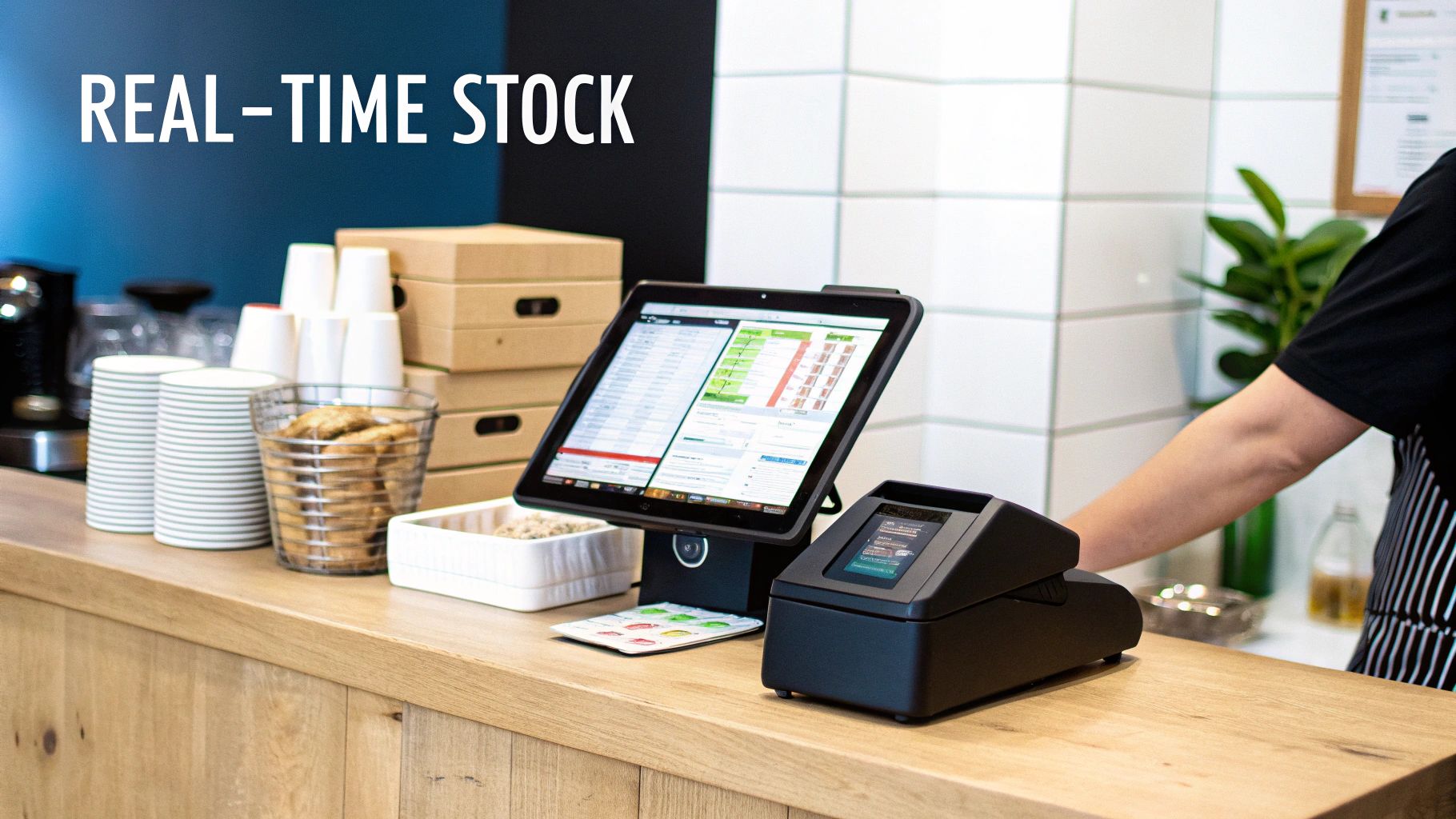
Glance at this screen and you’ll spot current stock levels, reorder triggers, and pending purchase orders right away.
Staff Training And Adoption
Build confidence from day one. Mix short demos with hands-on sessions and create quick-reference cards.
- Hands-On Workshops that mirror daily tasks
- Interactive Q&A to tackle real scenarios
- Role-Based Guides for clerks, floor managers, and accountants
Watch out for duplicate SKUs or unit mismatches by embedding validation checks in daily routines. Track user logins and task completion to see who might need a refresher.
Check out our guide on best ecommerce platforms for small business to understand how your software choice plays into online sales.
Integration Checkpoints
Regular audits keep your numbers honest. Aim to spot and resolve sync errors within 24 hours.
- Audit a random SKU sample every week
- Scan API logs for failed calls or mismatches
- Verify metrics like Available Quantity vs. Reserved Stock
Loop in your IT partner or vendor support at the first sign of trouble. A smooth sync means less downtime and happier staff.
Final Tips For Success
Documentation is a living asset—update it as your processes evolve. Only archive old spreadsheets once you’ve confirmed the new system is locking in accurate numbers.
| Phase | Focus | Duration |
|---|---|---|
| Pilot | Core Integration | 2 Weeks |
| Rollout | Full Module Adoption | 1 Month |
Use this timeline to set milestones. Review progress weekly and tweak next steps based on feedback.
Celebrate wins: whether it’s restoring 95%+ inventory accuracy or slashing reconciliation time by 50%.
Start lean, iterate fast, and bring your team into every decision. Document those lessons so your next integration is even smoother.
Create Templates And Avoid Common Pitfalls
Getting your inventory management off the ground is easier when you borrow from workflows that already work. Templates cut the guesswork and let your team start logging counts in no time.
Take a small boutique that swapped days of audit prep for a few focused hours—all thanks to a simple checklist. Or consider a local café that hit 95% accuracy within its first week by following a tried-and-true SOP.
- Cycle-Count Log: Record checks by date, SKU and variance notes.
- Receiving Checklist: Verify every shipment is scanned, inspected and entered.
- SOP Outline: Define who does what—and when—for storage, picking and audits.
A neighborhood hardware store used these same forms to pinpoint discrepancies inside 24 hours, slashing variances by 30%. And with a detailed SOP template, onboarding new hires can take 50% less time.
Real-world SOPs skip the fluff. They spell out scanning steps, labeling rules, storage zones and audit triggers—nothing more, nothing less.
Templates To Jumpstart Workflows
Use checklists and logs as your quick-start toolkit.
- Checklist Fields: Date, SKU count, handler initials
- Log Sections: Expected vs. counted, discrepancy reason
- SOP Steps: Who, what and when for each task
Operators simply fill in the blanks. You can tweak fields for lot numbers, batch codes or any special SKU requirements.
Color Coding And Automation
A visual system highlights issues before they spiral:
- Green marks counts within tolerance
- Amber flags variances up to 10%
- Red shows critical discrepancies needing review
Even a simple formula—=IF(C2-B2>0.1*B2, "Flag", "")—can catch outliers before you close the books.
Comparing Cost Methods
How you value stock affects margins, taxes and reporting. These three approaches cover most scenarios:
| Method | Description | Best For |
|---|---|---|
| FIFO | Oldest items sell first | Perishables and tax planning |
| LIFO | Newest items sell first | Inflationary pricing environments |
| Weighted Average | Evenly spreads cost across all units | Stable pricing markets |
A local bookstore leans on FIFO to keep tax filings simple and trace COGS by delivery date. Pasting this CSV snippet into your spreadsheet enforces consistency:
Date,SKU,Expected,Counted,Variance,Notes
Weighted average, meanwhile, smooths out erratic purchase prices for easier month-end valuations.
Vendor Scorecards And Quick Actions
Borrow the idea from that same bookstore and track your suppliers with a scorecard featuring:
- Vendor Name
- On-Time Delivery Percentage
- Order Accuracy
- Notes or Special Terms
Then roll out a one-hour action plan:
- Gather the team and review templates.
- Assign roles for checklists, logs and scorecards.
- Load forms into your system or print them out.
- Run a mock cycle count using your new tools.
Teams that keep on-time rates above 95% see stronger supplier partnerships—and notice quick wins right away.
Avoiding Common Pitfalls
Three traps can derail your efforts:
- Misconfigured Reorder Points: Base alerts on real lead times and historical usage.
- Stale Cost Data: Refresh unit costs at least once a month.
- Skipped Audits: Schedule rolling cycle counts to catch errors early.
Consistent audits and up-to-date data are your best defense against inventory drift and lost sales.
Fix these issues early, and you’ll prevent them from snowballing into expensive write-offs. Applying these templates—from coffee beans to specialty notebooks—means faster discrepancy resolution, clearer audits and reliable data capture every day.
Bring your team together for a short training session, lock in these habits—and watch inventory chaos turn into a smooth, predictable process.
For more on crafting clear item descriptions that align with your inventory practices, check out our guide on how to write product descriptions.
FAQ
Small shops often hit a wall when inventory questions pile up. This FAQ breaks down ratio targets, count schedules, software perks, and quick fixes to restock faster.
- Ideal Turnover Ratio
- Cycle Count Frequency
- Software Essentials
- Stockout Repair
What Is The Ideal Inventory Turnover Ratio For A Small Business?
Most lean retailers aim for a ratio between 4 and 6. Calculate it by dividing your annual cost of goods sold by the average inventory value.
How Often Should I Perform Cycle Counts?
It really comes down to value and velocity. High-value or fast-moving SKUs often get weekly checks, while slower items can wait for monthly or quarterly counts.
Optimizing Stock Controls
Which Software Features Matter Most?
Look for real-time tracking, barcode scanning, and seamless accounting integration. Cloud-based platforms add remote access and automatic updates. Mobile scanning speeds up both receiving and cycle counts.
How Can I Quickly Reduce Stockouts?
Start by analyzing sales trends and resetting reorder points with a safety buffer. Negotiate shorter lead times, configure automated low-stock alerts, and build extra stock ahead of seasonal spikes.
“Quick alerts and safety buffers cut stockouts by over 30% in weeks,” says one shop owner.
Lean on this FAQ whenever you need a fast decision. Tweak the guidelines to fit your actual numbers and watch your operations flow.
Key Takeaways
- Monitor inventory turnover, days in inventory (DIO), and stockout rates.
- Use safety stock formulas to trigger replenishment at the right time.
- Choose software with instant alerts and barcode capabilities.
These pointers let you sharpen your system without second-guessing.
More Resources
- Deep dive into forecasting and reorder points with our guide.
- Discover software integration best practices in our blog.
- Visit our main Inventory Management for Small Business guide for step-by-step instructions.
Check out Sugar Pixels today and elevate your presence at Sugar Pixels